1
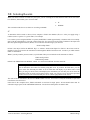
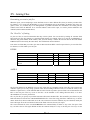
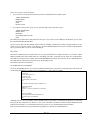
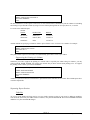
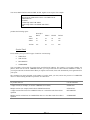
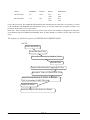
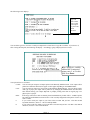
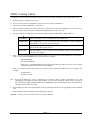
You could have accomplished the same result by using EDIT but look how long it is:
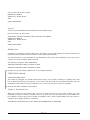
DEFINE FILE RTFILE
CLSS/A12=IF EDIT (RT14C,’999’) EQ ‘FR’ THEN
EDIT (RT14C,’A-FRESHMAN’) ELSE
IF EDIT (RT14C,’999’) EQ ‘SO’ THEN
EDIT (RT14C,’B-SOPHOMORE’) ELSE
IF EDIT (RT14C,’999’) EQ ‘JR’ THEN
EDIT (RT14C,’C-JUNIOR’) ELSE
EDIT (RT14C,’D-SENIOR’);
END
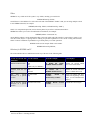
Computing a field
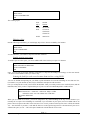
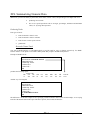
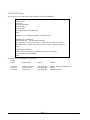
In the very first section of this chapter we DEFINEd a new field named FROSH. Since we did not sort on this field, nor
did we intend to use it in any other reports, we could have COMPUTEd it instead:
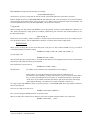
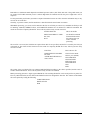
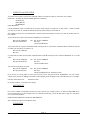
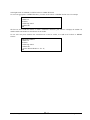
TABLE FILE RTFILE
PRINT RT020
BY RT010IF RT005 EQ &SEM
ON TABLE HOLD AS CURRCRED
END
JOIN RT010 IN CURRCRED TO KEY IN RAFILE AS J1
TABLE FILE CURRCRED
PRINT RT020 AS ‘Curr,Credits’ RA320
COMPUTE NEWTOT/I6=RT020 + RA320;
BY RA005
IF RA305 EQ ‘U’
END
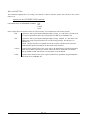
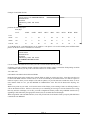
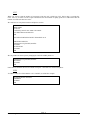
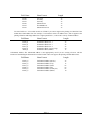
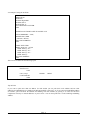
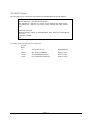
If we had simply wanted to just print the result of this calculation in the report, then using COMPUTE is a much quicker
method for accomplishing this. It’s one line versus an entire DEFINE section. The difference with using the COMPUTE
is that you cannot use this new field anywhere else but within this TABLE REQUEST as I did at the beginning of this
example (Unless you put it in a hold file.) So, if I had wanted both, I would go back to using the DEFINE.
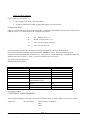
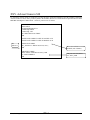
DEFINE vs COMPUTE
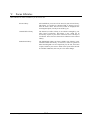
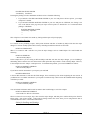
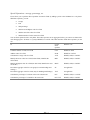
As you have seen, you can use DEFINE or COMPUTE to create new fields. Deciding which one to use depends on
several factors:
•
Whether you want to use the new field as a sortfield. If you do, then you must DEFINE it.
•
Whether Focus requires detailed or aggregated values to calculate the values for the new field. If
the value of the new field can only be reached by using aggregated values, then you must use a
COMPUTE.
•
Whether you plan to use the field in more than one report per reporting session. If the value of the
field can be determined by using detailed values, you can DEFINE it.
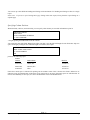
Defining New Fields
XX—6
Marist College