1
Installation
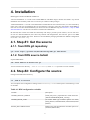
Variable
Description
BUILD_TESTS
Build DDS tests. Possible options are: ON/OFF (default
OFF)
Now, prepare a build directory for an out-of-source build and configure the source:
mkdir build
cd build
cmake -C ../BuildSetup.cmake ..
Tip
If for some reason, for example a missing dependency, configuration failed. After you get the issue
fixed, right before starting the cmake command it is recommended to delete everything in the build
directory recursively. This will guaranty a clean build every time the source configuration is restarted.
4.3. Step #3: Build and install
Issue the following commands to build and install DDS:
make -j
make install
Installation Prefix
Please note, that by default DDS will be installed in $HOME/DDS/X.Y.Z, where X.Y.Z is a version of
DDS. However users can change this behavior by setting the install prefix path in the bootstrap script
BuildSetup.cmake. Just uncomment the setting of CMAKE_INSTALL_PREFIX variable and
change dummy MY_PATH_HERE to a desired path.
WN package
Users have a possibility to additionally build DDS worker package for the local platform. In case
if you have same OS types on all of the target machines and don't want to use WN packages from
the DDS binary repository, just issue:
make -j wn-bin
make install
the commands will build and install a DDS worker package for the given platform.
4.4. Step #4: DDS Environment
In order to enable DDS's environment you need to source the DDS_env.sh script. Change to your newly installed
DDS directory and issue:
cd [DDS INSTALL DIRECTORY]
source DDS_env.sh
You need to source this script every time before using DDS in a new system shell. Simplify it by sourcing the
script in your bash profile.
5