1
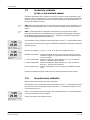
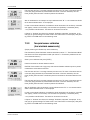
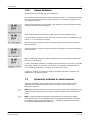
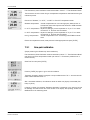
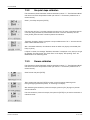
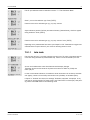
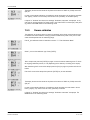
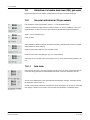
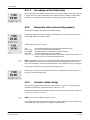
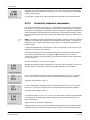
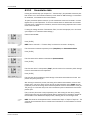
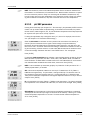
Transmitter M400 8.2.4 85 Set averaging Enter Configuration Mode as described in section 8.1 ”Enter Configuration mode” and select the menu Measurement (see section 8.2 ”Configuration/Measurement”). Selected the menu “Set Averaging” by using the or key. Press [ENTER] The averaging method (noise filter) for each measurement line can now be selected. The options are Special (Default), None, Low, Medium and High: None = no averaging or filtering Low = equivalent to a 3 point moving average Medium= equivalent to a 6 point moving average High = equivalent to a 10 point moving average Special = averaging depending on signal change (normally High averaging but Low averaging for large changes in input signal) Pressing the [ENTER] key again will bring up the Save Changes dialog. Selecting No will discard the entered values and return to the measurement display screen, selecting Yes will save changes made. 8.3 Analog outputs (PATH: Menu / Configure / Analog Outputs) Enter Configuration mode as described in Section 8.1. “Enter Configuration Mode” and navigate to the menu “Analog Outputs” by using the or . key. Press the [ENTER] key to select this menu, which lets you configure the 4 analog outputs. Once analog outputs have been selected, use the and c buttons to navigate between configurable parameters. Once a parameter is selected, its setting can be selected per the following table: When an alarm value is selected (see chapter 8.5.1 “Alarm”; PATH: Menu/Configure/Alarm/Clean/Setup Alarm), the analog output will go to this value if any of these alarm conditions occurs. Parameter Aout: Measurement: Alarm Value: h Selectable Values 1, 2, 3 or 4 (default is 1) a, b, c, d or blank (none) (default is a) 3.6 mA, 22.0 mA or Off (default is off) NOTE: Beside the measurement values pH, O2, T, etc. also the ISM values DLI, TTM and ACT can be linked to the analog outputs if they have been assigned to the corresponding line in the display (see chapter 8.2.1.2 “ISM sensor”) The Aout type can be Normal, Bi-Linear, Auto-Range or Logarithmic. The range can be 4–20 mA or 0–20 mA. Normal provides linear scaling between the minimum and maximum scaling limits and is the default setting. Bi-Linear will also prompt for a scaling value for the mid-point of the signal and allows two different linear segments between the minimum and maximum scaling limits. © 12 / 2013 Mettler-Toledo AG, CH-8606 Greifensee, Switzerland Printed in Switzerland Transmitter M400 52 121 378