1
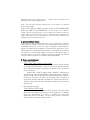
NOTE: Before installing the microscope eyepiece adapter, measure the size of
the outside diameter of the microscope eyepiece to be sure adapter will fit over
the end of the eyepiece. Remove the rubber eyecup if present.
1. Place the microscope eyepiece adapter over one (if Dual-Headed or
Binocular) of the microscope's eyepieces. If there is a rubber eyecup
on the microscope eyepiece, it should be removed first. If there are
two eyepieces on your microscope, light entering the open eyepiece
will not cause any problems with imaging.
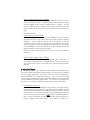
2. Attach the Video Flex® to the eyepiece adapter by gently sliding the
Video Flex® camera head onto the eyepiece adapter, aligning the
microscope adapter with the inside opening of the Video Flex®
camera (inside the knurled focusing ring).
Note: Use only genuine Video Flex® parts and accessories. All Ken-A-Vision
parts provided are made specifically for the Video Flex® and failure due to use
of non-vision viewer parts will void the warranty!
10. Lighting:
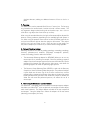
Your Video Flex® operates using ambient, room light. If using camera in a
severely darkened room, supplement the light entering the camera by using a
penlight, flashlight or small lamp near the camera, so that there is more local
input light for the camera to work with.
Never point your Video Flex® at direct sunlight. Subjecting the Camera "eye"
to direct sunlight will discolor the filter over the CMOS chip causing aberrant
colors and or permanent focusing problems. It may even destroy the camera's
ability to capture an image.
11. Using the Discovery Scope Kit: (Ken-A-Vision part number VFDS)
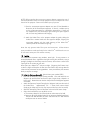
• First find the Discovery Scope Clamp provided. One end looks like an
alligator clip and the other end has an open, larger clamp, shaped in a
hemi-circle. Rotate these so that the clamp ends are 90 degrees opposite
each other.
• Attach the Discovery Scope Clamp (by the "alligator" end) onto the neck of
the Video Flex®, approximately 1/2" - 1" down from camera head.
Simply push clamp onto neck (it may require a little force, but be careful)
• Slide the Telescoping Tube into the hemi-circle end of the same clamp.
• Select which attachment you would like to use:
o The tweezer-clamp for the 35mm slides or other items to be held,
o Specimen "Bug" box holder (looks like an American football goal post).
The box will slide between the arms and small notch in box matches
small protrusion on arms of holder.
9