1
PICO MACOM
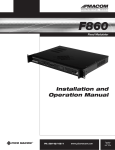
CEF/860
Single-Channel Elimination Filter
Installation and
Operation Manual
Please read this manual thoroughly before use.
Keep this manual handy for future reference.
Visit Our Web-Site www.picomacom.com
Contact Us 858.546.5050
Toll Free 800.421.6511
PICO MACOM
Safeguards
Product Inspection
Inspect the equipment for shipping damage. Should any damage be discovered, immediately file a claim with the carrier.
Important Safety Instructions
To ensure proper installation and operation, take a moment to read this guide before proceeding with the installation. If you have
any questions or comments about the CEF/860 Elimination Filter, please contact your dealer or have him contact the
PICO MACOM Service Center at the phone number on the bottom of the page.
The lightning flash with arrowhead symbol, within an
equilateral triangle, is intended to alert the user to the
presence of uninsulated “dangerous voltage” within the
product’s enclosure that may be of sufficient magnitude to
constitute a risk of electric shock to persons.
WARNING:
TO REDUCE THE RISK OF FIRE OR ELECTRIC SHOCK, DO NOT EXPOSE THIS APPLIANCE
TO RAIN OR MOISTURE. DO NOT OPEN THE CABINET.
REFER SERVICING TO QUALIFIED PERSONNEL ONLY.
CAUTION:
TO PREVENT ELECTRIC SHOCK DO NOT USE THIS (POLARIZED) PLUG WITH AN
EXTENSION CORD RECEPTACLE OR OTHER OUTLET UNLESS THE BLADES CAN BE
FULLY INSERTED TO PREVENT BLADE EXPOSURE.
ATTENCION:
POUR PREVENIR LES CHOCS ELECTRIQUES, NE PAS UTILISER CETTE FICHE POLARISEE
AVEC UN PROLONGATEUR, UNE PRISE DE COURANT OU UNE AUTRE SORTIE DE COURANT,
SAUF SI LES LAMES PEUVENT ETRE INSEREES A FOND SANS EN LAISSER AUCUNE PARTIE A DECOUVERT.
1. Read Instructions: All safety and operating instructions should be read before the appliance is operated.
2. Retain Instructions: The safety and operating instructions should be retained for future reference.
3. Heed Warnings: All warnings on the appliance should be adhered to.
4. Follow Instructions: All operating and user instructions should be followed.
5. Cleaning: Unplug this appliance from the wall outlet
before cleaning. Use a damp cloth for cleaning. Do not use liquid cleaners or aerosol cleansers.
6. Do Not Use Attachments: Use of attachments not recom-
mended by the manufacturer may cause hazards.
7. 2
The exclamation point within an equilateral triangle is
intended to alert the user to the presence of important
operating and maintenance (servicing) instructions in the
literature accompanying the appliance.
Water and Moisture: Do not use this product near water—
for example, near a bathtub, washbowl, kitchen sink, laun-
dry tub, in a wet basement, or near a swimming pool—and the like.
www.picomacom.com
8. Accessories: Do not place this product on an unstable cart, stand, tripod, bracket, or table. The product may fall, caus-
ing serious injury to a child or adult, and serious damage to the appliance.
9.
Ventilation: This video product should never be placed near or over a radiator or heat register. This video prod-
uct should not be placed in a built-in installation such as a bookcase or rack unless proper ventilation is pro-
vided or the manufacturer’s instructions have been adhered to. Any slots or opening in the cabinet are provided for ventilation. To ensure reliable operation of the video product and to protect it from overheating, these openings must not be blocked or covered. Openings should never be blocked by placing the product on a bed, sofa, rug, or other similar surface.
10. Grounding or Polarization: This video product is equipped with either a three prong plug for 110 VAC use or a two prong flat blade 220 VAC type plug. Each type is to be inserted into only the type of receptacle for which they specifically designed. Do not cut off the round grounding pin in order to be able to fit into a two prong receptacle as this could cause injury and will void the warranty.
Operation Manual
CONTACT US TOLL FREE 800-421-6511
PICO MACOM
11.Power Sources: This product should be operated only from the type of power source indicated on the marking label. If you are not sure of the type of power supplied to your home, consult your appliance dealer or local power
company.
12. Power-cord Protection: Power-supply cords should be routed so they are not likely to be walked on or pinched by items placed upon or against them. Pay particular attention to cords and plugs, convenience receptacles, and the point where they exit from the appliance.
13.Lightning: For added protection for this product during a lightning storm, or when it is left unattended or unused for long periods of time, the unit should be disconnected from power source.
14. Power Lines: An outside antenna system should not be located in the vicinity of overhead power lines, other elec
tric light or power circuits, where it can fall into such power lines or circuits. When installing an outside antenna system, extreme care should be taken to keep from touch
ing such power lines or circuits as contact with them may be fatal.
15.Overloading: Do not overload wall outlets and extension cords as this can result in risk of fire or electric shock.
16. Object and Liquid Entry: Never push objects of any kind into this product through openings as they may touch dangerous voltage points or short-out parts that could result in a fire or electric shock. Never spill liquid of any kind on the product.
17.Servicing: Do not attempt to service this product yourself as opening or removing covers may expose you to danger
ous voltage or other hazards. Refer all servicing to qualified service personnel.
18. Damage Requiring Service: Unplug this product from the wall outlet and refer servicing to qualified service person
nel under the following conditions:
a. When the power-supply cord or plug is damaged.
b. If liquid has been spilled, or objects have fallen into the product.
c. If the product has been exposed to rain or water.
d. If the product does not operate normally by follow-
ing the operating instruction. Adjust only those con-
trols that are covered by the operating instructions. An improper adjustment may result in damage and will often require extensive work by a qualified tech-
nician to restore the product to its normal operation.
e. If the product has been dropped or the cabinet has been damaged.
f. When the product exhibits a distinct change in perfor-
mance—this indicates a need for service.
CONTACT US 858.546.5050
19. Replacement Parts: When replacement parts are required, be sure the service technician has used replacement parts specified by the manufacturer or have the same character
istics as the original parts. Unauthorized substitutes may result in fire, electric shock or other hazards.
20. Safety Check: Upon completion of any service or repairs to this product, ask the service technician to perform safety checks to determine that the product is in proper operating conditions.
21. Outdoor Antenna Grounding: Before attempting to
install this product, be sure the antenna or cable system is grounded so as to provide some protection against volt
age surges and built-up static charges.
a. Use No.10 AWG (5.3mm) copper, No.8 AWG (8.4mm) aluminum, No.7 AWG (10mm) copper-clad steel or bronze wire or larger, as ground wire.
b. Secure antenna lead-in and ground wires to house with stand-off insulators spaced from 4 feet (1.22m) to 6 feet (1.83m) apart.
c. Mount antenna discharge unit as close as possible to where lead-in enters house.
d. A driven rod may be used as the grounding electrode where other types of electrode systems do not exist. Refer to the National Electrical Code, ANSI/NFPA
70-1984 for information.
e. Use jumper wire not smaller than No.6 AWG (13.3mm) copper or equivalent, when a separate antenna grounding electrode is used.
NOTE TO THE CATV SYSTEM INSTALLER
THIS REMINDER IS PROVIDED TO CALL THE CATV SYSTEM INSTALLER’S ATTENTION TO ARTICLE 820-22 OF
THE NEC THAT PROVIDES GUIDELINES FOR PROPER
GROUNDING AND, IN PARTICULAR, SPECIFIES THAT
THE CABLE GROUND SHALL BE CONNECTED TO THE
GROUNDING SYSTEM OF THE BUILDING, AS CLOSE
TO THE POINT OF CABLE ENTRY AS PRACTICAL.
Operation Manual
www.picomacom.com
3
PICO MACOM
CEF/860
Single-Channel Elimination Filter
T
he Pico Macom CEF860 is professional grade single channel elimination filters designed to provide a 6MHz-wide carrier-free
environment to insert locally originated channels. When used in conjunction with Pico Macom’s high quality modulators,
these units are the most cost-effective method to add locally originated programming to an MATV or CATV system while
ensuring the highest quality picture across the band. This unit employs multi-stage cavity bandpass and notch filtering to provide
single channel rejection depth typically greater than -55dB, thereby eliminating disruptive carriers and greatly improving picture
quality. Also, the unique filter design and sharp frequency cut-off provide minimum adjacent channel disruption and excellent
passband frequency response ensuring no degradation in system performance. In systems requiring more than one inserted channel, up to 3-units can be cascaded for multiple channel elimination and reinsertion with negligible interaction. The CEF860 is
pre-tuned to any channel in the notch range for easy drop-in installation. Pico Macom backs up this product with its industry
leading 5-year limited warranty.
Features
4
•
CEF860 135-Channel Passband 54-860 MHz
(CATV 2-135) eliminating any single channel between 54-336 MHz (CATV 2-42)
•
Deep -55dB typical cavity-tuned notch filter for clean signal removal of selected cable channels and subsequent insertion of locally originated signals
•
High-Q helical resonators with unique coupling circuitry provide excellent long-term stabillity
•
Sharp filter cut-off edges allow adjacent channels to be processed with negligible loss
•
Up to 3 units can be cascaded for multiple channel
elimination and reinsertion with negligible interaction
www.picomacom.com
• Campact and efficient design enables single rack unit (13⁄4) height installation saving valuable rack space
•
Fail-safe installation as input and output may be reversed without effect
Operation Manual
CONTACT US TOLL FREE 800-421-6511
Back Panel Description
Specifications
PICO MACOM
CEF/860
CEF/860
Single Channel Elimination Filter
Single Channel Elimination Filter
CEF/860
Single Channel Elimination Filter
CH 3
®
CEF/860
Single Channel Elimination Filter
CH
3
®
1
2
IN
IN
OUT
OUT
Back Panel Features
1. Input:
The input RF signal is connected to this port
Specifications
Ordering Information
2. Output:
Passband
Frequency
Range:
5 - 860
MHz
Passband
Frequency
Range:
The
RF signal
minus the
eliminated channel
is 5 - 860 MHz
Rejection
Band
Frequency
Range:
54 - 54
456
MHz
Rejection
Band
Frequency
Range:
336
MHz
available at this port.
Rejection Band Channel Range:
Channel 2 to FF
Rejection Band Channel Range:
Channel 2 to FF
CEF/860 - Channel
CEF/860 - Channel
Specifications
Rejection Bandwidth:
Rejection Bandwidth:
Channel Rejection (min.):
Channel
Rejection (min.):
Insertion
Loss:
Insertion
Loss: Loss:
Adjacent Channel
Adjacent
Channel Loss:
Low Band
Mid, Low
HighBand
Super, Hyper Band
Impedance:
Mid, High Super, Hyper Band
Connectors:
Impedance:
Dimensions:
Connectors:
Weight:
Dimensions:
Weight:
CONTACT US 858.546.5050
Ordering Information
6 MHz
6 MHz
50 dB
50
dB (2.5 dB typ.)
4 dB max.
4 dB max. (2.5 dB typ.)
5.5 dB max. (4 dB typ.)
8.0 dB
(6 dB
typ.)
5.5 max.
dB max.
(4 dB
typ.)
75 Ohm
8.0 dB max. (6 dB typ.)
“F” female
75 Ohm
19”(L)
8.5”(D) x 1.75”(H)
“F”xfemale
5.35 lbs.
19˝(L) x 8.5˝ (D) x 1.75˝(H)
5.35 lbs.
Operation Manual
www.picomacom.com
5
CEF/860
CEF/860
PICO MACOM
CEF/860
Single Channel Elimination Filter
CEF/860
CH 3
Single Channel Elimination Filter
Single Channel Elimination Filter
Single Channel Elimination Filter
®
CH 3
®
1
2
1
IN
2
OUT
IN
OUT
Back Panel Features
Back
Panel
Features
Back
Panel
Control
1. Input:
The input RF signal is connected to this port
1. Input:
1. Input:
The
inputInput
RF signal
is connected
to this port
The
RF Signal
is connected
to this port
2. Output:
The
signal minus the eliminated channel is
2. RF
Output:
2. available
Output: at this port.
The RF signal minus the eliminated channel is available at this port
The RF signal minus the eliminated channel is
available at this port.
6
www.picomacom.com
Operation Manual
CONTACT US TOLL FREE 800-421-6511
PICO MACOM
Installation Procedure
Installation
It is recommended that assistance be available to safely install equipment in equipment racks.
CEF/860
1.Install CEF/860 in equipment rack (rack sold separately) by supporting the bottom and rear of the unit at the
desired elevation in rack.
2. Line up the mounting holes of the CEF/860 with the tapped equipment rack holes.
3. Insert the provided screws through the chassis holes and thread into the tapped rack holes.
4. Fasten the bottom screws first, then fasten top screws. Tighten securely.
Single
Channel
Elimination
5. Connect a cable from the antenna or CATV signal source to the input
of the CEF/860.
Verify
that there are no Filter
line voltages present.
Installation
6. The output of the CEF/860 is connected to a headend channel combiner (PHC-12G, PHC-24G or CHC-16U).
A signal
such
a TSB-21G
may
be equipment
used backwards
as a combiner.
It is recommended
that splitter
assistance
be as
available
to safely
install
in equipment
racks.
1. Install CEF/860 in equipment rack (rack sold separately) by supporting the bottom and rear of the unit at the desired elevation in rack.
2. Line up the mounting holes of the CEF/860 with the tapped equipment rack holes.
the
7. provided
Signal levels
must
be identical
atholes
the “point
of insertion”.
3. Insert
screws
through
the chassis
and thread
into the tapped rack holes.
8.theThe
cable
tv feed
leveltop
is shown
as securely.
an example. It may be higher or lower.
4. Fasten
bottom
screws
first, signal
then fasten
screws. only
Tighten
5. Connect a cable from the antenna or CATV signal source to the input of the CEF/860. Verify that there are no line voltages present.
6. The
output
of the CEF/860
is connected to a headend channel combiner (PHC-12G, PHC-24G or CHC-16U). A signal splitter such as a
Two
applications
are shown:
TSB-21G may be used backwards as a combiner.
7. Signal levels must be identical at the “point of insertion”.
cable
1. tvThis
is used
to as
relocate
channels
24be
and
35 to
8. The
feedconfiguration
signal level is shown
only
an example.
It may
higher
or new
lower.locations channels 36 and 43.
2.
This configuration is used to insert a local signal source into a cable system.
Two applications are shown:
1. This configuration is used to relocate channels 24 and 35 to new locations channels 36 and 43.
2. This configuration is used to insert a local signal source into a cable system.
1.
1.
+16.5 dBmv
Cable Input
Ch 2 to 116
+20 dBmv
CEF/860-36
10.5 dBmv
CEF/860-43
4.5 dBmv
34.5 dBmv
CA-30RK1000
TSB-21G
TSB-21G
13 dBmv
+16.5 dBmv
TSB-21G
PFAP550m
FAM-8
13 dBmv PFAP550m
FAM-8
Input ch. 24, Output ch. 36
Input ch. 35, Output ch. 43
Custom Output
Ch 2 to 116
38 dBmv
TSB-21G
38 dBmv
34.5 dBmv
Channel Processors
2.
PCM55SAW-8
RF OUT Set at (45dBmV)
Modulators
FAM-20
FAM-20
FAM-10
TSB-41G
FAM-10
OUT
-7.0dB
15 dBmV
CEF/860-5
Cable TV Feed
CEF/860-8
TO DISTRIBUTION
SYSTEM
CONTACT US 858.546.5050
15 dBmV
Point of insertion
OUT
-7.0dB
8 dBmV
OUT
-7.0dB
TM
15 dBmV
5-1000MHz
-130dB EMI
VIDEO
AUDIO
TSB-41G
DVD
RF OUT Set at (45dBmV)
OUT
-7.0dB
2.
PCM55SAW-5
INPUT
VIDEO
F-59T
75 ohm termination
38 dBmV
Operation Manual
CA-30/1000
DISTRIBUTION AMP
www.picomacom.com
7
PICO MACOM
Limited Warranty
Pico Macom warrants to the original purchaser that all of its new products are of sound design, quality materials and
workmanship at the time of manufacture and will be free from related defects for one year from the original purchase
date. Pico Macom will repair or, at its discretion, replace without cost to the original purchaser, the product which, upon
inspection by Pico Macom, appears to be defective or not conforming to factory specifications. Pico Macom will cover
the cost of parts, labor, and return freight from factory.
Five-Year Limited Warranty
Most products designated as “Headend Electronics” are further covered by an extended 4-year period beyong
the expiration of the original 1-year warranty, for a full 5-year period. Qualified equipment requiring factory
repair during the extended 4-year period is covered under our re-certification program. Re-certification fees
under this program shall not exeed 20% of the product’s List Price and whenever possible, Pico Macom will
attempt to upgrade performance to the latest improved specification.
Warranty Limitations
This warranty excludes coverage of damage or inoperability resulting from (1) use or installation other than in strict
accordance with Pico Macom’s written instructions, (2) disassembly or repair by someone other than Pico Macom or a
Pico Macom authorized repair center, (3) misuse, misapplication or abuse, (4) alteration, (5) lack of reasonable care or
(6) wind, ice, snow, rain, lightning, power surges, excessive heat, or any other weather conditions or acts of God. Pico
Macom’s warranty with respect to third-party proprietary sub-assembly modules and/or private-label products are limited
to the duration and terms of third-party vendors’ warranty. Pico Macom shall in no event and under no circumstances be
liable or responsible for any consequential, indirect, incidental, punitive, direct or special damages based upon breach of
warranty, breach of contract, negligence, strict tort liability or otherwise or any other legal theory, arising directly or
indirectly from the sale, use, installation or failure of any product acquired by buyer from Pico Macom. This limited
warranty extends to the original purchaser. Pico Macom reserves the right to modify or discontinue this warranty at Pico
Macom’s sole discretion without notification. No other warrantees are expressed or implied.
Damage or Shortage Claims
Our shipping staff carefully packs and ships your orders in compliance with common carriers’ requirements. Please make
note of any obvious damage or shortage on the freight bill or carrier’s receipt next to your signature. The carrier’s agent
must too sign acknowledging the loss. Failure to do so may result in the carrier’s refusal to honor the claim. Please open
your order immediately upon receipt to check for concealed damage and compare the packing list to the items shipped. If
damaged, keep the original shipping cartons for possible inspection by the carrier.You must report claims for loss or
damage within 3 days of delivery, while claims for erroneous charges or price corrections must be presented within 30
days of invoice date.
Returning Shipped Items
To return any shipped items, including those shipped for warranty repairs or credit, call our Customer Service desk to
request a Return Merchandise Authorization (RMA) number. Please reference the original invoice number and purchase
date, and product serial number (if any). Be certain to mark the RMA number on the package boldly and legibly. Unless
we specify a different carrier, please ship your returned items to us via UPS freight prepaid and fully insured. If returned for
credit, we will promptly process your request upon receipt of your return order.
Our Return Policy: Your Satisfation Guaranteed
Our goal is your complete satisfaction. If for any reason, our products were not quite what you anticipated, simply call
your customer service rep and we will be happy to assist you in replacing or returning the order.You may return current,
non-discontinued items for full credit for up to 30 days from invoice date. Our requirements are simple: Excepting
defective items, the products must be returned in their original packaging and in re-salable condition. Restocking fees may
otherwise apply beyond this period or if products are not returned in their original condition. Please contact your
customer service rep for more information.
8
www.picomacom.com
Operation Manual
CONTACT US TOLL FREE 800-421-6511