1
Telephone base and handset charger installation
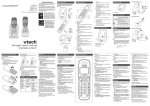
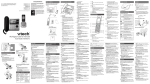
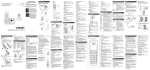
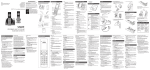
Install the telephone base and handset charger as shown below.
Telephone
wall jack
Electrical outlet
not controlled by
a wall switch
Telephone
line cord
Telephone base
power adapter
A DSL filter
(not included) is
required if you
have DSL
high-speed
Internet service.
The DSL filter
must be plugged
into the telephone
wall jack.
Charger
adapter
Telephone base
•
•
•
Handset charger
Use only the power adapters and batteries supplied with this product. To order
replacements, visit our website at www.vtechcanada.com or call 1 (800) 267-7377.
Even if you do not subscribe to any conventional telephone service, you can still
use the cell line alone without plugging in a telephone line cord.
If you subscribe to telephone service from a cable company or a VoIP service
provider, contact your cable/VoIP service provider for more information.
Handset battery installation
Install the battery as shown below.
. Plug the battery connector securely
into the socket.
. Place the battery with the label
THIS SIDE UP facing up and the
wires inside the battery compartment.
3. Slide the battery compartment cover
towards the center of the handset
until it clicks into place.
4. Place the handset in the handset
charger to charge.
CHARGE light
remains on when
charging.
IMPORTANT:
Check for a dial tone by pressing
/HOME. If you hear a dial tone, the installation is successful.
If you do not hear a dial tone:
•
•
Make sure the installation procedures described above are properly done.
It may be a wiring problem. If you have changed your telephone service to digital service
from a cable company or a VoIP service provider, the telephone line may need to be
rewired to allow all existing telephone jacks to work. Contact your cable/VoIP service
provider for more information.