1
2. To zero the manometer using Factory Zero, start with the unit
turned ON and in Measure Mode. Then use the following
keystroke sequence:
Keystroke
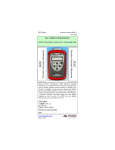
1. Press MIN/MAX and TARE
keys at the same time. (See
Figure 1 above.)
2. Press ▲ or ▼ arrow key until
desired zero function is shown
on the bottom line.
3. Press the PRGM key.
Display
Top line of display reads
“ZEROING SOURCE:” Bottom
line of display reads “REF TO
ABS ZERO”
Bottom line of display reads
“FACTORY ZERO”
Zeroing is complete when unit
returns to Measure Mode.
The Factory Zero feature is intended for comparison purposes only. Factory
Zero should not be used as a reference for actual pressure measurement
because zero-drift occurring after shipment would not be accounted for. Use
Referenced to Absolute Zero or User-Adjusted Zero options when re-zeroing is
necessary.
3. To zero the manometer using User-Adjusted Zero, start with the unit
turned ON and in Measure Mode. Then use the following keystroke sequence:
Keystroke
Display
1. Apply a known, accurate
pressure source. This may be
true atmospheric pressure from a
reference barometer
6