1
POWER SAVE MODES
This printer is equipped with a low power mode and a sleep mode to reduce power
consumption when it is left idle.
When no print data is received for 10 (default) minutes, the printer will enter the power
save mode. The time ranges to specify for the printer to go into power save mode is 5 to
60 minutes and for sleep mode is 60 to 180 minutes. Consumption of power during the
sleep mode is 10W or less and the time required to exit from the sleep mode to a printready status is about 10 seconds.
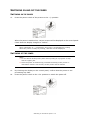
EXITING THE POWER SAVE MODE
The printer automatically cancels its power save status once it receives data from the
computer. You can press any button to exit the sleep mode.
CANCELLING/CHECKING PRINTING
CANCELLING PRINTING
To cancel printing, you can either cancel the print job at this printer or at the computer.
Cancelling a Print Job at the Printer
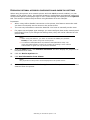
Press the CANCEL button then press the ON-LINE button on the control panel. However,
pages being printed at the moment will continue to be printed.
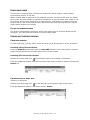
Cancelling Print Jobs at the Computer
Double-click the printer icon
at the bottom right of the taskbar in Windows.
From the displayed window, click the document name that you wish to delete and press the
Delete key.
CHECKING STATUS OF PRINT DATA
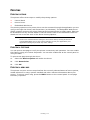
Checking in Windows
Double-click the printer icon
on the task bar at the bottom right of the screen.
From the displayed window, check the column, Status.
Switching on and off the power > 15