Transcript
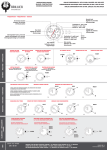
Quick Reference Guide for Audio Control Panel Installed in the
Standard CAWG CAP AIRCRAFT (PMA 7000M-S)
What you want to do
Turn on the audio panel
Adjust the volume
Set Marker Mode
Set the crew mode
Select the transmit function
Turn on desired radios and
set frequencies
Required action
Pull the large knob on the left labeled VOLUME
Rotate the large knob on the left labeled VOLUME
This adjusts ICS volume only -radio volume is adjusted on each radio
Move the upper-left silver switch to the LOW (middle) position
Move the lower-Ieft silver switch to the ALL (middle) position
Rotate the large knob on the right to the desired transmitter setting
(See chart below)
See operating instructions with each radio
Transmitter Combinations (designed for some common situations)
TX Selector
Pilot
COM 1
Com 1 Com 1
(a) Both pilot and Observer transmit
& listen on Com 1 (Pilot TX priority)
Both are able to listen and transmit on
same FAA radio (tower, ATC etc.)
COM 2
Com 2 Com 2
(a) Both pilot and Observer transmit
& listen on Com 2 (Pilot TX priority)
Both are able to listen and transmit on &
same FAA radio (tower, ATC etc.)
COM 3
Com 3 Com 3
(a) Both Pilot and Observer transmit
& listen on Com 3 (CVAP Radio)
Working in remote location where no
other FAA frequencies are needed
COM 1/2
Com 1 Com 2
(b) Pilot transmit & listen on Com 1
Observer transmit & listen on Com 2
Pilot with ATC and Observer with air-toair or air-to-ground frequency such as 1
129.45
COM 1/3
Com 1 Com 3
(b, c) Pilot transmit & listen on Com1
Observer transmit & listen on Com 3
Pilot with ATC and Observer using CAP
radio. Cannot hear each others
communications (ICS ok)
COM 2/3
Com 2 Com 3
CAP
(b, c) Pilot transmit & listen on Com2
Observer transmit & listen on Com 3
Pilot with A TC and Observer using
radio. Cannot hear each others
communications (ICS ok)
Observer
Notes
Action
Common Situation
Notes:
(a) Pushing another COM or NAV button permits listening to that radio but no transmitting (guarding).
(b) When COM 3 button is pushed in a COM 3 split mode, pilot will hear COM 3 but no transmitting (guarding).
(c) Pushing ICS button in a split mode, permits ICS function between Pilot & Observer.
See user manual for more complete information.
Pilot should always approve any change to audio panel setting.
10 Apr 2001 by Capt. Woody McCauley