1
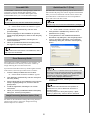
• To remove Software Operation Panel, (Software
Operation Panel is automatically installed
together with FUJITSU TWAIN 32/ISIS),
select "Software Operation Panel."
• To remove QuickScan Pro™,
select "QuickScan."
• For information about how to uninstall Image Processing
•
Software Option (Trial version), refer to "Image
Processing Software Option User’s Guide."
For information about how to uninstall Adobe Acrobat,
refer to Adobe Acrobat "Read Me."
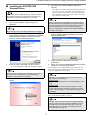
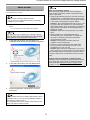
5.
Click the [Change/Remove] button or the [Remove]
button.
6.
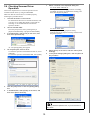
When you see a confirmation dialog box, click the
[OK] button or the [Yes] button.
⇒ Upon clicking the button, uninstallation is
started.
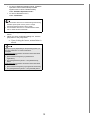
Displays may vary depeinding on the operating system you
are using. Follow the on-screen instructions.
Examples:
In Windows 2000, the window and button names described
above are as follows:
• [Add or Remove Programs] D [Add/Remove
Applications]
• The [Change/Remove] button D The [Add/Remove]
button
In Windows Vista, the window and button names described
above are as follows:
• [Add or Remove Programs] D [Programs and Features]
• The [Change/Remove] button D The [Uninstall] button.
12