1
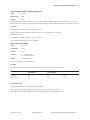
Contents
Contents
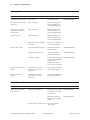
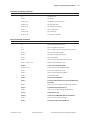
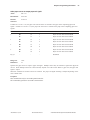
Chapter 1: About the Printer ............................................................. 5
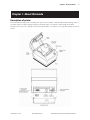
Description of Printer ....................................................................... 5
Models Available ............................................................................... 6
Model Identification ................................................................................................. 6
Communication Interfaces .................................................................................... 6
Features .............................................................................................. 7
Options ................................................................................................ 7
Chapter 2: Using the Printer .............................................................. 9
Unpack the Printer ............................................................................ 9
Remove the Starter Paper Roll Supports ....................................................... 10
Choose a Location ......................................................................... 11
On a Flat Surface ..................................................................................................... 11
Connect the Cables ........................................................................ 12
Communication Cable ......................................................................................... 12
Cash Drawer Cables .............................................................................................. 13
Power Supply Cable .............................................................................................. 13
Printer Controls .............................................................................. 14
Reset Button ............................................................................................................. 14
Paper Feed Button ................................................................................................. 14
LED ................................................................................................................................ 14
Tone .............................................................................................................................. 15
Loading Receipt Paper .................................................................. 16
To Load the Paper ................................................................................................... 16
Configuring the Printer ................................................................ 19
Troubleshooting the Printer ........................................................ 21
Printer Tone and Green LED ............................................................................... 21
Printing Problems ................................................................................................... 22
Printer Does Not Function .................................................................................. 22
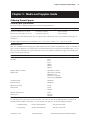
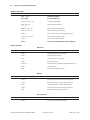
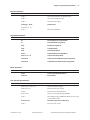
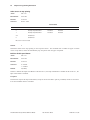
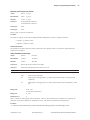
Chapter 3: Media and Supplies Guide .......................................... 23
Ordering Thermal Paper ................................................................ 23
Thermal Paper Specifications ............................................................................ 23
Manufacturers .......................................................................................................... 23
How to Order ............................................................................................................ 23
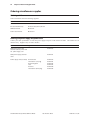
Ordering Miscellaneous Supplies ............................................... 24
Ordering Cash Drawers ........................................................................................ 24
Ordering Power Supply and Power Cord ..................................................... 24
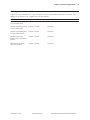
Ordering Communication Cables .................................................................... 25
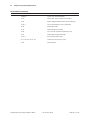
Chapter 4: Print Specifications ....................................................... 27
Characters ........................................................................................ 27
Print Modes ............................................................................................................... 27
Size ............................................................................................................................... 27
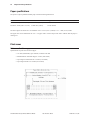
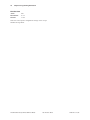
Paper Specifications ...................................................................... 28
Print Zones ...................................................................................... 28
Print Zones for 80 mm Paper ............................................................................ 28
A794-D100 10/04
189-9200250 Rev. C
A794 Thermal Receipt Printer: Owner’s Guide
3