1
Table of Contents
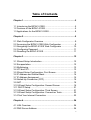
Chapter 1 ....................................................................................... 5
1.1 Introducing the BIPAC-5100S................................................... 5
1.2 Features of the BIPAC-5100S .................................................. 5
1.3 Applications for the BIPAC-5100S ............................................ 8
Chapter 2 ....................................................................................... 9
2.1 Web Configurator Overview ..................................................... 9
2.2 Accessing the BIPAC-5100S Web Configurator ....................... 9
2.3 Navigating the BIPAC-5100S Web Configurator .................... 10
2.4 Configuring Password ............................................................ 11
2.5 Resetting the BIPAC-5100S ................................................... 11
Chapter 3 ..................................................................................... 12
3.1 Wizard Setup Introduction ...................................................... 12
3.2 Encapsulation ......................................................................... 12
3.3 Multiplexing ............................................................................ 13
3.4 VPI and VCI............................................................................ 13
3.5 Wizard Setup Configuration: First Screen .............................. 13
3.6 IP Address and Subnet Mask ................................................. 14
3.7 IP Address Assignment........................................................... 15
3.8 Nailed-Up Connection (PPP).................................................. 16
3.9 NAT......................................................................................... 16
3.10 Wizard Setup Configuration: Second Screen ....................... 16
3.11 DHCP Setup ......................................................................... 21
3.12 Wizard Setup Configuration: Third Screen ........................... 21
3.13 Wizard Setup Configuration: Connection Tests .................... 23
3.14 Test Your Internet Connection .............................................. 23
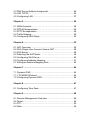
Chapter 4 ..................................................................................... 24
4.1 LAN Overview......................................................................... 24
4.2 DNS Server Address .............................................................. 24
2