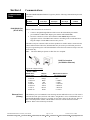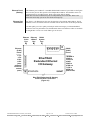
1
Section 6 Maintenance Information Local Diagnostics Local diagnostics can be performed through any available port while the unit is responding to messages from the other port. Diagnostic software, such as the Sixnet I/O Tool Kit, can be used to display the status of the I/O registers. Refer to the software’s on-line help for details. Status LED The “Status” LED on the unit indicates its operational status: ON The unit is operating properly. OFF There is no power to the controller or service is required. Contact Sixnet technical support. FAST BLINK This may occur when the unit is being reset, or firmware is to be downloaded from the I/O Tool Kit software. SLOW or PERODIC BLINK Memory This indicates that the internal watchdog has detected a problem. Try clearing the memory and reloading the project from the I/O Tool Kit. The ET-GT-ST-3 has nonvolatile (battery-free) memory for storing configuration data from the I/O Tool Kit utility. It also has battery-backed memory for storage of I/O registers. The battery is a rechargeable lithium cell that is kept fresh by the power circuitry in the unit. The memory retention period for an unpowered unit is at least 6-months at room temperature. The retention time will be shorter at higher temperatures. The life expectancy of the lithium battery is approximately 10 years or more. Product Support To obtain support for Sixnet products, call Sixnet and ask for Applications Engineering. Our phone numbers are: Phone: 1.518.877-5173 Fax: 1.518.877-8346 E-mail: [email protected] Visit us on the Web: www.sixnet.com Our mailing address: Sixnet Technology Park 331 Ushers Road Ballston Lake, NY 12019 EtherTRAK Redundant I/O Gateway User Manual Page 15 of 16 Last Revised: 8/17/2009 SixnetTechnology Park 331 Ushers Road Clifton Park, NY 12065 USA 1.518.877.5173 FAX 1.518.877.8346 [email protected]