1
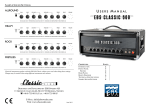
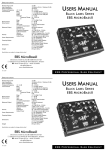
FRONT PANEL CONTROLS
BLOCK DIAGRAM
9
7
DRIVE - The DRIVE knob controls the amount
of gain in the tube emulation stage, and provides
an extra gain all the way up to 34 dB. The gain is
compensated over this section producing a
warm overdrive while the output remains more
or less constant. This control also compresses
the sound when turning up level up to maximum,
producing pure limitation.
This Drive function can be controlled by a foot
switch remotely. See rear panel descriptions for
more details.
BALANCED OUTPUT - A balanced output
functions as a high quality line box for
connecting to PA mixing consoles or to studio or
broadcast recording units, with high noise
immunity. The volume level does not effect this
output.
Lifting ground is a great aid in many occasions
eliminating ground noise and hum. When
required, press the Gnd Lift switch to disconnect
the ground from the output.
The Post Eq switch at the front selects the
signal source. In the inner position this switch
selects the overall sound included effects,
otherwise, in the lower position an uncolored
sound is taken immediately after the input.
The EBS HD630 also features a speaker
simulator for the balanced output. Press the Spkr
Sim button to activate this function.
8
VOLUME - The VOLUME knob controls all
volume in the unit, controlling the poweramp
and LINE outputs. The balanced output (XLR)
is not affected by the setting of this knob.
10
POWER - Switches the amp on or off.
4
8
3
5
2
6
6
1
7
3