1
STC-AD3
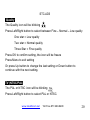
(NTSC is the correct setting for all North America. Your Stealth
Cam STC-AD3 comes pre-programmed for NTSC.)
Press OK to confirm setting and icon will freeze
Press Menu to Exit
Or press Up button to change the previous setting or Down button to
continue with the next setting.
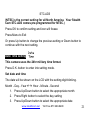
Date Time setting
This camera uses the 24hr military time format.
Press O.K. button to enter into setting mode.
Set date and time
The date will be shown on the LCD with the setting digit blinking.
Month - Day - Year ÅÆ Hour - Minute - Second
1. Press Up/Down button to select the appropriate month
2. Press Right button to select the day setting
3. Press Up/Down button to select the appropriate date
www.stealthcam.net
Toll Free 877-269-8490
21