1
bargeheights
User Manual
LED PAR
1. THEBEGINNING
TABLEOFCONTENTS
1. The Beginning
Unpacking
3
Support
Introduction
DMX Quick Reference
3
3
4
4
2. Safety Information
5
Thanks!
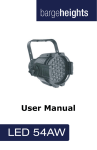
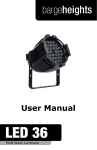
Thank you for choosing the Bargeheights LED PAR! This versatile PAR-style LED wash luminaire will provide reliable performance day in and day out. To ensure long lasting performance,
please follow the guidelines in this manual. The instructions
here are important for your safety and the maintenance of this
fixture. Enjoy!
Unpacking
3. Setup
DMX Cabling
6
4. Operation/Configuration
Menu Structure
8
DMX Termination
3-pin vs. 5-pin
Master/Slave Mode
DMX Control Mode
1 Channel Mode
2 Channel Mode
3, 4, 5 Channel Modes
6, 7 Channel Modes
Standalone Control Modes
Master/Slave Mode
RGB Balance Mode
LED Display
Technical Specifications
Photometric Data
5. Care/Maintenance
Returns
Shipping Damage
Contact Us
6
6
7
7
All of our luminaires are thoroughly tested prior to being
shipped. While your LED PAR functioned perfectly when it left
us, it may have been bumped around during shipping. Please
inspect the carton and if you notice any damage, take a good
look at the fixture. If you see any damage, it is important to
contact our support team right away. And, if you find any pieces
necessary for operation are missing – let us know! We’ll make it
right as soon as possible.
9
10
11
12
13
14
15
16
16
17
18
18
Support
19
The Bargeheights LED PAR carries a one-year (365 day) manufacturers’ limited warranty. Please contact Bargeheights for
warranty repair or returns. All returns require an RA (Return
Authorization) number. If your fixture is still under warranty,
contact us and we’ll walk you through the process.
19
20
20
LED PAR User Manual rev. A
If something is not working properly, let us know! Grab a computer or your favorite handheld device and head to
www.bargeheightslighting.com/support for user manuals,
DMX channel lists and support information. You can also email
us at [email protected]. We’re happy to help.
WARNING!
To reduce the risk of fire or electrical shock, do not attempt to
use this fixture with any covers missing or removed.
©2010 Bargeheights, Inc.
Page 3
2. SAFETYINFORMATION
Introduction
•
•
•
•
•
•
•
•
•
•
•
PAR-style LED Wash Luminaire
Full RGB color mixing via 183 LEDs
(60 Red, 63 Green, 60 Blue)
High output, low power consumption
Variable electronic strobe
Variable electronic dimmer
Master/Slave modes
Built-in standalone modes - no controller required!
RGB color mixing ability in standalone mode
Up to 7 DMX control channels
Rugged aluminum chassis
Passive cooling - no fan
• DO NOT connect the fixture into a dimmer. Use constant line voltage only to
avoid damage.
• Make sure you are connecting the fixture to line voltage that is not higher
than the voltage stated on the rear of the fixture.
• The LED PAR is for indoor use only. Do not expose the fixture to rain, or
other moisture. The LED PAR cannot be used as a buoy.
• Do not operate the fixture with flammable items nearby. NEVER lay anything
on the fixture while it is on.
• Give it space! The LED PAR needs at least 6in (15cm) from other surfaces
and objects. Make sure that none of the ventilation or fan slots are blocked.
• ALWAYS disconnect the fixture from its power source before servicing or
cleaning.
• ALWAYS secure your LED PAR using a safety cable. NEVER hang or carry it
by its cord. It has a yoke for a reason!
• DO NOT operate when the ambient temperatures are higher than 104°F
(40°C). If it’s too hot for you, it’s too hot for your LED PAR!
• If your LED PAR stops working properly, stop using it immediately. NEVER
try to repair it yourself. Attempting repairs in the field can result in damage or
injury. Please contact us for repairs or replacement.
• Make sure the power cord is not frayed or damaged.
• Never disconnect the power cord by pulling on the cord. Use the plug!
DMX Quick Reference - 4 Channel Mode
Channel
Function
1
Red Intensity
2
Green Intensity
3
Blue Intensity
4
Overall Intensity
Page 4
• Avoid direct eye exposure to the light source while it is on. It’s cool looking,
and fun to watch, but staring into the light can damage your eyes!
!
Caution!
There are no user serviceable parts inside this fixture. Do not
open the housing or attempt any repairs yourself. Not only is it
a bad idea, it will void your warranty – which is a bummer when
you need a working light! If you do need service, please contact
Bargeheights. Damages sustained as a result of modifications
to the fixture, or disregarding information in this manual will
not be covered by your warranty. If something is wrong, let us
take a look at it. We’ll help you out!
LED 36 User Manual rev. A
©2010 Bargeheights, Inc.
Page 5
3. SETUP
3-pin vs. 5-pin
Some manufacturers use 5-pin XLR connectors for DMX transmission. Don’t worry! The two are still compatible. Adapters are
available on the internet and from lighting retailers. If you want
to build your own, here are the proper connections:
DMX Cabling
The LED PAR has standard 3-pin XLR connectors for DMX control and daisy-chaining. Up to 32 devices can be daisy-chained
together on a single run. Standard microphone cables will
probably work OK, but DMX is a serial data transmission with
impedance specifications that are different than analog audio.
Cables specifically designed to transmit DMX signals will always
work best. As an example, Belden© 9841 meets the specifications for DMX-512 applications. The longer the cable distance,
the more important proper cable selection is.
Shield
1
3
2
Cable Conductor
3-pin Female
(output)
5-pin Male
(input)
Shield (Ground)
Pin 1
Pin 1
DMX Data +
Pin 2
Pin 2
DMX Data -
Pin 3
Pin 3
not connected
-
not connected
not connected
-
not connected
1
Data +
3
2
Data -
DMX Termination
Sometimes, errors will crop up in your DMX line – especially if it
is a long run. When this is the case, or if you just want to make
sure your DMX runs have the best chance at accurate transmission, you can use a terminator. A terminator is a 120 ohm ¼
watt resistor which is connected between pins 2 and 3 of a male
XLR connector (DATA + and DATA -). This connector is inserted
in the female XLR connector of the last fixture in your daisy
chain to terminate the line. Using a cable terminator will decrease the possibility of erratic behavior. Terminators are available on the internet and from lighting retailers. If you’re handy
with a soldering iron, they are simple to build yourself!
Master/Slave Mode
The LED PAR also has a Master/Slave mode. In this mode you
can set one fixture in the line to act as the master controller –
and up to 32 other fixtures can be connected and will mirror the
operation of the first. In this configuration, you do not need a
DMX controller.
Master Fixture
DMX IN
DMX Terminator
3-pin XLR Male connector
120 Ohm resistor
¼ watt
Page 6
DMX OUT
DMX IN
2
Connect the fixtures just as
you would for DMX control.
See the OPERATION section of this manual for more
information on how to set up
Master/Slave mode.
DMX OUT
1
3
LED 36 User Manual rev. A
to next fixture
Slave Fixture
©2010 Bargeheights, Inc.
Page 7
4. OPERATION/CONFIGURATION
We here at Bargeheights don’t really care for DIP switches.
They are hard to see in the dark, and since most of us don’t
quickly think in binary, they are tricky to set properly. The
LED PAR has an LED display with a simple menu system. There
are four control buttons below the display that allow you to
navigate the control menus.
8888
Menu Structure
Addr
DOWN
UP
ENTER
<MENU> – Go up a level in the menu system; hold to confirm
<DOWN> – Scroll to the next lower number or menu selection
DMX Address Setting
Soun
Sound Control Mode
coLo
Color Selection Mode
Fade
Color Fade Mode
auto
Auto Operation Mode
1Ch-7Ch
DMX Channel Mode (1Ch - 7Ch)
Nast
Master Mode
Noff
Control OFF
SL 2
Slave Mode 2
SL 1
Slave Mode 1
ShNd
ChNd
MENU
1-512
sLNd
<UP> – Scroll to the next higher number or menu selection
<ENTER> – Select the current number / menu selection
on
Rear LED Display On
off
Rear LED Display Off
off
Rear LED Display Normal
Led
To access the main menu press the <MENU> button. Use the
<UP> or <DOWN> buttons to navigate through the menu
options. Press the <ENTER> button to select the option displayed, and use the <UP> or <DOWN> buttons to change the
settings. Once your changes are made press <ENTER> to accept the change. Hold <MENU> for three seconds to confirm the settings change.
If the LED PAR menu remains static for more than eight seconds it will automatically return to its last setting. To exit the
menu without making any changes press the <MENU> button.
Page 8
LED 36 User Manual rev. A
Idsp
on
baLa
Rear LED Display Flip
red
0-255
RGB Balance Mode Red Level
Gree
0-255
RGB Balance Mode Green Level
bLue
0-255
RGB Balance Mode Blue Level
©2010 Bargeheights, Inc.
Page 9
DMX Control Mode
1 Channel DMX Mode
To change the DMX starting address:
Channel
Channel Value
Function
1
0
1-7
8-15
16-23
24-31
32-39
40-47
48-55
56-63
64-71
72-79
80-87
88-95
96-103
104-111
112-119
120-127
128-135
136-143
144-151
152-159
160-167
168-175
176-183
184-191
192-199
200-207
208-215
216-223
224-231
232-239
240-247
248-255
Off
Red
Green
Blue
Yellow
Magenta
Cyan
White
Lime Green
Lavender
Light Steel Blue
Amber
Light Cyan
Light Pink
Pink
Turquoise
Cool White
Lilac
Chartreuse
Light Lavender
Daylight Blue
Purple
Light Lilac
Lime Green
Warm Lavender
Light Lime Green
Electric Blue
Light Teal
Lavender Tint
Light Lavender
Medium Lavender
Cool White 2
Neutral White
• Press <MENU> until Addr is displayed.
• Press <ENTER> to display the channel number, and press
<UP> or <DOWN> to select your starting address. (1-512)
• Press <ENTER> to assign your selection, then press and hold
<MENU> for three (3) seconds to confirm the change.
NOTE: If a valid DMX signal is not present, the fixture will automatically go into the selected standalone mode. See Standalone Control Modes for more information.
To change the DMX mode (1, 2, 3, 4, 5, 6, or 7 channels):
• Press <MENU> until ChNd is displayed.
• Press <ENTER> to display the mode, and press <UP> or
<DOWN> to select the DMX mode. (1CH - 7CH)
• Press <ENTER> to assign your selection, then press and hold
<MENU> for three (3) seconds to confirm the change.
Page 10
LED 36 User Manual rev. A
©2010 Bargeheights, Inc.
Page 11
2 Channel DMX Mode
3 Channel DMX Mode
Channel
Channel Value
Function
Channel
Channel Value
Function
Off
Red
Green
Blue
Yellow
Magenta
Cyan
White
Lime Green
Lavender
Light Steel Blue
Amber
Light Cyan
Light Pink
Pink
Turquoise
Cool White
Lilac
Chartreuse
Light Lavender
Daylight Blue
Purple
Light Lilac
Lime Green
Warm Lavender
Light Lime Green
Electric Blue
Light Teal
Lavender Tint
Light Lavender
Medium Lavender
Cool White 2
Neutral White
1
0-255
Red Intensity
2
0-255
Green Intensity
3
0-255
Blue Intensity
1
0
1-7
8-15
16-23
24-31
32-39
40-47
48-55
56-63
64-71
72-79
80-87
88-95
96-103
104-111
112-119
120-127
128-135
136-143
144-151
152-159
160-167
168-175
176-183
184-191
192-199
200-207
208-215
216-223
224-231
232-239
240-247
248-255
0-255
Intensity
2
Page 12
LED 36 User Manual rev. A
4 Channel DMX Mode
Channel
Channel Value
Function
1
0-255
Red Intensity
2
0-255
Green Intensity
3
0-255
Blue Intensity
4
0-255
Overall Intensity
5 Channel DMX Mode
Channel
Channel Value
Function
1
0-255
Red Intensity
2
0-255
Green Intensity
3
0-255
Blue Intensity
4
0-7
8-255
No Strobe
Strobe Slow -> Fast
5
0-255
Overall Intensity
©2010 Bargeheights, Inc.
Page 13
6 Channel DMX Mode
Standalone Control Modes
The LED PAR has several standalone control modes that do not
require a DMX control signal.
Channel
Channel Value
Function
1
0-255
Red Intensity
2
0-255
Green Intensity
3
0-255
Blue Intensity
4
0-255
Colors 1-32
(See 1 Channel Mode)
Soun is Sound Control Mode. The LED PAR will respond by
5
0-7
8-255
No Strobe
Strobe Slow -> Fast
coLo is Color Selection Mode. The LED PAR will stay on one of
6
0-255
Overall Intensity
7 Channel DMX Mode
• Press <MENU> until SHNd is displayed.
• Press <ENTER> to select, and press <UP> or <DOWN> to
select your desired standalone mode.
changing color to music or sounds via its onboard microphone.
the seven (7) preset colors. The colors are:
coL1 – Red
coL2 – Green
coL3 – Blue
coL4 – Yellow
coL5 – Magenta
coL6 – Cyan
coL7 – White
Channel
Channel Value
Function
1
0-255
Red Intensity
2
0-255
Green Intensity
3
0-255
Blue Intensity
Fade is Color Fade Mode. The LED PAR will fade through many
different colors. There are 7 speeds, from fast to slow. Fad1 is
fast – Fad7 is slow.
4
0-255
Colors 1-32
(See 1 Channel Mode)
Auto is Auto Operation Mode. The LED PAR will cycle through
5
6
7
Page 14
0-7
8-255
0-127
128-159
160-191
192-223
No Strobe
Strobe / Fade Speed
Slow -> Fast
224-255
No Auto Fade
Color Fade
Color Chase R, G, B
Color Chase
R, G, B, Y, M, C, White
Sound Control Mode
0-255
Overall Intensity
LED 36 User Manual rev. A
many different colors automatically.
• With all Standalone Modes, press <ENTER> to assign your
selection, then press and hold <MENU> for three (3) seconds
to confirm the change.
©2010 Bargeheights, Inc.
Page 15
Master/Slave Mode
LED Display
Up to 32 LED PARs may be connected via the 3-pin DMX connections and controlled simultaneously without a DMX controller by using Master/Slave Mode. In this mode you can set one
fixture in the line to act as the master controller.
The rear facing LED menu display can be set to hide when it is
not in use.
• Press <MENU> until SLNd is displayed.
• Press <ENTER> to select, and press <UP> or <DOWN> to
select your desired mode.
NASt sets the LED PAR as the Master. Other LED PAR fixtures
connected to this one and set as slave will be controlled by this
fixture.
Noff turns off control of the LED PAR.
SL 2 sets the LED PAR in Slave Mode 2. If this LED PAR is connected to another set in Master Mode, it will be controlled by
the Master fixture.
SL 1 sets the LED PAR in Slave Mode 1. If this LED PAR is connected to another set in Master Mode, it will be controlled by
the Master fixture.
• Press <ENTER> to assign your Master/Slave selection, then
press and hold <MENU> for three (3) seconds to confirm the
change.
• Press <MENU> until Led is displayed.
• Press <ENTER> to select. The current choice will be shown
( on or off )
• Press <UP> or <DOWN> to select the display status.
• Press <ENTER> to assign selection, then press and hold
<MENU> for three (3) seconds to confirm the change.
• After 20-30 seconds of menu inactivity, the LED display will
turn off, and remain off until you press <MENU> again.
The LED menu display can also be flipped. If the LED PAR is in a
position where you need to read it upside down, use this menu
option.
• Press <MENU> until Idsp is displayed.
• Press <ENTER> to select. The current choice will be shown
( on or off )
• Press <UP> or <DOWN> to flip the display. on is flipped.
off is standard.
• Press and hold <MENU> for three (3) seconds to confirm the
change.
RGB Balance Mode
RGB Balance Mode adjusts the maximum LED level output for
every mode. If you change this setting, you will affect the
colors output for every preset mode. Make sure this is what
you want before changing these settings!
• Press <MENU> until baLa is displayed.
• Press <ENTER> to select. All Red, Green, and Blue LEDs will
be on at full.
• Press <UP> or <DOWN> to select the color you wish to
adjust. (red Gree blue)
• Color levels adjustable from 0-255.
• Press <ENTER> to assign selection.
• To confirm your changes and exit RGB Balance Mode, hold
<MENU> for three (3) seconds.
Page 16
LED 36 User Manual rev. A
©2010 Bargeheights, Inc.
Page 17
5. CARE/MAINTENANCE
Technical Specifications:
Model:
LED PAR
LEDs:
183 x 10mm (60 Red, 63 Green, 60 Blue)
Voltage:
100-250v / 50-60Hz
Dimensions:
9in (h) x 9in (w) x 12in (l)
230mm (h) x 230mm (w) x 310mm (l)
Weight:
3.5lbs (1.6Kg)
Power
Consumption:
25 watts
DMX Channels:
1, 2, 3, 4, 5, 6, or 7 channels
Beam Spread:
25 degrees
Setup & Addressing:
LED Menu display – no dip switches!
Your LED PAR is designed for long life with minimal upkeep.
Since there are no lamps to replace, maintenance is simple just keep your LED PAR clean and dry. Especially if you are in a
dusty or haze-filled environment, there are some simple steps
you can take to ensure a long, happy life for your LED PAR.
Keeping the lens area clean will ensure maximum light output.
Use glass cleaner on a soft cloth to wipe down the lens area
and the outer enclosure of the LED PAR whenever it gets dirty
or dusty. Always make sure the vent holes are kept clear.
Any other repair or maintenance should be performed by qualified individuals only. There are no user-serviceable parts in the
LED PAR. If you find your LED PAR behaving strangely, please
feel free to contact us and we’ll help with troubleshooting.
Returns
Photometric Data:
Throw Distance
1.0m
3.2’
3.0m
9.8’
5.0m
16.4’
7.0m
23.0’
Beam Diameter
.54m
1.8’
1.2m
3.9’
1.66m
5.4’
1.95m
6.4’
990
520
230
132
Illuminance (lux)
Photometric data taken with all channels at full. Due to variations in all LEDs, these values should be considered approximate. All LED sources experience a lowering of output and
some color shift over time. LED output varies with ambient
operating temperatures.
While your LED PAR was tested and working perfectly before it
left to join your family, sometimes things can happen. If there’s
a problem, and you need to return your LED PAR - don’t worry!
It’s easy.
Send an email to [email protected], and we’ll issue
you an RA (Return Authorization) number. Carefully pack your
LED PAR for shipping - using the original box and packing material, if possible. Use a prepaid, trackable shipping method, such
as UPS, FedEx or USPS Priority Mail.
Please include the following information with your fixture so we
can best help you!
1. Your contact information (Name, Address, Phone Number,
Email address)
2. The RA# issued to you
3. A brief description of the problem/symptoms
We will take a look at the fixture, and at our discretion, repair
or replace the fixture. Please note that we cannot be responsible for damage that takes place during shipping - so make sure
you pack the fixture well!
Page 18
LED 36 User Manual rev. A
©2010 Bargeheights, Inc.
Page 19
Shipping Damage
Damage incurred in shipping is the responsibility of the
shipper, and must be reported to the shipping company
immediately upon receipt of the items. Claims must be
made within seven (7) days of receipt.
Contact Us
bargeheights inc
www.bargeheights.com
Support: www.bargeheightslighting.com/support
[email protected]
859-317-2878
Page 20
LED 36 User Manual rev. A