1
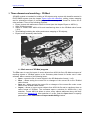
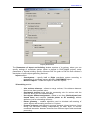
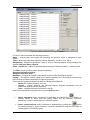
Project processing 2014 1. Three-dimensional modeling – 3D-Mod 3D-MOD module is intended for building of 3D-objects using vectors with classifier created in PHOTOMOD system (see the chapter Vector layer with classifier), editing, texture mapping and for subsequent export of resulting file to the necessary data format for further use in other software. There is the following workflow: Export vectors with attributes to ASCII-A format (see the chapter Export to ASCII-A); Start 3D-Mod program; Import of vectors from ASCII-A-file and transforming them to the 3D-Mod native format (*.tx3); 3D modeling (including the editing and texture mapping of 3D objects); Export to the necessary data format. 1.1. Main menu of 3D-Mod program The File menu is used for import of vector objects from ASCII-A-file to 3D-Mod and export of resulting objects of 3D-Mod system to the necessary data format for further use in other software. Menu consists of the following items: Open – opens the file of vector objects in the 3D-Mod native format (*. tx3). Save – allows saving the current file or changes of the current file to the 3D-Mod native format. Save as – allows saving the current file or changes of the current file under a new name in the 3D-Mod native format. Import – allows to import vector objects from ASCII-A-file and to transform them to native format of 3D-Mod. The command opens a window for ASCII-A-file (*.txt) selection. Format ASCII-A allows to store vector objects attributes along with their metrics (see Appendix B). After selection of .txt file, push the Open button to specify parameters in the Parameters of import and building window: 3 RACURS Co., Ul. Yaroslavskaya, 13-A, office 15, 129366, Moscow, Russia