1
DF-T35-37D2P-WB
2006.8.24 4:57 PM
˘
` 21
mac001
1200DPI 90LPI
Initial Setup
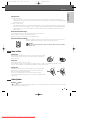
‘Language’ Settings
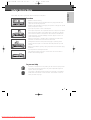
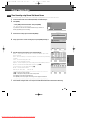
OSD Language
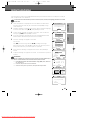
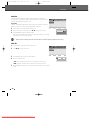
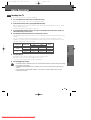
Select a language for the DVD Recorder+VCR Setup menu and on-screen
displays.
1
Language
•OSD Lang
Disc Menu
Subtitle
Audio
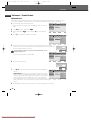
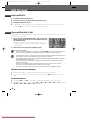
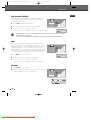
Press [SETUP]. The Setup menu appears.
While ‘Init Setup‘ is selected, press [ENTER] to go to the initial setup
page.
†
†
Use [œ] and [√] to select ‘Language
‘.
…
œ√†
Choose
ENTER
OK
SETUP
Exit
SETUP
Exit
SETUP
Exit
SETUP
Exit
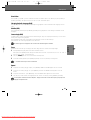
While ‘Language‘ is selected, press [†] to select ‘OSD Lang‘.
Press [√] to move to the second level.
Use […/†] to select the desired language.
SETUP
2
3
4
5
6
English
Français
Español
Portugues
Italiano
Deutsch
Nederlands
Magyar
Press [ENTER] to confirm your selection, then press [SETUP] to exit the menu.
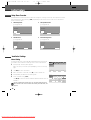
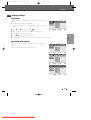
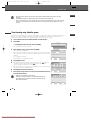
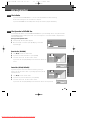
Menu/Subtitle/Audio Language
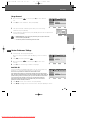
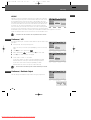
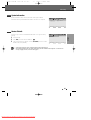
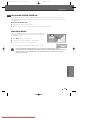
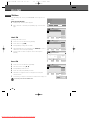
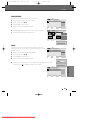
Select your preferred language for Disc Menus, Subtitles, and Audio
soundtracks.
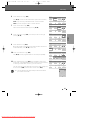
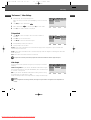
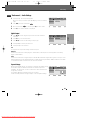
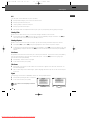
Follow the same procedure as the OSD Language.
Language
OSD Lang
•Disc Menu
Subtitle
Audio
Auto
English
French
Spanish
Portuguese
Italian
German
Dutch
†
†
…
œ√†
Choose
ENTER
OK
Language
OSD Lang
Disc Menu
•Subtitle
Audio
Off
English
French
Spanish
Portuguese
Italian
German
Dutch
†
†
…
œ√†
Choose
ENTER
OK
Language
OSD Lang
Disc Menu
Subtitle
•Audio
Auto
English
French
Spanish
Portuguese
Italian
German
Dutch
†
†
…
œ√†
Choose
ENTER
OK
21
Downloaded From DvDPlayer-Manual.com Daewoo Manuals