1
ACM-3511 Hardware User’s Manual
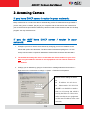
If you are using a single camera, this is enough to access the device.
If you are using multiple devices, you need to change the current device to another unused
IP address, so that when the next device is connected to the network, no two devices use
the same IP. Please perform the following steps.
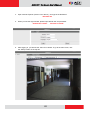
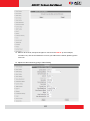
7. Go to Setup -> WAN Setting
8. Choose Static IP Address.
9. Change the IP to 192.168.0.101 or any other unused IPs. Do NOT use the PC’s IP address
or 192.168.0.100.). If this is not the first device you add to the network, please also avoid
other devices’ IPs.
10. Click “Apply”
11. Please go to Save Reboot, and click ”Apply”. Internet Explorer will close after a few
seconds. This is normal.
21