1
Step 4: Plug in the Battery
IMPORTANT: Whether you use the ring terminals or other connectors, ensure that the POSITIVE
terminal is connected to the wire leading to the RED Powerwerx connector and the NEGATIVE
terminal is connected to the wire leading to the BLACK Powerwerx connector.
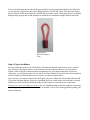
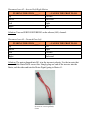
The Battery Pigtail we ship with the Turtle Brain has Powerwerx connectors on one end and ring
terminals on the other. These ring terminals will fit most marine deep-cycle or powered wheelchair
batteries. Similar to the motors, if our pigtail won't work with the battery you've selected, it will be up
to you to cut the ring terminals off and terminate them with a connector appropriate for your battery.
Visit the FAQ at turtleRC.com for help if needed.
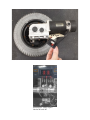
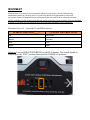
Illustration 5: Battery Input Labeled
BATT
Step 5: Setup the Transmitter
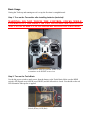
The transmitter that ships with your Turtle Brain has been pre-bound to the Receiver inside the Brain.
Install the batteries included with the Transmitter and power it on to ensure the batteries are working
and installed correctly. If you ever have trouble with the Transmitter not sending a signal to the
receiver, follow the BIND instructions in the Troubleshooting section. Under normal usage this should
not be needed.
NOTE: We recommend using new, non-rechargeable batteries in the transmitter.