1
17
Inventory Usage System
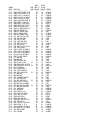
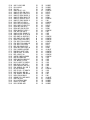
LI,893 List a Parts Transaction Log Detail Across Databases
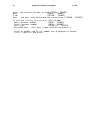
This command is used to list the individual transactions in
the transaction log data base for a part number in multiple
manufacturing data bases. This command will search to see
if you have more than one transaction log data base (TXLDB)
in the account you are in, and gathers all of the detailed
transaction log records from each of the data bases, and
combines them into a single inquiry screen.
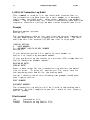
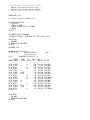
Prompts
Displays output options.
OPTION (3)?
The following two prompts appear:
BEGINNING DATE?
ENDING DATE?
Enter a date range for the transaction log entries you would
like to print. To print all entries on file, enter zero for
the beginning date and 99 for the ending date.
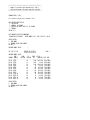
PART NUMBER?
Enter the part number you wish to inquire upon. You will
be warned if the part number does not exist in the data
base and you will be asked if you wish to continue.
Each of the transaction log data bases will be searched for
records on this part number. The transaction log entries
will be listed in descending date and time sequence.
Files Accessed
IM
TXLDET
TXLMAS
Item master file
Transaction Log Detail file
Transaction Log Master file
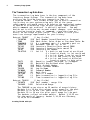
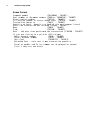
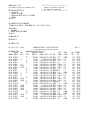
Screen Format
Data base number
Command number
(TXLCMDNO - TXLDET)
Part number or Document number (TXWO or TXPARTNO - TXLDET)
From location number
(TXFLOC - TXLDET)
To location number or scrap reason code (TXTLOC - TXLDET)
Transaction Quantity
(TXQTY - TXLDET)
Quantity on hand - quantity on hand of the part number listed