1
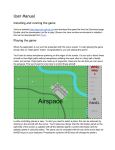
TaxE User Manual 1. Introduction Trains Across Europe is a competitive, turnbased twoplayer game that involves planning and routing trains between different European cities. The aim of the game is to make strategic use of given resources, in order to achieve the most goals in the available number of turns. 2. System requirements Microsoft Windows: ● TaxE will run on Microsoft Windows Vista/7/8/8.1, with at least 1GB of RAM and a recent Intel or AMD processor. Apple OS X: ● TaxE will run on Apple Mac OSX Lion/Mountain Lion/Mavericks/Yosemite, on any Apple manufactured device with an Intel processor. ● TaxE does not support PowerPC. Linux: ● TaxE will run on all versions of Linux with at least 1GB of RAM and an Intel or AMD processor. ● A GUI environment (Gnome/XWindows/etc.) must be installed and running. All operating systems: ● Java must be installed and uptodate. ● TaxE may not run with a version of Oracle Java less than 8u25. 3. Starting the game To start the game, open up the executable Java file ‘taxe.jar’ on your Java ready machine. Once presented with the main menu, select ‘Start game’ with your mouse and the game will commence immediately. 4. Playing the game At the start of each turn, the current player is automatically assigned a new goal, up to a limit of three goals at once, and two new resources, up to a limit of seven resources at once. a. The game screen b. Resource management To place a train: 1. Select the train from the ‘unplaced resources’ section. 2. Select ‘place at a station’ from the action menu. 3. Click the city at which you would like to place the train. To drop a train: 1. Select the train that you wish to drop (Either from the map or in unplaced resources). 2. Select ‘drop’ from the action menu. Note that trains are dropped automatically upon completing a goal, so consider this when choosing which trains to route where! c. Route management To route a train: 1. Select the city at which the train you wish to route is stationed. 2. Select your train from the list of trains at that station. 3. Select the ‘choose a route’ action. 4. Click the sequence of cities and junctions that form your route (Note: if you make an error in your route, click ‘cancel’ in the topright corner and start again). 5. Upon completion, select ‘route complete’ from the topright corner (Note: once a train has been assigned a route you are unable to change or cancel the route). Note that trains can collide when they reach a junction simultaneously, this can be with the other player’s trains or your own so take care when routing through junctions! To view a train’s destination: 1. Select the train from the map. 2. The train’s current destination will appear at the top of the screen along with the train’s other details (type and speed). d. Game management To end a turn: ● Once you have finished strategically placing and routing your trains, select ‘end turn’ from the topright corner. To end the game: ● The game will automatically end after thirty turns have been completed (fifteen for each player), the results of the game will appear including the winner of the game, which is the player who managed to complete the most goals. If both players have completed the same number of goals the game is a draw. 5. Troubleshooting ● If TaxE will not run then please ensure Java has been installed correctly. Java sometimes requires permission to run, so disabling UAC may resolve issues. For more information, visit the game’s official website at: http://upvot.es/SEPRFVS