1
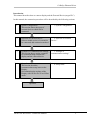
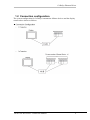
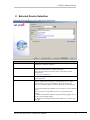
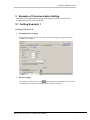
CoDeSys Ethernet Driver Introduction This manual describes how to connect display and the External Device (target PLC). In this manual, the connection procedure will be described by the following sections: 1 System Configuration This section shows the types of external devices which can be connected ”1 System Configuration” 2 Selection of External Device Select a model (series) of external to be connected and connection method ”2 Selection of External Example of Communication Settings This section shows setting examples for communicating between the display and the external device ”3 Example of Setup Items This section describes communication setup items on the Display. Set communication settings of the Display with GP-Pro Ex or in off-line mode. ”4 Setup Items” 3 4 Device” communication settings” Operation GP-Pro EX Device/PLC Connection Manual 2