1
PROTMAN
28
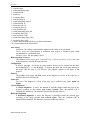
The meanings of the menu items are as follows:
tools
opens a tool box which is floating above the editing window
The box contains those functions available in the menu Tools as well.
layout description not available in this ProtMan version
zoom factor
opens a dialogue to set the size of the display and the
zoom factor, respectively
width of page
The total width of the page can be seen in the editing window.
full page
Matched to the size of the editing window the layout page is completely
displayed.
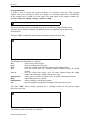
The menu “Options” contains setting operations for work with the ProtMan program and
layout data sources.
The menu item “Program”
Program settings for five registers are carried out here.
“close ProtMan already opened after query”
ProtMan can be opened several times; if this option is set, a dialogue box appears when
the program is started again asking whether the program used should be closed or not; Yes
closes the version used and opens a new one; No returns to the ProtMan already opened;
Cancel stops the the attempt to open ProtMan a second time.
“recover the working directory”
The working directory used during the previous ProtMan application for the layout files
is used again when the program is started again; otherwise the program directory of
ProtMan is used.
“use previous ZOOM setting”
ProtMan starts the editor with the zoom setting used when the program was left;
otherwise the setting page width is used
“display error list after print or preview”
If this setting is selected, an error list is displayed after the execution of a a print or
preview function showing errors which occurred during the output; otherwise there is no
report available
“save with query before print or preview”
If this setting is selected, it is asked whether a changed layout file should be saved or not
before a print or preview function is executed; otherwise the saving is performed
automatically.
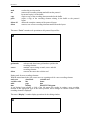
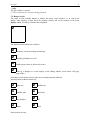
The register ”Drop Mode”
If a ProtMan layout file (*.prt) is drawn in the drag & drop onto the program icon of
PROTMAN.EXE mode by means of the mouse, ”drop mode“ defines which program
function is executed.
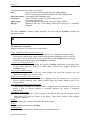
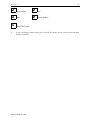
“Editor”
Here, a layout file is opened in the editor and can be edited.
“Print”
A layout file is printed out by ProtMan.
“small Preview”
A layout file is opened in the window mode as a small print preview.
MESSTECHNIK KLÜGER