1
ASSEMBLING AND PREPARING
13
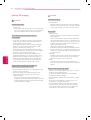
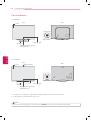
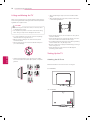
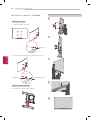
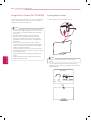
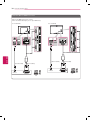
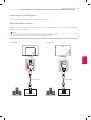
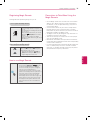
Using the Joystick Button
You can operate the TV by pressing the button or moving the joystick left, right, up, or down.
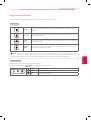
Basic functions
Power On
When the TV is turned off, place your finger on the joystick button and press it once and
release it.
Power Off
When the TV is turned on, place your finger on the joystick button and press it once for a
few seconds and release it.
Volume
Control
If you place your finger over the joystick button and move it left or right, you can adjust the
volume level you want.
Channels
Control
If you place your finger over the joystick button and move it up or down, you can scrolls
through the saved channels you want.
NOTE
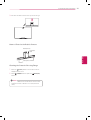
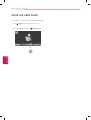
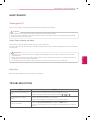
Adjusting the menu
When the TV is turned on, press the joystick button one time.
You can adjust the Menu items( , ,
)moving the joystick button left or right.
TV OFF
Turns the power off.
CLOSE
Clears on-screen displays and returns to TV viewing.
INPUT
Changes the input source.
ENGLISH
yyWhen your finger over the joystick button and push it up, down, left, or right, be careful not to press the joystick button. If you
press the joystick button first, you may not be able to adjust the volume level and/or scroll through saved channels.