1
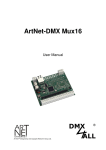
ArtNet-DMX Mux24
User Manual
Art-Net™ Designed by and Copyright Artistic Licence Holdings Ltd.
ArtNet-DMX Mux24
Description
The ArtNet-DMX Mux24 has 16 digital inputs and 8 additional inputs which are
adaptable analog or digital. The output occurs via ArtNet and DMX.
For each input the function (Mode) as well as the channels to control are adjustable.
A user-friendly configuration via a web browser allows a fast an uncomplicated
setting for all parameters.
Data sheet
Power supply:
7-24V DC / 0,5A
Ethernet:
1x
RJ45
DMX-OUT:
1x
512 DMX-channels
Inputs:
16x
8x
Long Distance Digital Input
Analog Input or Long Distance Digital Input
Modes:
Switch
Button ON
Button OFF
Button ON/OFF
Dimmer UP
Dimmer DOWN
Dimmer UP/ DOWN
Button ON + Dimmer UP
Button OFF + Dimmer DOWN
Button ON/ OFF + Dimmer UP/ DOWN
Analog 0-10V
Analog 0-5V
Analog 1-10V
Timer:
4x
Dimensions (LxBxH):
99 x 82 x 20mm
Delivery
1x
1x
1x
ArtNet-DMX Mux24
RJ45 net-work cable 1:1
User Manual (german)
adjustable Timer
2
IN1
IN2
IN3
IN4
IN5
IN6
IN7
IN8
IN9
IN10
IN11
IN12
IN13
IN14
IN15
IN16
GND
GND
IN24
IN23
IN22
IN21
IN20
IN19
IN18
IN17
+5V
GND
DMXDMX+
V+
GND
ArtNet-DMX Mux24
POWER 12-24V DC
ArtNet-DMX Mux24
3
Connection
Ethernet
Analog 0-10V
Analog 0-5V
Analog 1-10V
DMX OUT
ArtNet-DMX Mux24
LED-Display
LED green
The green LED flashes, if there is no Ethernet connection available and lights
permanent, if an Ethernet connection is available.
LED yellow
The yellow LED lights up as soon as data are received.
Configuration
The ArtNet-DMX Mux24 configuration occurs via a web-interface which can be
called up via any web browser.
The assigned IP-Address within the delivery status is 2.0.0.5 which will be used for
the web-interface as well as for the ArtNet.
The PCs network settings must be the IPAddress 2.0.0.1 and the subnet mask
must be 255.0.0.0.
Please take further details from the ArtNetspecifications.
4
ArtNet-DMX Mux24
5
Please call up the IP 2.0.0.5 inside your web-browser and inside the address task to
get the following configuration side:
GLOBAL SETUP
Device settings
Each device needs an own IP-Address that the assignment occurs clearly
within the network. Please use in accordance to the ArtNet-specification the IPAddress 2.x.x.x or 10.x.x.x with the net-mask 255.0.0.0 .
Any other IP-Address can be used too, like e.g. 192.168.1.10 .
In this case the net mask must be adjusted to 255.255.255.0 !
For a better distinction you can name the ArtNet-DMX Mux24 anyway.
The short-name is limited to 18 signs and the long-name to 64 signs.
ArtNet-DMX Mux24
Destination settings
The Destination settings specifiy the values for the ArtNet-output.
Under Dest. IP the IP-Address will be entered to which the data should be send via
ArtNet (Unicast).
Broadcast activates the ArtNet-data output to all ArtNet-devices. The Dest. IP will
not be considered in this case.
Net / SubNet / Port/Universe are the according ArtNet parameters.
Send only on change suppressed the regular repeated output of the values via
ArtNet.
Factory defaults
The Factory Settings will be restored with entering the number 7319.
SAVE stores the configuration respectively restored the Factory Settings.
6
ArtNet-DMX Mux24
Digital inputs (IN1-IN16)
The digital inputs are realized as LONG DISTANCE inputs which allow using longer
supply pipes to the switching element.
IN1
IN2
IN3
IN4
IN5
IN6
IN7
IN8
IN9
IN10
IN11
IN12
IN13
IN14
IN15
IN16
GND
GND
The input wiring occurs with a switch or a button, connect to GND as shown in the
following outline:
The inputs are configured via the web interface. Therefore the both configuration
sides Input 1-8 and Input 9-6 are available.
Per Input the Mode and Channels which should be controlled can be entered here.
7
ArtNet-DMX Mux24
8
You can choose between the following modes:
-
Switch
Active:
Inactive:
-
Channels 100%
Channels 0%
Button ON
Channels will be turned on - 100%
-
Button OFF
Channels will be turned off - 0%
-
Button ON/OFF
Channels will be switched between on and off 0% / 100%
-
Dimmer UP
Channels will be dimmed upwards - 0%
-
100%
Dimmer DOWN
Channels will be dimmed downwards - 100%
-
0%
Dimmer UP/DOWN
Channels will be dimmed upwards/downwards,
change of direction after each loose
-
Button ON + Dimmer UP
Short active:
Long active:
-
Button OFF + Dimmer DOWN
Short active:
Long active:
-
Channels will be turned on
Channels will be dimmed upwards
Channels will be turned off
Channels will be dimmed downwards
Button ON/OFF + Dimmer UP/DOWN
Short active:
Channels will be turned on/ -off
Long active:
Channels will be dimmed upwards/ -downwards,
change of direction after each loose
The channel entry occurs as decimal value from 1 up to 512. If several channels
should be controlled via one input, the single values must be entered separately with
a comma.
For example an single channel with „1“ or several channels with „1,4,7“.
ArtNet-DMX Mux24
9
Analog / Digital Inputs (IN17-IN24)
The analog/digital inputs are adaptable for using as LONG DISTANCE digital inputs
or analog inputs.
The inputs will be configured via the web-interface.
The selection, if the inputs should be used analog or digital, occurs in the Global
SETUP. On the configuration-site Input 17-24 the function of the single channels will
be determined.
ArtNet-DMX Mux24
10
The wiring can occur in several ways.
Connection with external analog signal (0-10V / 0-5V / 1-10V)
analog 0-10V
IN24
IN23
IN22
IN21
IN20
IN19
IN18
IN17
+5V
GND
DMXDMX+
V+
GND
analog 0-10V
Connection with potentiometer
10k
IN24
IN23
IN22
IN21
IN20
IN19
IN18
IN17
+5V
GND
DMXDMX+
V+
GND
10k
Connection as digital input
IN24
IN23
IN22
IN21
IN20
IN19
IN18
IN17
+5V
GND
DMXDMX+
V+
GND
The wiring as LONG DISTANCE digital input occurs with a switch or button, connect
to GND as shown in the following outline:
ArtNet-DMX Mux24
11
Timer
The ArtNet-DMX Mux24 serves 4 timer. Each of these have a time for switch-on and
a time for switch-off as well as a selection for the weekdays on which the timer
should be active.
The channel on which the timer should work will be specified as decimal value from 1
up to 512. If several channels should be controlled via the timer, so the single values
must be entered separately with a comma.
For example a single channel with „100“ or several channels with „100,110,120“.
With Save the settings will be stored and the current time will be adopted in the
ArtNet-DMX Mux24, from the device on which the website was called.
ArtNet-DMX Mux24
12
DMX-Output
The ArtNet-DMX Mux24 has a DMX-output DMX-output which can be used to
connect DMX-able devices directly.
IN24
IN23
IN22
IN21
IN20
IN19
IN18
IN17
+5V
GND
DMXDMX+
V+
GND
DMX OUT
IN1
IN2
IN3
IN4
IN5
IN6
IN7
IN8
IN9
IN10
IN11
IN12
IN13
IN14
IN15
IN16
GND
GND
ArtNet-DMX Mux24
At the DMX-output a DMX-signal with 512 DMX-channels will be outputted.
The values of the DMX-channels will be determined via the digital inputs and the
configuration.
The configuration must occur via the web interface.
ArtNet-DMX Mux24
Factory Reset
The ArtNet-DMX Mux24 can be set into the delivery status via the button.
Please proceed as follows:
-
Turn off the device
Push button and hold
Turn on the device
The yellow LED flashes
Release button
Push button again and hold
The green and yellow LED flashes now for ca. 10 seconds alternately
Release button meanwhile
Now the Reset is in progress and the LEDs flashes 3x simultaneously as
confirmation
Alternatively you can restore the delivery status via the web browser:
-
Open Global Settings into web-browser
Enter the code „7319“ within the input field under Factory Defaults
Click Save
Then wait 10 seconds minimum
13
ArtNet-DMX Mux24
14
Execute an Update
The ArtNet-DMX Mux24 has an Update-function which allows transferring
prospective Firmware-versions.
Please proceed as follows:
-
Turn off the device
Push button and hold
Turn on the device
The yellow LED flashes
Release button
Generate a net-work connection to the PC
Start the Update-Software DMX4ALL LAN-Updater
Select the ArtNet-DMX Mux16 from the list
Click Firmware-Update
Select Firmware-file (.bin) and confirm
Please wait until the Update has finished
If an error occurs during the Update, you can start from the beginning any time.
Alternatively you can activate the Firmware-Update via the web-browser:
-
Open the Update into the web-browser
Enter the diplayed code „1379“ into the input field and click Send.
Start the Update-Software DMX4ALL LAN-Updater
Select the ArtNet-DMX Mux16 from the list
Click Firmware-Update
Select Firmware-file (.bin) and confirm
Please wait until the Update has
Click in the web-browser to Back to Mainpage
ArtNet-DMX Mux24
Equipment
Top-hat rail housing 1050
Power supply 12V / 20W
15
ArtNet-DMX Mux24
16
CE-conformity
This assembly (board) is controlled by a microprocessor and
uses high frequency (8MHz). To get the characteristics of the
assembly in relation to the CE-conformity, an installation in a
compact metal casing is necessary.
Risk-Notes
You purchased a technical product. Conformable to the best available technology the
following risks should not excluded:
Failure risk: The device can drop out partially or completely at any time without
warning. To reduce the probability of a failure a redundant system structure is
necessary.
Initiation risk: For the installation of the board, the board must be connected and
adjusted to foreign components according to the device paperwork. This work can
only be done by qualified personnel, which read the full device paperwork and
understand it.
Operating risk: The Change or the operation under special conditions of the
installed systems/components could as well as hidden defects cause to breakdown
within the running time.
Misusage risk: Any nonstandard use could cause incalculable risks and is not
allowed.
Warning: It is not allowed to use the device in an operation, where
the safety of persons depend on this device
™
ArtNet
®
MADRIX
is a trade mark of Alderamin Group Ltd. Designed by and Copyright Artistic Licence Holdings Ltd.
is a registered trademark of inoage trade GbR - Germany
DMX4ALL GmbH
Reiterweg 2A
D-44869 Bochum
Germany
© Copyright 2014 DMX4ALL GmbH
All rights reserve. No part of this manual may be reproduced in any form (photocopy, pressure, microfilm or in another
procedure) without written permission or processed, multiplied or spread using electronic systems.
All information contained in this manual was arranged with largest care and after best knowledge. Nevertheless errors are to be
excluded not completely. For this reason I see myself compelled to point out that I can take over neither a warranty nor the
legal responsibility or any adhesion for consequences, which decrease/go back to incorrect data. This document does not
contain assured characteristics. The guidance and the characteristics can be changed at any time and without previous
announcement.