1
Chapter 4
Analysis of a Concrete
Floor
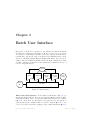
This chapter is a further introduction to Diana’s Graphical User Interface,
also known as iDiana. Here we will not emphasize the more basic features as
introduced in Chapter 2 but concentrate ourselves on the more advanced ones.
We will discuss the application of beam elements, including special aspects of
postprocessing like making a graph of a moment diagram. We will also introduce
a more automatic meshing algorithm and apply a special iDiana option to check
the quality of the mesh. Furthermore, some general features regarding pre- and
postprocessing with iDiana will be shown that were not introduced earlier, for
instance the application of load case combinations.
4.1
Finite Element Model
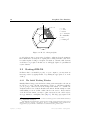
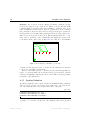
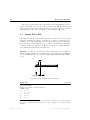
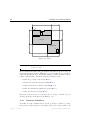
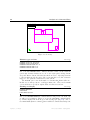
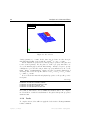
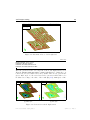
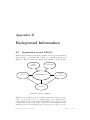
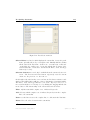
We will demonstrate the linear elastic analysis of a concrete floor of a house as
shown in Figure 4.1 on the next page. The finite element model will consist
of CQ24P plate bending elements for the floor and CL18B beam elements for
the girder. We will concentrate on the methods for creating the model and
postprocessing the results, rather than examining the results of the analysis.
4.2
Preprocessing
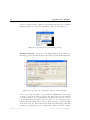
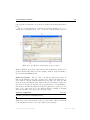
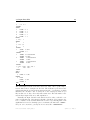
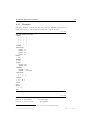
For this example we use the name FLOOR and enter the Design environment via
the following commands.1
1 The example is called cfloor and you may find the related files in the Diana installation
directory at Examples/GetStart/cfloor.
Diana-9.3 User’s Manual – Getting Started
April 25, 2008 – First ed.