1
Instruction Manual
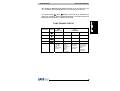
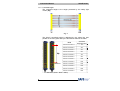
Function
SG2-E Series
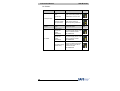
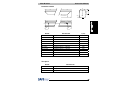
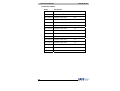
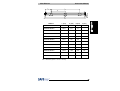
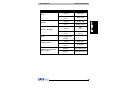
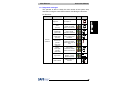
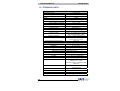
Type
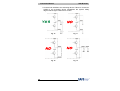
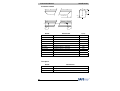
OSSD error
(red ON)
Internal error
(red ON)
Error status
Optical error
(red ON)
EDM error
(red ON)
Restart selection
error
(red ON)
No power supply
(LEDs OFF)
43
Check and repair
Check OSSD
connections. Make
sure that they are not
in contact with one
another or with the
supply cables, then
Reset. If the failure
continues contact
DATASENSOR
Switch OFF and switch
ON the power supply
circuit. If the failure
continues contact
DATASENSOR
Reset. If the failure
continues contact
DATASENSOR
Check EDM
connections and lines.
If the failure continues
contact
DATASENSOR
Check the man/auto
restart connection. If
the failure continues
contact
DATASENSOR
Check connections
and input voltage
value. If the failure
continues contact
DATASENSOR
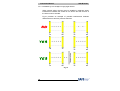
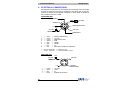
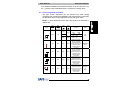
LED
DIGIT