1
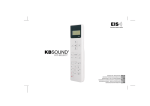
EIS Electrónica Integral de Sonido ® kbsound ® FOR KITCHENS & BATHROOMS USER’S MANUAL BENUTZERHANDBUCH MANUEL DE L’USUAIRE GEBRUIKERSHANDLEIDING MAMANUALE DELL'UTENTE BRUKERHÅNDBOK ENG D F NL I N 2 12 22 32 42 52 kbsound ® 2 FOR KITCHENS & BATHROOMS Important Safety Instructions Table of Contents Before installing the unit, please read and follow the instructions provided in the Installation Manual included in this kit. Before operating the unit, please read and follow the instuctions provided in this User´s Manual thoroughly and save it for future experience. WARNING - To reduce the risk of fire or electric shock: install in accordance with the manufacturer’s instructions do not expose this apparatus to rain or moisture do not use this product near water do not attempt to dissamble this unit CAUTION RISK OF ELECTRIC SHOCK DO NOT OPEN ! do not block any ventilation openings do not install near any heat sources such as radiators, stoves or other equipments that produce heat. You are cautioned that any changes or modifications not expressly mentioned in this manual could void your authority to operate this equipment. This product has been designed and tested to provide reasonable protection against harmful interference in residential installation. However there is no guarantee that interference will not affect in a particular installation. In these cases, reorient the receiving antenna, try to increase the separation between the equipment and the source of interference and/or connect the equipment into an outlet on a circuit different from that to which the source of interference is connected. The entire risk of the installation, use, results and performance are borne by you. When used as a mechanism to disconnect from the current network, a socket plug, or a device connector; the disconnecting mechanism must be easily accessible at all times. Protect the power cord from being walked on or pinched particularly at plugs, convenience receptacles, and the point where they exit from the apparatus. Only use attachments/accessories specified by the manufacturer. Use a certified technician for installation, repair and/or maintenance of this equipment and comply with all the regulations in force in each country. Servicing is required when the apparatus has been damaged in any way, such as power-supply cord or plug is damaged, liquid has been spilled or objects have fallen into the apparatus, the apparatus has been exposed to rain or moisture, does not operate normally, or has been dropped. Attention should be drawn to the environmental aspects of battery disposal. ENG Quick Reference Guide 3 1. 2. 3. 4. 4 Introduction General Operating Notes Operating Audio Functions Operating the FM Tuner 4.1 4.2 4.3 4.4 4.5 4.6 5 6 7 Station Search Directly Keying Station Frequency Tuning to FM Memory Pre-Sets Storing and Clearing Station Frequencies Manually Storing and Clearing Station Frequencies Automatically Adjusting StationSearch Sensitivity 5. Selecting Turn-On Mode 6. “Ideal” mode 7. Technical Specifications 10 11 11 3 kbsound ® On/Off FOR KITCHENS & BATHROOMS ENG Quick Reference Guide Mute 1 2 4 5 3 Clear Numeric Keypad 6 DEL all 7 Delete all FM tuning pre-sets 8 6 5” 5” 0 DEL all 9 Store all FM stations detected FM memory pre-sets 9 5 2” PRG all (95.8MHz) FM VOL VOL Volume Control PRG mem DEL mem VOL VOL SCAN SCAN PRG mem Automatic FM station search “IDEAL” mode 1 2 SCAN PRG 3 5” LOUD Loudness Store turn-on mode (on/off) FM C FM Store FM station pre-set Store “IDEAL” setting 8 C 2” Automatic FM station search sensitivity Directly keying FM station fre DEL mem MEM SCAN Delete FM tuning pre-set 9 PRG all BASS 2” 5” TREBLE M/ST Forced mono PRG Bass Control EIS Treble Control EIS ® kbsound 4 FOR KITCHENS & BATHROOMS 1. Introduction ENG Introducing kbsound®, a sound device especially designed for easy and quick installation, without building work, cabling or pre-installations involved. Simple and easy to use, all system functions can be operated remotely by using a fully equipped remote control, eliminating the need to physically approach the control unit. Blending perfectly into the décor of the kitchen or bathroom, the device has the following basic characteristics: Ergonomic remote control unit Receiver blends into the ceiling Loudspeakers the size of a halogen light (2”) 1,5W+1,5W power Does not require external power supply Ability to directly key in desired station frequency Ability to automatically store into memory stations received with the best quality 20 memory pre-sets ”Intelligent” loudness: automatic adjustment to the signal volume The components supplied in this kit are for installation and use in the manner and for the purpose described in the installation manual and the user manual. The installation must also comply with each country's current regulations. This manual assumes that the kbsound® unit has been correctly installed and is fully operational. If the device has not been installed yet, follow the instructions provided in the Installation Sheet included in this kit. kbsound 5 EIS ® FOR KITCHENS & BATHROOMS ENG 2. General Operating Notes 1.- None of the functions (except ON/OFF) work unless the remote control is in “on” mode. 2.- Functions pertaining to operating the audio signal only work when “mute” is cancelled. Symbols Used in this Manual The control unit generates sound signals to communicate the status of operations carried out. These signals are reflected in this manual as follows: BEEP 3.- The LED on the data receiver can change color depending on the control unit's mode: £ £ £ OFF the control unit is off GREEN the unit is on RED the unit is receiving data from the remote control BEEP 5.- Once the kbsound® is connected to the mains, it will remain powered even it is in OFF state. That means that the OFF state (as indicated in this manual) really means a “standby” state A long BEEP sound signal indicates that an operation was correctly completed. BEEP BEEP BEEP A series of BEEP sound signals indicates that a clearing operation was executed or that there is an error. BEEP A BO BEEP sound signal indicates that the memory pre-set station tuned at the moment is station number one, or that the tuner's frequency is set at 87.5 MHz (the lowest on the dial). 4.- When activating or canceling a function (loudness, stereo/mono or mute): 1 RED flashing: function is activated 1 4 RED flashes: function is cancelled A short BEEP sound signal indicates that the data was received. BO Certain operations require a remote control key to be held down for a certain amount of time. This is indicated in the manual by a hand symbol next to the key. EIS ® kbsound 6 FOR KITCHENS & BATHROOMS 3. Operating Audio Functions ENG Key Sequence The kbsound® will turn on with the audio and station frequency settings saved as “ideal” mode settings (see chapters 5 and 6) when the unit is connected to a power supply. When switched off and on while connected to the power supply, the audio and station frequency settings will be as when the unit was switched off with the remote control ON/OFF key If the control unit is off, a brief press on the ON/OFF key will gradually turn on the unit (between 1 and 2 seconds). While the unit is gradually turning on/off, the LED will be RED. Once the control unit is ready to receive additional commands from the remote control, the LED will be GREEN. When the control unit is off, the LED will be OFF. Increase/decrease in the signal volume: The LED will flash between RED and GREEN to indicate the desired change in volume. When the maximum/minimum level is reached, the LED will stay lit and be GREEN. Increase/decrease in bass/treble levels: The LED will flash between RED and GREEN to indicate the desired change in the bass/treble levels. When the maximum/minimum level is reached, the LED will stay lit and be GREEN. VOL BASS VOL TREBLE Mute: If the unit becomes silent (mute activated), the LED will flash once in RED. If the mute function is cancelled, the LED will flash four times. Loudness: It reinforces the bass level in terms of the signal volume, assuming a greater backing at a lower volume and a lesser backing at a higher volume. The LED will flash once in RED if the loudness has been activated (backing) or four times if it is cancelled. LOUD Mono/stereo reception: When activated, this feature allows the FM stations to be received in stereo (the LED will flash once in RED). When cleared, this feature only allows for mono reception (the LED will flash four times in RED). M/ST Note: If the control unit's configuration is mono (see Installation Sheet supplied with this kit), the signal will always be received in mono even if the signal received by the antenna is in stereo. 7 kbsound EIS ® FOR KITCHENS & BATHROOMS ENG 4. Operating the FM Tuner Key Sequence 4.1 Station Search SCAN While the search is taking place, the LED will be RED. Once the station has been found, the LED turns GREEN. SCAN When the search is going “up” the tuner, a BO BEEP signal sounds when the end of the frequency range is reached. The next press of the key will start the search from the beginning of the frequency range (87.5 MHz). SCAN When the search is going “down” the tuner, a BO BEEP signal sounds when the beginning of the frequency range is reached. The next press of the key will start the search from the end of the frequency range (108.0 MHz). SCAN BEEP BO BEEP BEEP To directly key in an FM station frequency, sequentially press the numeric keys of the station frequency then press the FM key. For example, to select 94.7, press 9 4 7 FM. Each correctly entered digit will be followed by a BEEP sound signal and a RED LED flash. BEEP BEEP FM 5 FM BEEP BEEP BEEP BEEP BEEP BEEP BIP 1 If the frequency keyed in is not correct or if more digits than necessary are keyed in, the error will be noted with a BEEP-BEEP-BEEP-BEEP type signal. BO BEEP 4.2 Directly Keying Station Frequency Note: A station frequency can be keyed in as either 94.7 (9 4 7 FM) or as 94.70 (9 4 7 0 FM). Sound Signal BIP 4 7 BIP BIP BIP BIP BIP C BIP To clear a digit keyed in and start keying in a different frequency, press the C key and then begin keying in the desired frequency. BIP BIP FM BIP EIS ® kbsound 8 FOR KITCHENS & BATHROOMS 4. Operating the FM Tuner 4.3 Tuning to FM Memory Pre-Sets The MEM+/MEM- keys allow you to scroll through the stations stored in memory (see Chapters 2.6 and 2.7, Storing and Clearing Stations in Memory). Key Sequence ENG Sound Signal MEM When stations are stored in memory they are sorted in ascending order; that is, beginning with 87.5 and ending with 108.0. BO MEM BEEP When memory n# 1 is called up, the typical BO-BEEP audio signal sounds. If there are no stations stored in memory, the sound signal and LED will be the same as when there is an error. BEEP BEEP BEEP BEEP MEM 4.4 Storing and Clearing Station Frequencies Manually To store a station in memory, tune to the station (see Chapters 4.1. Station Search and 4.2. Directly Keying Station Frequency). Hold down the FM key for 2”. The station tuned at that time will be stored in the memory. If all the memory slots have been assigned, the current station will not be able to be stored and the sound signal and LED will be the same as when there is an error. To delete a station from memory, select the station and hold down the C key for 2”. The station tuned at that time will be cleared from memory if it was previously stored. If the station you wish to clear from memory was not previously stored in the memory, the sound signal and LED will be the same as when there is an error. FM 2’’ BEEP PRG mem BEEP BEEP BEEP BEEP FM 2’’ PRG mem C 2’’ BIP 2’’ BEEP BEEP BEEP BEEP DEL mem C DEL mem 9 kbsound EIS ® FOR KITCHENS & BATHROOMS ENG 4. Operating the FM Tuner 4.5 Storing and Clearing Station Frequencies Automatically To activate the storing station frequencies automatically process, hold down key 9 for 5”. Key Sequence 9 5’’ Sound Signal BEEP PRG all While the key is held down, the LED will be RED. Once the operation to scan stations has begun, the LED will alternately flash between GREEN and RED. The control unit will store into memory the stations that are received with the highest quality, ordered from lowest frequency (87.5 MHz) to highest frequency (108.0 MHz). The system will use all the memory slots available, reaching the maximum of 20. The process can take a few moments. Once the scan has been completed or once the maximum number of memory slots has been used, the process ends and a long BEEP signal sounds. To activate the clearing station frequencies automatically process for all the memory slots, hold down 6 key for 5”. 6 5’’ 4.6 Adjusting Station Search Sensitivity To adjust the automatic station search sensitivity (see 4.1. Station Search), hold down the 1 and 3 keys (1=minimum, 3= maximum) for 5”. While the key is held down, the LED will be RED. A BEEP sound signal will indicate that the new level of sensitivity has been correctly stored. BEEP PRG all BEEP 1 5’’ 2 5’’ BEEP 3 5’’ BEEP EIS ® kbsound 10 FOR KITCHENS & BATHROOMS 5. Selecting Turn-On Mode ENG This function is designed for use in the event that the kbsound® power supply is fed by a specifically designated switch. In this case, the automatic activation mode must be programmed in order to automatically turn on the kbsound® unit when the switch is activated. These steps must be followed: 1. Supply power to the kbsound® unit by flicking the switch. 2. The kbsound® unit will flicker a couple of times and turn off. 3. Turn on the kbsound® unit using the remote control (ON/OFF key). 4. With the kbsound® unit turned on, keep the ON/OFF key pressed down for 5”. Key Sequence 5’’ Sound Signal BIP If the Turn-On mode is set to “on”, the RED light will flash once. In this state, when power is fed to the unit, it will turn on in “ideal” mode (see Chapter 6. “Ideal Mode”). If the Turn-On mode is set to “off”, the RED light will flash four times. In this state, when power is fed to the unit, it will turn on in “off” mode. 11 kbsound EIS ® FOR KITCHENS & BATHROOMS ENG 6. “Ideal” mode Key Sequence Sound Signal The “ideal” mode of operation can be instantly accessed by pressing the IDEAL key on the remote control. In this mode, a specific station is played at particular levels of volume, bass, treble and loudness. To program your “ideal” mode of operation, select the desired levels of volume, bass, treble and loudness, as well as the station frequency. Then hold down the IDEAL key for 2”. When the IDEAL mode has been successfully stored, the typical signal will sound. BEEP 2’’ BEEP PRG 7. Technical Specifications 42694 , 42695 Measurements Voltage Consumption demand Output signal (16 ohms) Passband Distortion Frequency range Antenna impedance Antenna sensitivity Tuner distortion Number of station pre-sets MIN NORMAL 181x50x52 230 120 20 0,1 87,5 75 3,5 MAX 10 1,5 15.000 0,4 108 5 2 20 mm Vac Vac W W Hz % MHz ohms uV % COMMENTS exterior (width x height x depth) mod.42694, 50Hz, terminals F,N mod.42695, 60Hz, terminals F,N terminals F,N terminals D,I terminals A,M CONNECTING TERMINALS F N I D C IR A M Power supply Power supply Left loudspeaker output (red terminal/+) Right loudspeaker output (red terminal/+) Common loudspeaker ouput (black terminals/-) Receiver can remote control connector FM tuner antenna signal FM tuner antenna mass