1
Getting started
Wall mount installation (Optional)
Tabletop to wall installation
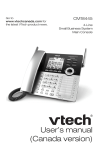
To install your deskset in the wall installation position, make sure you first
unplug the power adapter from the electrical outlet.
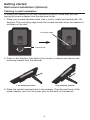
1.Place your corded handset aside. Use a coin to rotate the handset tab 180
degrees. The protruding edge holds the corded handset when the deskset is
mounted on the wall.
Protruding edge
Handset tab
2.Press in the direction indicated by the arrows to release and remove the
mounting bracket from the deskset.
High tabletop position
Low tabletop position
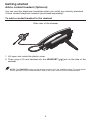
3.Place the corded handset back to the deskset. Plug the small end of the
power adapter cord into the power jack on the back of the deskset.
6