1
U180 USER MANUAL
< Bluetooth version >
Please read the user manual carefully before operation
I、Preface
Thanks for purchasing Gsou U180 Ultra portable Bluetooth®
speaker.Please take the time to follow the instructions in this User
manual carefully. If you have any query, please call our national
service hotline: +(86)755-83222871
II、Warnings and Cautions
1. To reduce the risk of fire or electric shock, be sure the electrical circuits
are not overloaded.
2. To reduce the risk of electronic shock, be sure not plug the adapter with
wet hands.
3. Unplug the power cable if your device is smoking or abnormal and seek
professional help from your nearest service center, be sure not detach the
device yourself.
4. To reduce the risk of fire or electric shock, do not expose this product to
rain or moisture. Liquids can cause a failure and/or a fire hazard.
5. The power cable and audio cable can not be twisted or dragged in case
of short circuit.
6. Do not place any naked flame sources, such as lighted candles, on or near
the apparatus.
1
2
3
4
5
6
III.Standard Accessories
Micro USB cable
1 unit
U180使用说明 <蓝牙+插卡版>
(使用音箱之前请先仔细阅读本机使用说明)
3.5mm Audio cable
1 unit
User Manual/Warranty Card
1 set
IV.Safety information
OFF
NO
V.Structure Introduction
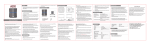
1
2
Bottom View
3 4 5 6
Front View
Top View
9
7
8
Back View
1
2
3
4
5
6
OFF
NO
Power on/off
Bluetooth® disconnect button and Answer/Reject call. In Bluetooth®
mode, press and hold for 3 seconds to disconnect Bluetooth®. In
Bluetooth® mode, short press for 1 second to answer the call, and long press
for 3 seconds for rejecting call. In Aux mode, short press is invalid and long
press for 3 seconds for switch to the Bluetooth pairing mode.
Indicator light: Blue indicator light and Red Low powerindicator
Previous track button: In Bluetooth® mode, short press is for previous track,
long press is for decreasing volume,
Note: the button is invalid in the AUX-in mode.
Play/Pause button. In Bluetooth® mode, short press is for Pause. The
button is invalid in the AUX-in mode.
Next track. In Bluetooth® mode, short press is for next track, long press
is for increasing volume, the button is invalid in the AUX mode.
Microphone hole
7
Micro USB port is for connecting to DC 5V USB cable, to charge the U180
Bluetooth® speaker. Please take note that power adaptor is not standard
accessory of Gsou Bluetooth speaker. You can use your mobile phone adaptor
to charge the speaker or connect to USB port of your PC /power bank to
charge the device. The limited voltage is 5V.
8
AUX-in jack. Connect the U180 with your pc, MP3/mp4 player, Tablet,
Mobile and other playback devices with 3.5mm jack by audio cable and
U180 will disconnect the Bluetooth® automatically.
Chaging indicator. Red indicator lighted when charging, and off after fully
charged.
9
VI.Structure Introduction
Indicator Color
Blue indicator flashes
Blue indicator remains steadlily on
Low power indicator flashes
Red charging indicator light
U180 working status
Status of waiting for connecting
Connected to Bluetooth® source or
connected to aux in devices
Battery voltage lower than 3.3v, Red light
flashes means your U180 need to be charged
Red indicator is on when charging, and off
when fully charged.
VII.Operation Steps
* How to connect your U180 with Bluetooth playback devices?
GsouU180
Step 1: Be sure your speaker battery has sufficient power.
Step 2: Turn on your speaker and it will be in Bluetooth mode automatically and
ready for connecting. The blue indicator flashes..
Step 3: Open the Bluetooth® of your mobile, search the “Gsou U180” device and
connect to it. Usually you needn’t to input password for most of Bluetooth
playback devices, but due to the Bluetooth version varies, sometimes, you
need to input the default password “0000”(four zero) if required.
Step 4: Blue light remains steadily on to indicate successfully connected
Step 5: Run the music player of your mobile, and enjoy the loud but clear sound
from your U180.
* How to connect your U180 with Bluetooth playback devices?
disconnect the
previous pairing
Bluetooth® device
GsouU180
Your U180 supports connect to one Bluetooth playback device at the same time
only. You need to disconnect the previous pairing Bluetooth® device, then other
mobiles can be available to connect, and the operation steps will also be same
as before.
* How to connect the U180 with your notebook pc by Bluetooth®?
1. In the case of your notebook with the Bluetooth® function.
Start—Setting—Control Panel
Step 1: Start your notebook, search the Bluetooth® device by
“Start—Setting—Control Panel”.
Step 2: Start the Bluetooth® searching function of your notebook, blue light
flashes when searching the Audio-in devices.
Step 3: Blue indicator light remains steadily on after connecting successfully.
Step 4: You can play the audio music of the notebook by the U180.
2. In the case of your notebook without Bluetooth® function.
Bluetooth® adaptor
Please buy the Bluetooth® adaptor additionally. After installing please start the
Bluetooth® from the “Control Panel” or the shortcut of your pc desktop, please
search for connecting, and the instruction steps are the same as the first case.
VIII.How to play music by AUX-in?
MP3/MP4
Cellphone
Panel computer
Note book
DVD
PC computer
Step 1: Your U180 comes with a standard 3.5mm Aux in jack for connecting with other
non-Bluetooth audio devices,eg mobile phones,mp3/mp4 players.pc. tablet pc and
etc. Plug one end of the audio cable to the AUX in jack of the speaker and the
other end connect to audio source AUX jack..
Step 2: Your U180 will disconnect the Bluetooth®, switches to the external source play,
as the external source of AUX-in mode is prior.
IX.Trouble Shooting
or
or
1. In each mode, connect the USB port of PC with standard USB cable, or use separately
bought USB charging plug to charge our speaker(Remark: Please use qualified USB
charger, in order to avoid damage of Lithium battery of speaker)
2. Charging indicator light remains steadily on when charging, and off after full charged.
The charging time is 2~3 hours(slightly difference according to different charger)
3. Low-voltage indicator: When battery voltage is lower than 3.3V, the low voltage
indicator light flashes.
X.Trouble Shooting
Problem
Speaker will not turn on
● Make
Solution
sure your speaker battery has sufficient power.
● If
your device requires a pass code, make sure to input
“0000”four zero.
the Gsou U180 speaker off and back on
Paired Bluetooth device
● Remove the Gsou U180 speaker from the pairing list on
will not connect
your Bluetooth device pairing list (consult the device
owner’s manual for assistance).Then pair the device and
the speaker again.
● Turn
Speaker indicates a
connection, but it not
playing music
Can not pair the Gsou
U180 with my
Bluetooth device
● Turn
off or disable Bluetooth on all other paired devices
nearby and reconnect the device you want to listen
Turn the Gsou U180 speaker off and back on
● Make sure your speaker is discoverable
● Your Bluetooth device maybe out of range-try to move
closer to your speaker
● Make sure your Bluetooth device supports the transfer
of audio
● Reset your Bluetooth speaker
●
Bluetooth® compatibility note: U180 can be compatible with most of Bluetooth®
devices with the different brands and models, but some individual Bluetooth® devices
may have compatibility problem with the U180. If you need further assistance ,please
contact our technical customer service: 86-755-83222871.
Problem
●
No audio from a
Bluetooth device
●
●
●
Solution
Make sure your Gsou U180 is not muted and the
volume is up.
Make sure your Bluetooth device is playing audio and
volume is up
Your Bluetooth device may be out of range, move
closer and try
Turn your Bluetooth speaker off and back on
● Your
Poor sound
quality from
a Bluetooth device
●
●
●
●
No Audio from
AUX source
●
●
●
●
●
Poor sound quality
from AUX source
Bluetooth device may be out of range, move
closer and try again
Move your Bluetooth device and /or Gsou u speaker
from any device that generates electromagnetic
interference, such as another Bluetooth device, cordless
phone, microwave oven or wireless router.
Try to turning off WIFI to improve audio quality
Make sure your music file is not poor quality.
Turn your Bluetooth speaker off and back on.
Make sure your connected device is on and playing
Make sure you speaker is in AUX in mode
Make sure the audio cable is correctly inserted
Increase the volume level on the device and speaker
Reduce the volume level on the AUX source
Make sure the 3.5mm audio cable is fully inserted into
the speaker and device.
● Make sure your audio source and music file is not of
poor quality
●
XI.Specifications
Product specification
Channel
Amplifier
Speaker
Size
Weight
Technical Parameters
RMS
Bluetooth® chipset
Bluetooth® version
Supported protocol and profile
Working current
Working voltage
Sensitivity
S/N
Distortion
Frequency response
Working temperature
DC output
Battery
1.0Channel
Digital Amplifier
Full range Φ45mm 2Ω
L74 x W74x H65mm
252g
5W
BCM
V3.0+EDR
A2DP、AVRCP、HFE、HFP
Max≤600mA
3.3V-4.2V
80db
≥80 db
≤0.3%
90Hz-20KHz
-10℃~50℃
DC 5V
Built-in 500mA battery
XII.Statement
The Gsou trademark and logo are registered trademarks of Gsou Technology
(Shenzhen)Co.,Ltd. All Rights Reserved. All other trademarks, logos or service marks
are the property of their respective owners.
XIII.Limited Warranty
Your Gsou U180 Bluetooth® speaker is covered by a limited warranty. It is
backed by 1 year performance warranty against any manufacturing defects in
material or workmanship from the date of original purchase. This warranty
entitles the purchaser to get the product repaired or replaced under the
following conditions:
● The warranty applies to the original purchaser, Proof of original purchase
is required
● The warranty does not cover the damage caused by misuse, abuse or
improper storage.
● In no event shall Gsou be responsible for any direct, incidental,
consequential or other damages of any kind.
XIV.Contact details
Gsou Technology(Shenzhen)Co.,LTD
Add:14c, Block A, First World plaza, No.7002 West Hongli Road,
Futian District, Shenzhen, China.
Tel: 0086-755-8326 6570
Fax:0086-755-8325 5400
E-mail: [email protected]
Website: www.gsoutech.com
Gsou U180 Bluetooth speaker
with Clear Sound and Amazing Deep Bass
http://www.gsoutech.com/product/2014526192346.html