1
USER MANUAL
28-2INV060002
General Precautions
1. Before using Inverex, read all instructions and cautionary markings on :
Inverex (2) the batteries (3) this manual
2. CAUTION --To reduce risk of injury, charge only lead-acid type
rechargeable batteries. Other types of batteries may cause damage and
injury.
3. Do not expose Inverex to rain, snow or liquids of any type. Inverex is
designed for indoor.
4. Do not disassemble Inverex. Take it to a qualified service center when
service or repair is required.
5. WARNING: Provide ventilation to outdoors from the battery
compartment. The battery enclosure should be designed to prevent
accumulation and concentration of hydrogen gas at the top of the
compartment.
6. NEVER charge a frozen battery.
7. Input/output AC wiring must be no less than 18 AWG gauge copper wire
and rated for 75 o C or higher. Battery cables must be rated for 75 o C or
higher and should be no less than 10AWG gauge. The inner diameter of
the copper ring terminal which is used to connect battery cables to
Inverex DC terminals should be no less than 6mm.
8. Be extra cautious when working with metal tools around batteries.
Short-circuiting the batteries could cause an explosion.
9. For battery installation and maintenance: read the battery
manufacturer’s installation and maintenance instructions prior to
operating.
P
P
P
P
Personnel Precautions
1. Have plenty of fresh water and soap nearby in case battery acid
contacts skin, clothing, or eyes.
2. Avoid touching eyes while working near batteries.
3. NEVER smoke or allow a spark or flame in vicinity of a battery.
4. Remove personal metal items such as rings, bracelets, necklaces, and
watches when working with batteries. Batteries can produce a
short-circuit current high enough to make metal melt, and could cause
severe burns.
5. If a remote or automatic generator start system is used, disable the
automatic starting circuit or disconnect the generator to prevent accident
during servicing.
Introduction
Inverex is a DC-to-AC inverter with auto line-to-battery transfer and
integrated charging system, serving as an extended run UPS, a standalone
power source or an automotive inverter.
Inverex supplies power from AC power and DC source. When AC cable is
connected to a wall socket, utility power goes to connected equipment(s)
and/or charges the battery set via charging system. In UPS mode, Inverex
automatically convert battery energy into AC power for backing up the
connected devices.
Features:
Automatic line-to-battery switchover
Selectable Input voltage ranges
High efficient DC-to-AC conversion, minimizing energy loss
Rack Tower design for flexible placement
Built-in enhanced charger
Intelligent 2-stage charger control for efficient charging and preventing
overcharge
Provides overload protection
Auto restart while AC recovery
Multi-function LED indications and buzzer alarms
Operation
Front Panel Controls and LED Indicators
Shown below are the controls and indicator lights on the front of Inverex.
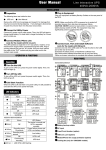
Figure 1
Front Panel
Power On/Off
power on/off button is shown as above. Once Inverex has been properly
installed and batteries are connected, press this button and Inverex will
turn on automatically, and works in mains mode or inverter mode according
to input AC source’s status. When press this button again, Inverex will turn
off automatically.
Mains Mode LED
The green LED will blink or light steadily when power mains is normal.
Note: The green LED blinks every 2 seconds to indicate that battery
capacity is not full enough and battery is being charged by high rate.
Inverter Mode LED
The Yellow LED will light when power mains is abnormal. And unit will work
in inverter mode.
Fault LED
The red LED will light when fault occurs.
Back Panel Description
Shown below are the components on the back of Inverex.
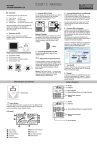
Figure 2
1.
2.
3.
4.
5.
Back Panel
DC Input Connector (Battery Terminal)
Input Breaker
AC Input Connector (Three-station Terminal Block)
Output Receptacle(s)
Input Voltage Range Selector : (Input voltage range is defined in
specification chapter, and output voltage is the same as input voltage in
mains mode)
A. Select ‘Narrow’ setting for general electrical appliance: If you select
this mode, the Inverex operating voltage in Line mode is within
170~280Vac (90~145Vac) with the same output voltage. The line
sensitivity is higher. Hence, you can connect the computer systems or
other precision home equipment when you select this mode.
B. Select ‘Wide’ setting to save energy: If you select this mode, the
Inverex operating voltage in Line mode will be extended within
90~280Vac (50~145Vac) with the same output voltage. The Inverex is
with the lower line sensitivity. Moreover, there will be taking a long
transfer time when the Inverex transfer from Normal mode to Battery
mode during power failure. Hence, you can connect the home
equipments, such as light bulb, fan, fluorescent tube, or TV when you
select this mode.
Caution!! If you select the ‘Wide’ mode and connect the computer to
the output of Inverex, the computer may reboot if the input voltage is too
low to be accepted. In addition, the long transfer time will happen when
power failure makes the computer reboot.
Battery Connection
Step 1- Pinch the bottom of DC input cover and Open it. See Figure 4.
Step 2- Following battery polarity guide located near battery
terminal! Place the battery cable ring terminal over
Inverex’s battery terminal. Tighten the M5 nut. Do not
place anything between the flat part of battery terminal
and the battery cable ring terminal, or overheating may
occur.
Caution! DO NOT place anything between
battery cable ring terminals and battery
terminals. The terminal stud is not designed
to carry current. Apply Anti-oxidant paste to
terminals after terminals have been torqued.
Figure 4 Battery Cable Connection to Inverex
Step 3- Connect
battery cables to your batteries
Single battery connection: When using a single battery, its voltage must
be equal to the voltage of Inverex Nominal Input Voltage
(Apply to Inverex 500/1000)
For the user operation safety, we strongly recommend that you should
isolate the battery terminals before you start to operate the unit. Please
refer to below instruction for further information. If you parallel more
batteries to extend the backup time, please make sure that you already
use tapes to isolate the rest battery terminals before you start to operate
the unit.
Series battery connection: When using multiple batteries in series, all
batteries must be equal in voltage and amp hour capacity, and the sum
of their voltages must be equal to the voltage of Inverex Nominal Input
Voltage (Apply to Inverex 1500/2000)
Parallel battery connection: When using multiple batteries in parallel,
each battery’s voltage must be equal to the voltage of Inverex Nominal
Input Voltage (Apply to Inverex 500/1000 extend the backup time)
AC Connection
Before having AC connection, match the power requirements of connected
devices with the power output of Inverex to avoid overload. Consult a
qualified electrician, and follow local code for the proper wire sizes,
connectors and conduit requirements.
Step 1- A three-station terminal block is provided to make AC input
connections. Remove the cover plate.
Caution!! Be sure that AC source is disconnected before attempting to
connect AC to Inverex.
Step 2- Connect the hot wire (black/brown)
of AC input cable to the HOT IN terminal.
Step 3- Connect the neutral wire (white/blue)
of AC input cable to the NEU IN terminal
Step 4- Connect the ground wire
(green) of AC input cable
to the GND IN terminal
Step 5- Tighten screws to affix wires
in terminal block.
Step 6- Cover up the AC Input by the
plastic cover.
Step 7- Simply plug your equipment(s)
into the output receptacle(s).
Step 8- Turn on Inverex when you are
using connected equipment(s).
Figure 5
AC Input Connections
Troubleshooting
Problem
No LED display
Possible Cause
1. Battery Weak
2. Battery defect
Mains normal but
works in inverter
mode
Alarm buzzer beeps
continuously
Back up time is
shorten
3. Power switch is not
pressed
1. AC Input is missing
2. Input protector is
effective
1. Overload
Remedy
1. Re-charge battery
cable and DC input
connection.
2. Battery replacement.
3. Press and hold power
switch.
1. Check AC input
connection.
2. Reset the input
protector.
1. Verify that the load
matches the
capability specified in
the specs.
1. Overload
1. Remove some
non-critical load.
2. Battery voltage is too 2. Charge battery for 8
low.
hours or more.
If any abnormal situations occur that are not listed above, please call
service people immediately.
Specification
MODEL
CAPACITY
INPUT
VA/W
Nominal Voltage
INVEREX
500-I
INVEREX
1000-I
500VA/300
W
1000VA/60
1500VA/90
2000VA/12
500VA/300
0W
0W
00W
W
110/120VAC or 220/230/240VAC
90-145VAC or 170-280VAC (Narrow Range)
50-145VAC or 90-280VAC (Wide Range)
Voltage Range
OUTPUT
INVEREX
1500-I
Voltage
+/-0.1 Hz
Output Waveform
TRANSFER
TIME
EFFICIENCY
1000VA/
600W
50Hz or 60Hz
Frequency Regulation
(Bat. Mode)
DC Voltage
Overcharge Protection
INVERE
X 1000
10% / -18%
Frequency
Charger Current
INVERE
X 500
120VAC or 230VAC
Voltage Regulation
(Bat. Mode)
BATTERY &
CHARGER
INVEREX
2000-I
Modified Sine-wave
10 Amp +/1Amp
12V
10 Amp +/1Amp
10 Amp +/1Amp
12V
24V
15V
10 Amp +/1Amp
8 Amp
+/- 1Amp
6Amp +/1Amp
24V
12V
24V
30V
30V
Typical
15V
15ms Typical, 50ms Max.
AC to AC
>95%
DC to AC
>80%
AC Mode
Green lighting
Battery Mode
Yellow lighting
INDICATOR
Battery Charging Mode
Green flashing every 2 seconds
Overload
Red flashing every 0.5 second
Fault
AUDIBLE
ALARM
Red lighting
Low Battery at Battery
Mode
Sounding every 2 seconds
Overload
Sounding every 0.5 second
Continuously sounding
Fault
PROTECTION
PHYSICAL
Full Protection
Discharge, overcharge, and overload protection
Dimension (DxWxH)
mm
Net Weight (kgs)
224 X 255 X 80
2.0
2.3
2.5
2.5
1.7
ENVIRONMENT
Operating Environment
Noise Level
* Product specifications are subject to change without further
notice
0- 40°C, 0-90 % relative humidity (non-condensing)
Less than 50dB
1.9