1
If you have not turned the timer off, the
amount of time you have to make words
will be shown on the clock display.
must first make words to achieve a certain score value before the HINT key
will appear. With each use of the HINT
key, your score will be reduced. If your
score drops below a certain score, the
HINT key will disappear and you will
need to make some words to get your
score back to the value that displays the
HINT key.
You will also see your initial zero score,
which will be updated as you make
words. Longer letter length words receive
more points. If you do well and achieve a
good score, you will be given a Bonus
Round with a new grid of letters and
more time to make words and add to your
score.
ENTER KEY
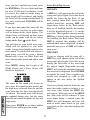
Press ENTER to register the word. If it is
a valid word from the over 47,000-word
vocabulary, it will be scored, the count of
words using its letter length will be
reduced, and finally the letters will be
returned to the grid. If it is not a valid
word, INVALID will be displayed.
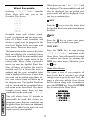
Press MENU during this Press Enter
Screen to briefly see a Score Screen.
SCORES
HIGH 0000
LAST 0000
ROUND 0000
LETTER SQUARE
The score for the round will always be
zero, since the round has not started, but
the high score achieved thus far, and the
score from the last time you played will
be shown. The round score will always be
updated during play, but the timer must
be on, in order to update the last and high
score.
Once a word is registered and accepted as
valid, it will appear in the area above the
letter grid.
Now press ENTER to see those hidden
grid letters and begin your round.
If you try to use ENTER to register a
word that has already been entered, an
“already registered” sound will be made,
and nothing else will happen. If you don’t
see that word in the entered word area,
press the PAGE key to see more entered
words.
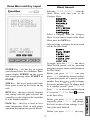
Letter Square Play Screen
PAGE KEY
HINT KEY
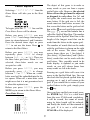
Once you have entered enough words to
fill the entered words area, the next word
that is entered will go in the entered word
area, but that pushes one of the other
words to an alternate screen storage area.
When this occurs, the PAGE key will be
displayed on the left of the screen.
Pressing this PAGE key will display the
other words that have been entered but
that could not fit on the main play screen.
Pressing PAGE again will either go to the
next page of entered words, if there is
If you are playing with the timer off, a
HINT key will appear on the left of the
screen once play begins. Press this key
to display the first letter of the word with
the longest length. Repeatedly pressing
HINT will cause the remaining letters of
that word to be displayed. Press ENTER
to register the word. Once a word is registered and accepted as valid, it will
appear in the area above the letter grid.
If you are playing with the timer on, you
10