1
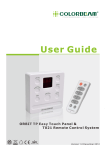
User Guide ORBIT TP Easy Touch Panel & T021 Remote Control System DRY Version 1.0 December 2012 CONTENTS 1. 2. 3. 4. 5. 6. 7. 8. ITEMS INCLUDED BEFORE UNPACKING......... 2 INTRODUCTION.............................................. 3 SPECIFICATION.............................................. 4 FUNCTION SCHEMA & INSTALLATION............ 5 WIRING DIAGRAM........................................... 5 WARNING....................................................... 6 OPERATION.................................................... 7 ORDER INFORMATION....................................10 www.colorbeam.com 1 ITEMS INCLUDED Please make sure the below items were inlcuded when unpacking. If there is anything missing, please call your local dealer immidently. ORBIT TP Remote Controllor Wall Fixed Plate (1pcs.) Screw (4pcs.) www.colorbeam.com 2 INTRODUCTION COLORBEAM design simple operation control system ORBIT TP and T021 remote control for ORBIT series lights, built in program with 3 channel modes (1 color channel mode, 3 color channel mode, 4 color channel mode) which is suitable with any led lighting fixture in the market. The Orbit TP with 11 built in fixed color can be memories easily with adjustable the brightness and color, 7 built in fading mode can adjust the speed by user's preferences. Features: 1. Easy wiring 2. Easy operation by touch panel 3. IR remote control 4. Friendly Interface 5. 3 Channel modes 6. 11-fixed color mode 7. 7-fading mode 8. RGB and WHITE adjusting 9. BRIGHTNESS and SPEED adjusting 10. Memory Capability www.colorbeam.com 3 SPECIFICATION Electrical Power Voltage: 24 VDC (ORBIT TP) Power Requirement: Lithium Battery (model no.CR2025) T021 Communication: USITT DMX512-A address setting Function Power on / off Channel mode (single color, 3colors, 4colors ) 11 pre-set static colors 7 pre-set fading mode RGB, White adjustment individual Speed adjustment Brightness adjustment Storage function Housing Dimension (mm): ORBIT TP (L90 × W90 × H21.5) T021 (L82.89 x W30.89 x H9.4) Weight: ORBIT TP ( 138.5 g) T021 ( 16.5 g) Color: White Listing Certifications: CE / RoHS / WEEE DIMENSIONS 30.89mm 21.5mm 90mm 82.89mm T021 90mm ORBIT TP www.colorbeam.com 4 FUNCTION SCHEMA INSTALLATION FUNCTION SCHEMA On/Off Channel Mode Key Terminal Block of Wiring Lights Adjustment Key Seven Segment Displays Wiring Information Touch Panel Symbol Cable Color Description Touch Slide D+ White DMX+ D- Green DMX- GND Black GROUND DC+ Red DC24V + INSTALLATION Please unplug from the mains before installation. 1. Pass the wires through the metal backplate, and tighten the plate on the wall with 4 screws. 2. Connect the wires to the customized terminal block in accordance with D+, D-, GND, DC+. 3. Place Orbit TP on the metal backplate. 1 3 2 WALL WALL WALL NOTICE: 1. Please notice the idea of the wiring for all Colorbeam fixture is in series connection. 2. The warranty will be invalid when the fixture is not under normal usage (including trimming the cable and do wiring by user). Please contact with your sales representative for the detailed information if the trimming will be happen. www.colorbeam.com 5 WARNING Read the instructions carefully before you install or powering! CAUTION! Be careful with your operations. You can suffer a dangerous electric shock when touch the wires inside the unit. 1. Safety Instructions Every person involved with installation and maintenance of the this device has to : -be qualified. -following the instructions of manual Please make sure that there are no obvious transport damages. Please immediately contact the local dealers as the device is in fault operation or damage. Damages caused by the disregard of this user manual or unauthorized modification to products are not subject to warranty. Important Keep this driver away from rain and moisture. Unplug mains lead before opening the housing. Make sure the plug is tightly connected with outlet. Make sure all connector are connected properly. Make sure the AC power that complies with local electrical codes. Do not expose the device to heat source, corrosive, flammable or explosive area. Do not block any of ventilation openings. Do not open the device and try to repair the device personally. 2. Operation Determinations The device must only be used indoor. ! CAUTION! For non-Colorbeam fixtures, refer to the wiring diagram for installation. I f the device has been exposed to drastic temperature fluctuation, do not switch it on immediately. The arising condensation water might damage your device. Leave the device switched off until it has reached room temperature. Only operate the device after having checked the housing which is firmly closed and all screws are tightly fastened. Do not shake the device. Avoid brute force when installing or operating the device. Operate the device only after having familiarized with its functions. Do not permit operation by persons who are not qualified for operating the device. Most damages are the result of unprofessional operation! The maximum ambient temperature 40 degree must never be exceeded. Please consider that unauthorized modifications on the device are forbidden due to safety reasons! www.colorbeam.com 6 OPERATION Attention: It is import to read this manual before you install or use this product. ORBIT TP •POWER ON/OFF (1)Power ON/OFF Press the circle with [ON/OFF] letter on the panel to turn the unit ON/OFF. The display will fade out when turning off the device. When the device is turned on,『---』will be displayed and it will start in the last used mode. (2)Memory function Memory function: The controller will automatically memories the last setting when turn off the unit and will continue to perform when turn on the unit again. •CHANNEL MODE SETTINGS (1) Orbit TP is suitable for single color (1CH) / tri-color (RGB)(3CH) / four-color (RGBW) (4CH) fixtures. Please kindly note that the channels need to be set accurately before operations. (2)Setting Press [RGB] and [WHITE] on the device (panel) together and select the channels by slider while the device is turned off. The display will show 『---』 after finished the setting. After finished the setting, touch the button [ON/OFF] to start operating the device. Channel Mode 1 Color CH Mode 3 Color CH Mode 4 Color CH Mode First Light 1CH=W 1CH=R, 2CH=G, 3CH=B 1CH=W, 2CH=R, 3CH=G, 4CH=B •RESET (1)This function is for user to reset to original setting from factory. Make sure the panel device is in OFF condition and the display shown『---』. Touch and hold the [BRIGHTNESS] and [SPEED] together until 『---』 vanish and the display show 『C01』. When see the display show 『C01』means the resetting is success. Note: T-021 can not operate the reset function. (2)Original setting MODE: 4CH COLOR: C01 FADING: F01 RGB: 000 WHITE: 000 BRIGHTNESS: 255 LGHTS: 12 nos C1: Red C2: Green www.colorbeam.com 7 OPERATION 4 COLOR CHANNEL MODE •Fixed Color Effects (1) There are 11 built-in fixed colors. The fixed colors can be selected by gliding the slider on Orbit TP. (2) Adjust the hue spectrum value of fixed colors by touching the slider on Orbit TP, and pressing [COLOR] again to create custom colors. When see the display is blinking (one time) means the custom color is saved. (3)Operation Example Condition: Adjust 『C01』 to light orange color under fixed COLOR mode: the bottom [RGB] and select『C01』, using slider to select the number 30. the bottom [WHITE] to mix the color, using slider to select the number 70. the bottom [BRIGHTNESS] to adjust the brightness to get your favorite light orange color. When finish the above steps, touch bottom [COLOR] again to save the new color. Touch Touch Touch Note: COLOR mode is not functional under fixed COLOR mode. •RGB (1) For a quick change of the color illumination in fixed COLOR mode, the colors can be adjusted touching the slider on Orbit TP. 0 255 O FF R ed O range Y ellow G reen B lue I ndigo P urple W hite (2)Memory function Press [COLOR] again on Orbit TP, the changes will be saved and replaced the prime colors. Note: SPEED mode is not functional under RGB mode. •WHITE (1) For a quick change of the intensity, it can be adjusted by gliding the slider on Orbit TP. (2)Memory function Press [COLOR] again on Orbit TP, the changes will be saved and replaced the prime color. Note: WHITE only can be applied in CH04 mode. T-021 can not operate this function •FADING Before operate this FADING mode, please check every lighting fixtures has set the DMX address correctly. Under the power off circumstances, Press [RGB] and [BRIGHTNESS] on the device (panel) at same time, and select the numbers of lights by gliding the slider. After finished setting, press the circle with [ON/OFF] letter to start operating. For DMX address setting, please refer user manual of dipswitch page of Orbit lighting include with package. The maximum channel number can be set up are 60 groups (1 DMX channel needed for single color led fixture / 3 DMX channel needed for tri-color led lighting fixture / 4 DMX channels needed for four-color led lighting fixtures). DMX setting example: www.colorbeam.com 8 OPERATION Example 1 a. Condition: Total 30 units with RGBW 4-color led, install in 5 groups, needed every 6 units in same address, total needed 5 DMX address number. b. DMX address setting Group 1 (the first 6 units): DMX address setting 1 Group 2 (the second 6 units): DMX address setting 5 Group 3 (the third 6 units): DMX address setting 9 Group 4 (the fourth 6 units): DMX address setting 13 Group 5 (the fifth 6 units): DMX address setting 17. (For DMX address setting, please refer user manual of dipswitch page of Orbit lighting include with package) c. CH setting must be 5 for each group under this condition. Example 2 a. Condition: Total 4 units with tri-color led, every unit need one address, total need 4 DMX address number. b. Group 1 (the first unit): DMX address setting 1 Group 2 (the second unit): DMX address setting 4 Group 3 (the third unit): DMX address setting 7 Group 4 (the fourth unit): DMX address setting 10. (For DMX address setting, please refer user manual of dipswitch page of Orbit lighting include with package) c. CH setting must be 4 for each group under this condition. (1)There are 7 preset fading effects F01 Color fade: All the fixtures run the fixed colors in order simultaneously. F02 Cross fade: All the fixtures will be separated into two groups which based on odd and even numbers. Each group will run a smooth transition from one solid color to another sequentially. F03 Color Cavort: An animated color effect will chase in order from the first fixture to the last one. F04 Color Sweep: A smooth color transition will spread from the first fixture to the last one F05 Rainbow Cavort: A sequence of rainbow colors will chase from the first fixture to the last one in one direction. F06 Rainbow Sweep: A sequence of rainbow colors moving in one direction gradually. F07 Color fade: All the fixtures run the fixed color C1 and C2 in order simultaneously. example: C1 C2 C1 C2 C1 C2. (2) The FADING effects can be selected by gliding the slider on Orbit TP. (3)Memory function In fading mode, the changes are saved automatically each time when enter a new value. (4)Operation Example Condition: Under the FADING mode, adjust BRIGHTNESS and SPEED of F01 . To adjust the brightness of F01 , touch the [BRIGHTNESS] bottom first, and slide the slider to get favorite brightness. To adjust the speed of F01, touch the [SPEED] bottom first, and slide the slider to get the favorite speed. The adjustment of BRIGHTNESS and SPEED will save automatically. Please do not touch [FADING] bottom again. NOTE: RGB and White mode cannot be used in FADING mode, the display will shown『---』; only the BRIGHTNESS and SPEED can be adjusted. NOTE: In FADING mode, the lowest brightness value can only be adjust to the 100. www.colorbeam.com 9 OPERATION & ORDER INFORMATION •SPEED (1) In FADING mode, it can adjust from value 1-10 for the desired color. (2) For a quick change of the speed in FADING mode, the colors can be adjusted by gliding the slider on Orbit TP. •BRIGHTNESS (1) For a quick change of the brightness in COLOR and FADING mode, the colors can be adjusted by touching the slider on Orbit TP. NOTE: In FADING mode, the lowest brightness value can only be adjust to the 100. 3 COLOR CHANNEL MODE (1) In 3 color channel mode, only WHITE can't be display. The other functions are the same as 4 Color channel Mode. 1 COLOR CHANNEL MODE (1) In 1 color channel mode, only the slider can adjust BRIGHTNESS .『---』will be shown when press other button. T-021 Press the button 「 」 to turn on/off the device. 1、Press 「 」 to see the present channel mode. 2、To adjust the channel mode, press 「 」 and hold the buttom still for 3 seconds until the display flickering then select the channel mode. After finished setting, press 「 」 to operating the device. Press 「 」 and 「 」 to select the fading mode. Press 「 」 and 「 」 to select the fixed color. Press 「 」 and 「 」 to adjust the fading speed. Press 「 」 and 「 」 to adjust the brightness. When the device is power off, press 「 」 or 「 」 buttom to change the numbers of the light address group. Press 「 」 after finished setting. ORDER INFORMATION FORM ITEM ORBIT TP ORBIT T021 ITEM 4-PIN CABLE for ORBIT Series CONTROLLER SPEC. ----------- PART NUMBER GOBC0111 B030210001 ACCESSORY SPEC. 1M PART NUMBER D03-994001-002 www.colorbeam.com 10 COLORBEAM CO. LTD. 314, 3F., No. 87, Minguang E. Rd., Taoyuan City, Taiwan 33052 TEL : +886 3 335 7716 FAX : +886 3 331 3386 E-MAIL : [email protected] W : www.colorbeam.com