1
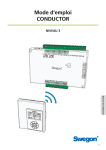
TUNE Adapt Art No: 1545 197 / 20130214 User Manual – Version 6.0 Functionality Connection TUNE Adapt is a hand-held unit for setting and viewing the readings of all airborn ADAPT products. As standard, Tune Adapt is delivered with an english manual. Manuals in additional languages (corresponding to the available language packages) can be downloaded from www. swegon.com. For specific information about available languages and language settings in the software, please see LANGUAGE MENU section. The unit is connected with an RJ12 type cable and also powered by the product it is connected to. See figures 2-4 for connection examples. When the unit is connected to a product, the communication to the SuperWise / BMS is interrupted. Figure 2. To open the sensor module, use a screw driver. Be careful when reinstalling the module to avoid damaging the positioning pins. Figure 1. Hand-held unit, TUNE Adapt. Button Functions Symbol +/– Name Function ARROW up/down Scrolls up and down through the menus in the display. ENTER Confirms selection: – Press to enter a submenu. – In the setup menus ENTER is pres�sed recurrently to change a variable. The accessed variable can then be changed. Changing a value in these cases is instant, pressing ENTER is not required. Plus/Minus CROSS Increases / decreases values. Back / return to previous menu or step. Built in LED The unit has a built in red LED. Emitted or flashing LED when connected to a product indicates that either communication is broken or that supply voltage is too low. Wait a minute or two and then reconnect TUNE Adapt. For information on LED operation of sensor modules or products the unit can connect to, see the sections regadring the menus; LED INDICATOR and ALARM MENU. Figure 3.TUNE Adapt can be connected to an air diffuser by using the RJ12 contact on the circuit board. Compatibility TUNE Adapt in version 6.0 is backwards compatible with previous versions of airborne ADAPT products. For versions older than 6.0, the following applies: • TUNE Adapt of an older version can always read a newer airborn ADAPT product, however the newer variables will then be lacking in the TUNE Adapt unit. • TUNE Adapt of later versions cannot read older versions of airborn ADAPT products. The hand-held unit must not be mistaken for the unit supplied with the GOLD air handling unit, which runs a different software. Figure 4. TUNE Adapt can be connected to a duct damper by plugging the RJ12 cable directly into the single contact on the side of the damper. TUNE Adapt Display and menu structure The TUNE Adapt screen can only display four rows of text. In this manual, menu examples are illustrated in grey when occuring outside of the screen, and in black when appearing within the screen. T UN E A D A PT V 6 .0 US E R M E N U A LA RM M E N U CO M M I S S I ON IN G SUPPLY TEMP Shows the value of the built-in temperature sensor. In certain applications such as ADAPT Damper for extract air, the temperature cannot be shown, the value -1 is then given. LA NG UA G E A DV A NCE D ME N U TEST MENU At startup the unit displays a list of available menus. The uppermost row is always reserved for the name of the currently displayed menu. In root level the top row shows a Swegon header, in later version also including the software version of the hand-held unit. Scroll by using the arrow keys to access the desired menu. A selected row is indicated by highlighted text with dark background. Use the ENTER button to confirm selected option or to continue into a desired submenu. In some cases a confirmation is required (YES/NO), before entering the selected submenu. In the far right end of the display, a scrollbar indicates if more menu rows are accessible in the list. Use the arrow buttons to scroll up or down in the list. USER MENU T UN E AD AP T V6 .0 US E R M E N U A LA RM M E N U * U SE R M EN U * CO M ILO S SW I ON IN G AM I RF 0 l /s LAANG I RFUA LOGWE SE T A DV DMP ME N U ROAONCE M TE 0 0 .0 ° c TE TP MLY E NU SS UP T EMP 0 0 .0 ° c CO 2 I N ROOM 0ppm CA C LE V EL CA C CO 2 EQU . 0 0 /s 0% 0ppm RH LE V E L 0% CO O L V A L U E 0% HE A T V A L U E 0% HE A T V A L V E POS 0% S LA V E O U T PU T 0% E X T E RNAL IN P U T S W V E RS ION S E RI A L N O AIRFLOW Shows the current actual airflow in l/s. AIRFLOW SET Shows the airflow set-point in l/s. ROOM TEMP Shows the measured room temperature in °C from either the built-in sensor, external DETECT SME or DETECT T. In certain applications, for example ADAPT Damper for supply air, the room temperature cannot be shown. The value -1 is given in this case. At delivery the products are preset to commissioning mode, set to max airflow, this can cause the room to get cold, see TEST MENU, last in this manual. 0% 0000 00000 CO2 IN ROOM If DETECT Q is connected and APPLICATION MENU: APPLICATION is set to DETECT Q (corresponding parameter 2 in older versions), the carbon dioxide value in the room is displayed. CAC LEVEL / CAC CO2 EQU. If Clean Air Control is enabled, the air quality value (CAC LEVEL) and the corresponding value recalculated in CO2 [ppm] (CAC CO2 EQU.) are displayed here. Good air quality corresponds in this case to a CAC value lower than 35%. RH LEVEL When using a humidity sensor the actual value is displayed in percent. COOL VALUE Displays the cooling value (0-100%), where 0% corresponds to the min. flow in unoccupied or occupied mode and 100% corresponds to the max. flow. When 2-step cooling is activated, the range extends to 0-200%, where the 100200% range shows the working area of the cooling valve. HEAT VALUE Displays the the heating value in percent if the product is set for heating control. Heating control is time proportional which means that the valve is only open during that part of the time cycle to which the heat load corresponds. Example – Heating load 50%: The valve is closed 50% out of 350 sec. (= 175 sec.), and then open for 175 sec. HEAT VALVE POS (from software version 4 or later) Displays the heating value of the valve output in percent. If the cold down draught protection function is enabled, the heating value can be 0%, while the valve output can be e.g. 20%. SLAVE OUTPUT Displays the airflow of the slave output, 0% corresponds to minimum or unoccupied flow, while 100% corresponds to the maximum airflow. EXTERNAL INPUT Displays the signal level of the external input in percent (0-100%). This corresponds to 0-10V DC for the application EXTERNAL 0-10V (variable value 1 in earlier versions) and 2-8V DC for the aplication SLAVE (variable value 3 in earlier versions). The value is only reported for these two parameters, displayed value for all remaining applications is 0. 2 Swegon reserves the right to alter specifications.20130214 www.swegon.com TUNE Adapt SW VERSION Displays the current software version of the controller in the product. SERIAL NO Displays the serial number of the product. COMMISSIONING: AIRFLOWS Menus for setting of all controller set-points. TU N E A D A P T V 6.0 U S E R ME N U A LA R M ME N U ALARM MENU This parameters in this menu shows the value 1 if something is abnormal in the ADAPT product. Simultaneously, the LED in the sensor module is red. C OMMIS S ION IN G LA N GU A GE * C OMMIS S ION IN G * A DAVIR AN C E DS ME N U FLOW TEA SIR T ME QUNAULITY* A IR FLOW S * T UN E AD AP T V6 .0 OC C U P IE D US E R M E N U A LA RM M EN U CO M M I S S I ON IN G MIN 10l/s MA X 40l/s U N OC C U P IE D LA NG UA G E * AL A R M M EN U * AV A NCE IRA NY F UNCT O ND AME L AR M: MIN TES TM MPEENU DA R ST R OKE 0 M O T O R F AU L T 0 PRESSURE SENSOR 0 RO O M T E M P 0 S UP P LY T EMP 0 WRONG SETPOINTS 0 CAC SENSOR FAULT 0 CO M F O RT A L AR M : T E M P E R AT U R E 0 A I R Q UA L IT Y 0 A I R HUM ID IT Y 0 DAMPER STROKE Indicates a damper stroke error; at startup the product performs a stroke check. If this check fails, an alarm is initiated. MOTOR FAULT This alarm is activated if the actuator of the product can not reach the damper position within the detected damper stroke area. 51l/s E L. D U C T H E A TE R MIN 0l/s A IR FLOW 14l/s A IR FLOW S E T 15l/s D A MP E R P OS 32% COMMISSIONING MODE MA X FLOW V A LV E C OMM. MOD E IN A C TIV E P R E S S U R E S E N S OR FLOW P R E S S . 45.2P a 0-C A LIB . 1.4P a D A MP E R S TR OK E 55mm AIRFLOWS: OCCUPIED This function is for setting the MIN and MAX max airflows in l/s for the current product in occupied mode. A Product marked with “Default” in the designation, indiccates it is a stocked product with standard settings that most likely are not applicable to the current installation. PRESSURE SENSOR If the pressure sensor transmits unreasonable values or if communication to this sensor ceases, an alarm is initiated. AIRFLOWS: UNOCCUPIED The lowest airflow during unoccupied mode. ROOM TEMP Refers to failure of the built-in temperature sensor or the temperature sensor fitted inside the sensor module. AIRFLOWS: EL. DUCT HEATER The min. flow of the electric duct heater, this value only applies to version 5.1 (1024) or later. If the function is activated, i.e. set to a value higher than 0 l/s, the controller will interpret this as an indication that the heating coil is located in the supply air duct. If heating is required, the min. airflow will then be increased to the setpoint value. The setpoint airflow should be adjusted to the setting that the air heater requires as its min. airflow. SUPPLY TEMP Refers to failure of the built-in temperature sensor fitted in the supply airflow path of the product. WRONG SETPOINTS An alarm is initiated if the heating set point and cooling set point cross one another. The heating set point must always be lower than the cooling set point. CAC SENSOR FAULT Indicates that the built-in sensor is faulty or is missing. COMFORT ALARM Alarm is initiated if the comfort alarm is activated when either temperature (TEMPERATURE), CO2-value (AIR QUALITY) or air humidity (AIR HUMIDITY) deviates more than set limit values. AIRFLOWS: AIRFLOW The actual airflow through the product, value in l/s. AIRFLOWS: AIRFLOW SET This is the estimated setpoint, calculated from the cooling / heating demand in percent, from the working area between the min. and max. airflow. Swegon reserves the right to alter specifications.20130214 www.swegon.com 3 TUNE Adapt AIRFLOWS: DAMPER POS Displays the current damper blade position. When commissioning, make sure that this value is at least 85% open for the dimensioning product in the zone. AIRFLOWS: COMMISSIONING MODE This function is used during the commissioning and function control phase. At delivery all products ar set to MAX FLOW. During commissioning, each setting / parameter must be set manually. After completed commissioning the setting INACTIVE must be chosen. The product then goes into normal operation. Parameter Explanation/Function INACTIVE Normal operation. UNOCC FLOW The min. flow set-point of the product in unoccupied mode. MIN FLOW The min. flow set-point of the product in occupied mode. MAX FLOW The max. flow set-point of the product. AIRFLOWS: VALVE COMM. MODE Enabling this feature keeps the valves open for 20 days (ON - 20 DAYS) in order to allow ventilation contractors to perform venting and commissioning. This function can also be used for valve control. The function must be manually disabled (INACTIVE) after performing the control. AIRFLOWS: PRESSURE SENSOR Displays the current flow pressure (FLOW PRESS.). This pressure is almost identical to the static pressure drop across the air diffuser. Zero calibration (0-CALIB.) can be carried out, however this requires that you are sure that there is no airflow. Shutting the damper by forced control will not help. 0-calibration has been carried out at the factory prior to delivery. AIR QUALITY: CO2 (DETECT Q) This menu is for setting the trigger and end values for the proportional airflow control function in relation to the CO2 value. Parameter Explanation/Function MIN SET Lower limit for the start of proportional airflow control. MAX SET Upper limit, 100% airflow for the proportional airflow control. Specifies the ratio between the measured PPM PER VOLT CO2 and (volt) signal to the product. Normally, this is 200 ppm/V. AIR QUALITY: CAC SETPOINTS Set-point values for control of a VOC sensor. Parameter Explanation/Function MIN SET Lower limit from which airflow increase starts in order to vent off contamination. MAX SET Upper limit when airflow increase has reached its max. value. AIR QUALITY: RH SETPOINTS Set-point values for control of a humidity sensor. Parameter Explanation/Function MIN SET Lower start limit for airflow increase in order to vent out moisture. MAX SET Upper limit, when airflow has reached its max value. RH PER VOLT Specifies the relation between the measured RH level and (volt)signal to the product. LANGUAGE Use this menu to change language settings in TUNE Adapt. TU N E A D A P T V 6.0 AIRFLOWS: DAMPER STROKE Displays the detected stroke in millimetres for the product. U S E R ME N U A LA R M ME N U COMMISSIONING: AIR QUALITY C OMMIS S ION IN G LA N GU A GE T UNE A D A PT V 6 .0 * LA N GU A GE * A D V A N C E D ME NU ES NTGLIS HU TE ME N US E R M E NU A LA RM M E N U CO M M I S S I O N IN G LA NG UA G* EC OMMIS SION IN G * SVENSKA A IARF LOD WS A DV NCE M EN U T EA S ITR MQEUA NUL IT Y * AIR QU AL IT Y * DANSK S U OMI N OR S K CO 2 ( DET E C T Q) MIN SET M A X SE T P P M PE R VOL T 8 0 0 p pm 1 0 0 0 p pm 2 0 0 p pm CA C S E TP OIN T S M I N S ET 25% M A X SE T 35% RH S E T POIN T S M I N S ET 65% M A X SE T 90% RH P ER V OL T 10% Scroll down to the preferred language and press ENTER to change language. The standard version*) of TUNE Adapt is delivered with a language package containing: • english, swedish, finnish, danish and norwegian. TUNE Adapt can also be ordered with one of the following two language packages*): • english, estonian, russian and polish • english, german, french and dutch User manuals in each of the available languages above are available for download from www.swegon.com. *) TUNE Adapt with language packages other than the standard version must be ordered separately. 4 Swegon reserves the right to alter specifications.20130214 www.swegon.com TUNE Adapt ADVANCED MENU The Advanced menu is mainly used for deployment and commissioning. Changes in the advanced menu should primarily be done by experienced users, e.g. service technicians. T UN E A D A PT V 6 .0 US E R M E N U If TUNE T is connected, influence from the TUNE T is displayed at ±3° from the calculated average value. ROOM TEMP DEV Room temperature deviation – the difference between the actual values and the calculated set points for cooling/heating when occupied or unoccupied. CO M M I S S I ON IN G If TUNE T is used for set point displacement, the change can be read in this menu only. LA NG UA G E Example: A DV A NCE D ME N U Cooling set point is 23° C and heating set point is 21° C. A LA RM M E N U TEST MENU At a room temperature or 22.5° C, the value 0,5° K is displayed as deviating temperature on the nonconforming temperature line. ADVANCED MENU: TEMP. MENU Menus for setting temperature settings, displayed in ° C. * A D V AN C E D M EN U * If TUNE T is turned down as much as possible for reduced room temperature, the cooling set point will be 20° C and the value 2.5° K will then be shown. T E M P . M E NU O CCUP A*NCY T E M(IN PET R)A T U R E M EN U * COCO M MOUNI LT ECA M PT ION OC C 23°c This means that it is 2.5° K too warm in the room and that the cooling control function will start. E MHE E RG EN A TETNCY EMP M OC CU 21°c APPLICATION CO O LT E M P MENU U N OC C 25°c HE A T T E M P U N OC C 20°c NIGHTCOOL Set point for night-time cooling. This set point applies when the night-time cooling function is enabled from a BMS and results in boosting the airflow until the flow reaches its max. airflow set-point. CA LC. S E T P. RO O M T E MP D EV 2 2 .0 ° c 0 .0 ° c NI G HT CO OL 18°c M O RNI NG H E AT 25°c HE A T V A L VE T IME 350s S UP P LY T EMP D IF A LLO W E D T ±0K +10K COOLTEMP OCC Cooling temperature when occupied, i.e. the temperature at which cooling control begins. If the system has sufficient capacity, this will be the maximum room temperature in the cooling mode. MORNING HEAT Set value for morning time heating of premises when the function is enabled from a BMS. HEAT VALVE TIME Indicates the required time it takes for a thermal actuator to open completely from a cold position. The time is used for the time proportional opening when the heating load is <100%. If the product is to control electric heating via a semi-conductor relay, the time should be set to max. 60 sec. HEATTEMP OCC Heating temperature when occupied, i e the temperature at which heating control begins. SUPPLY TEMP DIF Control limit for the airflow – Specifies the limit for acceptable supply air temperature in relation to room temperature is specified. This will be the room’s lowest temperature, provided that the product steers heating control. If this is not the case, the value is insignificant. A positive value only allows increased airflow when the supply temperature is lower than the set-point value. COOLTEMP UNOCC Cooling temperature when unoccupied, same functionality as described for the cooling occupancy temperature. HEATTEMP UNOCC Heating temperature when unoccupied, same functionality as described for the heating occupancy temperature. A negative value allows supply air temperature to be higher than the desired need for cooling or heating with air, e.g. if the value is set to -5° K, airflow increase can be performed with supply air that is 5° K warmer than the room temperature. The corresponding principle also applies for cooling mode. The default value is set to 0° K, which in practice means that the supplyair only needs to be 0,1° K lower in order for cooling to take place. CALC. SETP. Displays the calculated avarage setpoint for regulation as a value between the heating and cooling conditions. The value is dependant of the occupied or unoccupied modes. ALLOWED T Air heating ∆T – set value of the maximum supply air temperature when the product controls a duct heater. These temperature readings are shown when the unit is operating either night-time cooling mode or morning heating mode. The supply air temperature recieves a max limit, room temperature + the set value (0-15°K). Swegon reserves the right to alter specifications.20130214 www.swegon.com 5 TUNE Adapt ADVANCED MENU: OCCUPANCY (INT) ADVANCED MENU: COMMUNICATION Menus for settings of the internal occupancy sensor. Contains the communication settings for the product to SuperWISE or a BMS, see the table. Note the specific setting demands for products connected to a SuperWISE system. * A DV AN C E D M EN U * T E M P . M E NU O CCUP A NCY (IN T ) * A D V A N C E D ME N U * CO M M UNI*CA T ION OC C U PA N C Y (IN T ) * E MOECC RGSEENCY NU NS LME E VE L A POPCC LI CA IO S TTA TN U SME N U O CC S T A T U S + D E L AY O CC DE LA Y OF F O CC DE LA Y ON TE MP . ME N U 0000 OC C U P A N C Y (IN T) 0 C OMMU N IC A TION 0 E ME R GE N*CCYOMMU ME N UN IC A TION * A PMOD P LICBAUTION ME S ADD R ENSUS 000 20m 0s B A U D R A TE O CCUP A NC Y A UT O / M A N O CC/ UNO C C P A R ITY AUTO 38,4k N ON E S TOP B ITS 1 U N OC C OCC SENS LEVEL Indicates the signal level from the built-in occupancy sensor. When the value from the sensor exceeds 250, occupancy is detected. For ADAPT Damper with DETECT SME, the detection limit is 100. OCC STATUS*) Displays status from the built-in occupancy sensor, 1 = occupancy. The value returns to 0 after 1 minute if no new occupancy has been detected. OCC STATUS+DELAY The occupied mode including the delay. The value applies to the entire system of interconnected master/slave air diffusers including external occupancy sensors. Adjustable parameters in the communication menu Parameter Function and selectable modes MODBUS ADDRESS Setting of the modbus address: 1-248 BAUD RATE*) Communication rate – adjustable in three levels: 9.6k / 19.2k / 38.4k PARITY*) Parity check: NONE / ODD / EVEN STOP BITS*) 0 or 1 *) Product connected to SuperWise should always have the following settings: BAUD RATE: 38.4k / PARITY: NONE / STOP BITS: 1 ADVANCED MENU: EMERGENCY MENU This menu allows for emergency settings to be read or tested. * A D V A N C E D ME N U * OCC DELAY OFF Occupancy switch off delay – Delay time until the controller switches to unoccupied mode, provided no new occupancy detection has occured. TE MP E R A TU R E OCC DELAY ON Occupancy switch on delay – Delay time before the controller switches to occupied mode. This must always be set to 0 if lighting control is to be used. Otherwise the recommended value is 30 sec. A P P LIC A*TION ME NN UC Y ME N U * E ME R GE *) *) OCCUPANCY Allows for forced control of the occupied mode from automatic (AUTO) to manual (MAN). If manual mode i selected, OCC/UNOCC should also be set manually to either unoccupied (UNOCC) or occupied (OCC). For an ADAPT Damper in master version, without a builtin occupancy sensor, this value should be set to continuous occupancy if a DETECT O is not connected. NOTE: If a slave damper of ADAPT Damper type is used, the corresponding setting must also be performed in the slave. OC C U P A N C Y (IN T) C OMMU N IC A TION E ME R GE N C Y ME N U E ME R GE N C Y C ON TR OL S E TTIN GS MA S TE R C LOS E S LA V E E QU A L Functions – EMERGENCY MENU Menu Function OFF / ON – Activates the emergency test. During the CONTROL test the LED flashes orange. Do not forget to reset CONTROL to OFF when the test is completed. SETTINGS Refers to the action performed upon activation of emergency: closing or opening of valves. MASTER CLOSE / OPEN – Only adjustable when TUNE Adapt is connected to a master diffuser. SLAVE EQUAL / REVERSED – Only adjustable when TUNE Adapt is connected to a slave diffuser. Changing the parameter while connected to a master diffuser has no effect on any slave diffusers in the system, for these the parameter must be set individually for each slave. *) Description refers to built in occupancy detector and is not valid for external detectors such as DETECT O. OCC DELAY ON and OCC DELAY OFF must be set in the external detector, see separate instructions for the specific product. OCC STATUS does not display any data from external detectors, only OCC STAT+DELAY is displayed as either 0 or 1. OFF 6 Swegon reserves the right to alter specifications.20130214 www.swegon.com TUNE Adapt ADVANCED MENU: APPLICATION MENU Used for setting of the primary functions in the product. The screen examples illustrate activated AIR COOL mode. * A D V AN C E D M EN U * T E M P . M E NU O CCUP A NCY (IN T ) FUNCTION Operation menu containing settings of the extra functions in the product. Alternatives Function when activated AIR COOL Airborn cooling, eventually in combination with radiator heating. CO M M UNI CA T ION AIR COOL & HEAT Airborn cooling and airborn heating. E M E RG E NCY M EN U 2-STEP COOLING Air and water in sequence, heating is not possible. – Not selectable in the current version. APPLICATION MENU * APP L IC A T ION M EN U * A P P LI CA TION LED INDICATOR Here you can select whether the LED of the product you are connected to (in applicable cases, i.e. products with a sensor module), should be switched off or used to indicate functionality or comfort alarm, also see ALARM MENU. NO RM A L F UNCT I O N A I R CO O L LE D I NDI C A T OR F UNCT I ON T E M P S E N SOR U SE TYPE 0 HE A T I NG P RE S E N T A CT UA TOR T YP E NO RM A L L Y C L OSE D Alternatives Functionality OFF The LED on the product is turned off. FUNCTION The LED indicates normal operation but not the comfort alarm (default setting). COMFORT The LED only indicates the comfort alarm. FUNC & COMFORT The LED indicates both normal operation and the comfort alarm. OFF AT UNOCC The LED indicates normal operation, but is turned off in unoccupied mode. NO ALARM INDIC. The LED indicates normal operation. No function alarms are indicated. COOL PROTEC. A CT I V E L EV EL 00% CO O L LIM IT 50% V A LV E E XE R C ISE T I M E I NT ER VA L 5d CA C US E Mode indications of the WISE sensor module NO T P R E SE N T V E NT B O O S T ON B O O S T D EL A Y B O O S T T IME 7 2h 5m CA C/ CO 2 A T U N OC C NO T A C T IV E APPLICATION Select the application that corresponds with the description in the table. The application defines how the external input control of the master product is used (in older versions, the aplication is only indicatad by numbers (0-7), however the order corresponds to the table listings below, e.g. SLAVE = 3). APPLICATION Explanation/Function NORMAL Temperature control from the internal sensor. EXTERNAL 0-10V External control with a 0-10 V DC signal. LED Colour Explanation Green, solid At normal functionality, during night cooling, morning heat and vent boost. Green, flashing During Startup (boot sequence). Orange, solid Commissioning mode, max. airflow Orange, flashing During forced control, e.g. commissioning mode (forced max. airflow), forced min. airflow, forced occupancy, emergency or manual damper positioning. Red, solid Supply voltage is too low or a function alarm. Red/Green, alternating Comfort alarm, too high or low room temperature or insufficient air quality. TEMP SENSOR USE (from software version 5 or later) This variable defines how the built-in temperature sensors are used. This function is programmed from the factory. Variable value Explanation/Function DETECT Q Air quality and internal temperature sensor. SLAVE Slave product. 0 ADAPT supply-air diffuser and ADAPT Damper for supply-air with DETECT SME or DETECT T. TUNE T External room temperature setpoint adjuster. 1 ADAPT Extract and Damper for extract air. DETECT T External room temperature sensor. 2 ADAPT Damper for supply air. DETECT RH Humidity sensor & internal temperature sensor. 3 ADAPT Damper for extract air with DETECT T. This function is not used in a standard setup. 4 ADAPT Damper for extract air with DETECT SME. – *) *) In some configurations, this application can be used as a ventilation function, i.e. external button for flow boost. 5-9 Not used in the current version. Swegon reserves the right to alter specifications.20130214 www.swegon.com 7 TUNE Adapt HEATING (from software version 4 or later) If the ADAPT controller is to be used for controlling radiators, this function must be enabled (PRESENT/NOT PRESENT), however radiator control cannot be combined with 2-step cooling. For ADAPT products running verson 3, change-over can only be done in Modbus via variable 0x0006 (or correpsonding software, not via TUNE Adapt). ACTUATOR TYPE Here you can change the function of the vent type. The default setting is NORMALLY CLOSED. Parameter Explanation/Function NORMALLY CLOSED Deenergized closed valve. NORMALLY OPEN Deenergized open valve. Used for heating systems with requirements for secured heating during power down. COOL PROTEC. (from software version 4 or later) Cold down draught protection – the product can control heating even if there is no heating load. This function is used for reducing cold down draughts by the windows (ACTIVE LEVEL). The heating control will be enabled to the set-point level, e.g. 20%, until the cooling load has reached 50% (COOL LIMIT). VALVE EXCERCISE (from software version 4 or later) During the summer half of the year, the valves may need to be exercised so that they will not jam. The exercising feature can be enabled by setting the time between these occasions to >0. The time is set in 24 hour days, TIME INTERVAL (0-14d). Exercising takes place by enabling the valve output for 10 minutes. The function is activated as standard. Activation takes place after the first occurance of detected occupancy after the deadline. CAC USE Activation of the built-in air quality sensor in ADAPT Damper on the extract air duct (NOT PRESENT/USED). VENT BOOST Enables the function for forced airflow during a shorter time (5 minutes) when the product has operated in unoccupied mode longer than the set time (72 hours). Parameter Explanation/Function ON/OFF Activation of forced airflow BOOST DELAY Time limit for activation of the ventilation boost function. BOOST TIME Time duration for forced airflow in minutes. CAC/CO2 AT UNOCC Provision for enabling the CAC/CO2 function when the ventilation system is operating in unoccupied mode (NOT ACTIVE/ACTIVE). TEST MENU Intended for mandatory ventilation controls. The functions are used for commissioning and performance checks. When TEST MENU is selected, a warning is displayed to remind you to be particularly cautious; changing any data in these menus could cause the control system to stop operating. TU N E A D A P T V 6.0 U S E R ME N U A LA R M ME N U C OMMIS S ION IN G LA N GU A GE A D V A N C E D ME N U TE S T ME N U * TE S T ME N U * COMMISSIONING MODE MA X FLOW A IR FLOW TE S T MOD E D A MP E R P OS MA N 000l/s OFF 0% N IGH TC OOL A U TO/MA N A U TO MOR N IN G H E A T A U TO/MA N A U TO IN TE R N A L D C 29,3V R E B OOT C ON TR OLLE R N O/Y E S NO COMMISSIONING MODE This function is used during the commissioning and performance check phase. COMMISSIONING MODE is also accessible via COMMISSIONING: AIRFLOWS: COMMISSIONING MODE . For more details on this feature see section, AIRFLOWS: COMMISSIONING MODE on page 4. TEST MODE Test of the damper position (DAMPER POS MAN). With this function, the damper position can be manually steered to a fixed value within 0-100%. Do not forget to restore the test mode to OFF setting after performing a test. When the test mode is enabled, the product LED flashes orange. NIGHTCOOL This function is used for status reading and for testing of the night cooling function, do not forget to set this function to AUTO after completing the test. MORNING HEAT This function is used for status reading and for testing the morning heat function, do not forget to set this function to AUTO after completing the test. INTERNAL DC Displays the internal voltage level of the controller, the value should be inbetween 29-36 V DC in order to obtain correct functionality. REBOOT CONTROLLER This function allows you to perform a restart of the controller in the product when not performing as expected (NO/ YES), e.g. due to many functions beeing changed. Restart via this function does not reset changed/set functions. 8 Swegon reserves the right to alter specifications.20130214 www.swegon.com