1
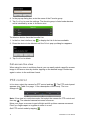
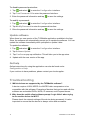
3. Tap Start live view to start live viewing from the selected camera(s).
Stop live view
There are two methods to stop live view:
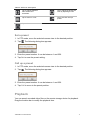
Stop all cameras: Tap
to stop live view for all cameras.
— Or —
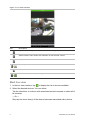
Stop a specific camera: Tap and hold the live view screen of the desired
camera. This
icon appears at the top of the screen. Drag the selected
camera’s screen upwards until the icon changes to
, and release the camera
screen.
Favorite devices and cameras
You can group the most important or frequently used devices and cameras in a
Favorites folder so that, for example, they can be easily and quickly accessed in
live view. More than one device can be saved in a favorite group.
To configure favorite cameras:
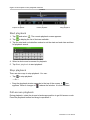
1. In the live view interface, tap
to display the list of devices available.
2. Check the desired devices. You can either:
Check a device to select all of its cameras.
— Or —
Check only specific cameras associated with a device.
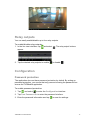
3. Tap
to add the selected cameras to the Favorite group.
TVRMobile V2.0 User Manual
9