1
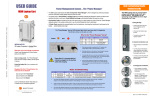
ELECTRICAL: Avoid sparks. Avoid arcing
Always turn OFF the power to the cart before plugging IN or OUT!
How Does a Laptop Computer Manage Heat?
ELECTRICAL: For Safety Purposes, make sure all electrical components do not exceed the the maximum load rating of 12 amps.
To manage the heat stress of the battery, computer engineers include
sophisticated battery management functions in the design of the computers.
They can be found in two places: the external charger & internal to the
notebook computer itself. The transformer converts the alternating current
from the wall socket to a lower voltage direct current. Besides charging the
notebook’s battery these “bricks” as they’re sometimes called, can supply
enough electricity to operate the laptop and charge the battery
simultaneously.
ELECTRICAL: Risk of electrical shock. Do not plug the power cord into another extension cord or relocatable power tap.
ELECTRICAL: The Power Bars inside the laptop cart are only for charging laptop computers. Any other use may cause an
overload for the Power Management System, causing the Brain to shutdown, resulting in the LED lights flashing on and off.
To reset the Brain, turn off the main power switch, unplug the non-laptop computer, then turn the main switch back on.
CAUTION: Ventilation is critical for laptop computer carts to operate correctly, providing the appropriate airflow so that
heat-buildup is minimized during the battery-charging process, with the computers turned OFF. Be sure each laptop
computer is turned OFF before plugging into the cart.
Deep inside the computer a dedicated microcircuit continuously monitors
and manages the charging current, voltage and temperature of the battery. If
the temperature of the battery exceeds limits, the microcircuit will stop
charging the battery until the temperature drops to acceptable levels.
CAUTION: Do Not block the ventilation holes on the cart. Proper air flow is required for safe operation of equipment.
CAUTION: Cart with computers should be keep in a room with a maximum temperature not to exceed 77° F or 25° C.
CAUTION: Maximum weight of accessories on top of cabinet is 25 pounds.
Keeping the battery cooler while charging allows the battery to charge faster.
CAUTION: Avoid loading equipment in the cart in a uneven fashion. Uneven weight distribution could cause a hazardous condition.
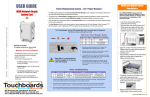
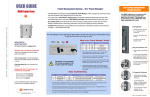
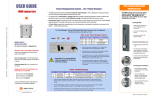
USER S GUIDE
INTELLIGENT
Netbook Computer Cart
NETBOOK42
42 Netbook Computers in Vertical Slots
Power Module
keeps the constant flow
of power from a single
wall outlet charging
batteries where needed.
Cable Management System … The Cable Clutter Closet
LED Lights
on the Power Module
keep you informed at a
glance of what s going
on in the cart
1
2
3
Thread the Velcro strap through the
two slots directly behind the front
computer slot, tacky side out, as shown.
Wrap the Cord Set with both cables
around the adapter as shown, leaving
16 for computer plug, 8 for power plug.
Lay the wrap on the Velcro strap as shown.
Buckle the Velcro strap around the wrapped
cord set, cinching it down against the shelf.
Velcro Buckle locks into place as shown.
4
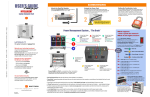
Thread computer plug cable through the hole Pull the computer plug cable through the front slot and
directly above the cinched down cord set.
Thread the cable through the loops so that the plug is in
Plug cable drops into the computer slot in front
the correct position to attach to the computer, as shown.
Below is a detail of the divider panel showing the loops.
A place for everything, and everything in its place.
You know from personal experience the value of keeping your closet neat and organized. You know exactly
where everything is when you open the door. So Bretford developed a closet for all the cords and cables
associated with Netbook Computers.
Your Intelligent Netbook Cart has its own Cable Clutter Closet – a lockable compartment at the
back of the cart especially designed to keep all the cables away from the computers and the hands that
retrieve those computers from the cart.
The interior Divider Panel separates the cart so that 75% of the cart is dedicated to the computers in
the front and 25% is dedicated to cables and power adapters in the back. Holes in the Divider Panel allow the
computer connector cables to pass thru and be easily connected to the computers for charging.
Divider Panel with Cable Slots
Each snap-in Divider Panel features slots
for routing the computer plug cable to the
plug-in spot on the computer – high or
low, left or right. And the panel has a hole
for air flow.
By separating the computer from its power adapter, you minimize the amount of heat beside the computer
battery, allowing it to charge at a lower temperature,
… allowing the battery to charge faster.
Only the IT Administrator has access to the Cable Clutter Closet, since it has its own programmable
Combination Padlock.
Full view of the closet – you immediately know if something is missing or out of place.
Special Cable Tie-Off Slots for the power adapters and their cables provide nesting for cordsets.
Comes with Laser Cut ID Numbers for coding the computers, the slots and the cable sets.
Typically, every netbook computer comes with 12 feet of cable, plus the adapter
12 x 42 = 504 feet of cable that has to go somewhere
5
Laser Cut ID Numbers
inside the Cable Clutter
Closet and on the front
shelves show you how to
use the A-B-C Code for
optimal advantage of the
Brain and its Turbocharge
Mode.
Front View
Directional Locking Casters
can be locked as a rigid caster for easy
rolling down the hallway, unlocked to swivel
for easily getting into tight spaces
Laser-Cut Identification Numbers
on both front slots & back shelves help keep
computers and their cable sets in their place and
immediate recognition if one goes missing
Cord Winder
on the side panel
provides easy access
up high, so that the
cord does not get
crimped under the
wheel
Cable Clutter
Closet keeps the
cable sets and adapter
bricks organized,
everything in its place,
with easy access
Back View
3-point Security
on both front & back doors with programmable
combination padlocks, plus recessed doors
make it difficult to pry them open
11000 Seymour Avenue
Franklin Park, IL 60131 USA
www.bretford.com
800 521 9614