1
10
CHAPTER 2. ADMINISTRATION
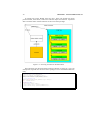
http://localhost/jupload.php
jupload.php
/myapplication/upload.asp
http://other.server:88/apps/upload.php
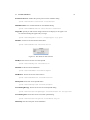
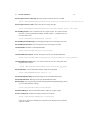
Boolean This is a parameter of the type Boolean. These are on/off values. It can be
specified using the following values: true, false, on, off, 1, 0, yes, no
String This is a parameter containing multiple characters, a string. It’s used for messages or labels.
Integer This is a parameter for configuring some numbers. If used for file sizes or
limits, the unit is always bytes. Often you can switch off the limit by using a
value of -1.
2.2.2
Advanced configuration
The advanced configuration is for customizing the applet for your needs.
Internationalization
JUpload is capable of i18n. With the help of properties-files, you can easily specify your own translation. If you want to creat your own translation, uncompress the
archive, go to the subfolder JUpload/. The filenames of the language packs look like
this:
jupload_xx_YY.properties
Language (xx) und Country (YY) are standardized, see
Language codes: http://ftp.ics.uci.edu/pub/ietf/http/related/iso639.
txt
Country codes: http://userpage.chemie.fu-berlin.de/diverse/doc/ISO_3166.
html or. http://www.iso.org/iso/en/prods-services/iso3166ma/index.html
The files are simple ASCII files, each line has a keyword and a value. The keyword
is concatenated by the class name and an identifier. Often you can use formatting
patterns like (
n etc.)
While initialising, the applet tries to gather information about the locale settings
on client side and tries to find the corresponding language file automatically. You do
not need to specifiy the language explicitly. If no corresponding language file can be
found, a default one will be loaded: jupload.properties
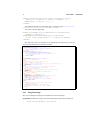
Part of a translated language file:
...
HTTPPostRequest.6=Anfrage vorbereiten...
HTTPPostRequest.8=SecureHTTP vorbereiten...
HTTPPostRequest.13=Öffne Verbindung...
HTTPPostRequest.16=Lese Dateiinformation...
HTTPPostRequest.21=Aushandeln...
...