1
Infocus IN15_UG_E.book
Page 2 Tuesday, October 23, 2007
5:37 PM
Unpacking
Unpacking
As you unpack the projector, check to make sure that all of the items listed below are present.
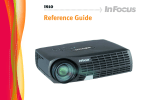
PROJECTOR
AC Power Cord
•
•
•
•
•
•
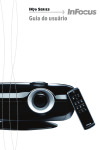
Remote Controller
Video Cable
Battery (CR2025)
(Loaded in remote controller.)
Mini D-Sub Cable
Soft Cases (projector and cords)
CD-ROM with Reference Guide
Printed User's Guide
Safety booklet
Warranty booklet
Registration card
Using the User Documentation on the CD-ROM
The CD-ROM that comes with the projector has a PDF file “Reference Guide” that contains
detailed explanations about projector operations.
In order to read the Reference Guide, you need to have Adobe® Reader® installed on your
computer. If you don't, go to www.adobe.com to download and install it.
Register with InFocus
It's quick, easy, and secure.
Activate your warranty to ensure eligibility for service and support. Get special offers and
notifications about free product updates.
Go to www.infocus.com/register
Important Lamp Information
The lamp originally installed in this projector is model SP-LAMP-035, which is intended for
tabletop (non-inverted) use. Do not use this lamp in ceiling mounted (inverted) applications. For
ceiling mount (inverted) application, use lamp model SP-LAMP-036 instead, which is specifically
designed for that purpose. Use of the wrong lamp will significantly reduce lamp life and void the
lamp warranty (and if use of the wrong lamp results in damage to the projector, it will also void
the projector warranty).
See the safety instructions booklet for important safety information about ceiling mounting this
projector.
2