1
ESPAÑOL
ITALIANO
NEDERLANDS
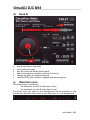
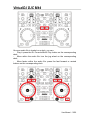
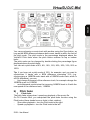
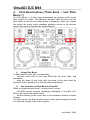
Hercules DJ Console Mk4 has 4 controls for beat matching:
1. Pitch fader,
2. Pitch Bend buttons (Pitch Bend -/+),
3. Sync button,
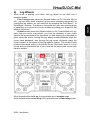
4. Jog wheels.
FRANÇAIS
If the BPM rates of 2 music tracks are very far one from the other, you
may synchronize them by setting the BPM rate of the second music track
at half or twice the BPM rate of the first music track, so that the beat of the
second music track is played at the same time as 1 beat out of 2 of the
first music track or vice versa. Typically, you can synchronize a 75 BPM
music track with another track set at 75 BPM, or with a track set at 150
BPM.
DEUTSCH
Beat matching consists of adjusting the playback speed of music track B
until the moment the beats (often marked by drums or bass) of this track B
play at the same time as the beats of track A, to keep the same beat
during 3 steps:
1. when playing track A,
2. then mixing track B together with track A,
3. and then when you stop playback of track A to keep only track B
playing, to spare the dancers a change in the dancing rhythm.
ENGLISH
VirtualDJ DJC Mk4
21/39 – User Manual

![[English] 2 MB](http://vs1.manualzilla.com/store/data/005915826_1-5de53fcb7415d947f34f2a85b18720a4-150x150.png)