1
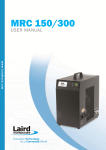
Doc#: 60-70-004 Revision: 07 MRC 150/300 Thermoelectric Re-circulating Liquid Chiller User’s Manual USA: +1 888.246.9050 Europe: +44.1342.315044 Asia: +886.3.312.9292 Website: www.lairdtech.com • Email: [email protected] User’s Manual Doc#: 60-70-004 Revision: 07 Page 2 Table of Contents 1. Introduction .......................................................................................... 2 2. Incoming Inspection ............................................................................. 2 3. Product Handling ................................................................................... 3 4. Technical specifications ......................................................................... 3 5. Installation and Operation Instructions ................................................ 8 6. Recommended Fluid Couplings .............................................................. 9 7. Digital Controller ................................................................................... 9 8. Troubleshooting Guide ........................................................................ 11 9. Serviceability ....................................................................................... 12 10. Warranty .......................................................................................... 12 11. Return Procedure ............................................................................. 13 1. Introduction Laird Technologies’ solid-state recirculating liquid chillers are designed to provide cooling for a wide range of water solutions, and can be used for cooling in many medical, laser, and test laboratory applications. They are intended to work in “closed loop” systems that separate the coolant from the outside environment, protecting the purity of the cooled product. This manual provides the necessary general information for proper installation and operation and has been developed to achieve the best results when using the Laird Technologies chiller. 2. Incoming Inspection Laird Technologies’ chiller units are designed, built, and packaged to withstand the shock and vibration normally associated with shipment by common carriers. Occasionally, improper handling during shipment, such as excessive vibration, crushing, etc., will cause damage to the product. Therefore, a thorough inspection should be provided upon receipt of all shipments. Any packaging tears, dents, scratches, or loose objects are signs of damage and should be noted on the Freight Bill. Packages should be opened promptly and units inspected for concealed damage. If damage is found, an immediate claim must be filed with the freight carrier and an inspection requested. Retain all packing materials. Laird Technologies cannot be responsible for Consignee’s failure to file a timely freight claim. USA: +1 888.246.9050 Europe: +44.1342.315044 Asia: +886.3.312.9292 www.lairdtech.com • [email protected] Doc#: 60-70-004 Revision: 07 User’s Manual Page 3 3. Product Handling Do not operate this unit before reading this manual. Before operating Laird Technologies’ recirculating liquid chiller, be certain that: 1. the unit is positioned vertically. 2. the liquid reservoir and entire recirculating system are filled with coolant. 3. the air inlet and outlet are at least 12” away from any restrictions. WARNING Electrical Shock Hazard A. DO NOT OPERATE UNIT WITHOUT COOLANT IN THE SYSTEM. B. ENSURE THAT THERE IS A CIRCUIT BREAKER ON THE LINE AND THAT IT COMPLIES WITH NAMEPLATE RATING. C. PLUG UNIT INTO GROUNDED ELECTRICAL OUTLET ONLY. D. IF THE ELECTRICAL SUPPLY CORD IS DAMAGED, IT MUST BE REPLACED BY A CORD WITH AN EQUAL OR HIGHER RATING. Failure to follow the above precautions could result in electrical shock, fire, personal injury, or damage to the unit, and will void the warranty. 4. Technical specifications Standard Features Programmable Digital Temperature Controller Low and High Temperature Alarm Signals Low Fluid Level Indicator Fluid inlet and outlet quick disconnect, 3/8” flow female valves (see section 7 for recommended system male connectors) MRC general series specifications Input voltage, VAC Operating environment temperature range, °C (°F)1 Control temperature range, distilled H 2 O as coolant, °C (°F)2 Control temperature range, using 75% distilled H 2 O and 25% glycol or alcohol as coolant, °C (°F)2 115-230VAC 4.4 to 45 (40 to 113) 2 to 40 (35 to 104) -12 to 40 (10.4 to 104) Controller accuracy, °C Frequency, Hz 1 2 ± 0.16 50/60 For ambient conditions outside this range, please contact Laird Technologies. For temperature settings below 2°C, an appropriate coolant must be used. USA: +1 888.246.9050 Europe: +44.1342.315044 Asia: +886.3.312.9292 www.lairdtech.com • [email protected] Doc#: 60-70-004 Revision: 07 Page 4 User’s Manual Chiller model Cooling capacity, Watt (BTU/hr)3 Current, Amperes, 115VAC (230VAC) Input power, Watts Fluid capacity, mL (oz.) Dimensions, h×w×d, cm (inches) Weight, kg (lbs) Maximum flow rate, LPM (GPM)4 MRC 150 MRC 300 149 (508) 290 (990) 4.7 (2.4) 8.5 (4.3) 294 507 250 (8.4) 450 (15.2) 30.4×19.5×35.1 (12.0×7.7×13.8) 39.1×20.3×33.8 (15.4×8.0×13.3) 10.9 (24) 13.6 (30) 2.9 (0.76) 3.3 (0.87) 3 Capacity rating is given at a temperature of 25°C (77°F) for the ambient air and exiting fluid. 4 For more information, see pump capacity charts. Model Number Nomenclature M R C 300 ____ - __ - DV _____ Cord set options Capacity (Watts) Chiller A = 115 VAC (North American) N = 230 VAC (North American) E = 230 VAC (European) HT = Heating Option Recirculating Digital Controller, accuracy ± 0.16°C DH2 = with RS232 serial communication DH4 = with RS485 serial communication USA: +1 888.246.9050 Europe: +44.1342.315044 Asia: +886.3.312.9292 www.lairdtech.com • [email protected] Doc#: 60-70-004 Revision: 07 User’s Manual Page 5 MRC 150 Performance Charts Thermal Capacity ∆T = Outlet Fluid Temperature - Ambient Temperature Capacity (BTU/hour) 100 200 300 400 500 600 27 10 18 5 9 0 0 -5 -9 -10 -18 -15 -27 -20 -36 -25 -45 -30 -54 0 50 100 150 Capacity (Watts) USA: +1 888.246.9050 Europe: +44.1342.315044 Asia: +886.3.312.9292 www.lairdtech.com • [email protected] 200 ∆T (°F) ∆T (°C) 0 15 Doc#: 60-70-004 Revision: 07 Page 6 User’s Manual MRC 300 Performance Charts Thermal Capacity ∆T = Outlet Fluid Temperature - Ambient Temperature Capacity (BTU/hour) 200 400 600 800 1000 1200 27 10 18 5 9 0 0 -5 -9 -10 -18 -15 -27 -20 -36 -25 -45 -30 -54 0 50 100 150 200 250 300 350 400 Capacity (Watts) USA: +1 888.246.9050 Europe: +44.1342.315044 Asia: +886.3.312.9292 www.lairdtech.com • [email protected] ∆T (°F) ∆T (°C) 0 15 Doc#: 60-70-004 Revision: 07 Page 7 User’s Manual USA: +1 888.246.9050 Europe: +44.1342.315044 Asia: +886.3.312.9292 www.lairdtech.com • [email protected] User’s Manual 5. Doc#: 60-70-004 Revision: 07 Page 8 Installation and Operation Instructions 1. Install Laird Technologies chiller on a level surface capable of supporting the weight of the Unit. Allow 30 cm (12”) clearance around the air inlet and discharge areas to insure proper air circulation. If obstacles block the airflow, the unit may overheat. This reduces performance and can lead to failure. 2. Fill the reservoir 2/3 full with fluid (see *Notes below). 3. Connect the Unit to an AC power outlet. 4. Connect the Unit to the liquid lines of your system using the input and output quick connections on the side of the Unit. 5. Turn power switch ON. 6. Watch the reservoir and keep filling as the fluid level drops. 7. Once the reservoir maintains a 1/2 full level, keep the chiller running for 10 seconds before you top off the reservoir. 8. If you turn off the chiller, wait at least 5 minutes before you turn it back on. Make sure the fluid is circulating in the reservoir, otherwise turn off the chiller and wait another 5 minutes. (See **Note Below). 9. If there is any doubt that the system has been purged of air, then check the fluid level and fill reservoir to the top. (If possible, raise the recirculating system above the chiller reservoir level for a few seconds to enable air to gather at the highest point. Then bring system below chiller fluid inlet and outlet connections for a few seconds to allow that air to travel to the chiller reservoir. If it is not possible to move the system, move chiller first down, and then up with respect to the system.) 10. Set digital controller to the desired temperature, as shown in Section 7. 11. Run the Unit and check system for possible leaks. 12. The Unit is ready for continuous operation. *Note 1: For exiting fluid temperature above 2°C (35°F), 100%-distilled water is recommended as the coolant. *Note 2: For exiting fluid temperature below 2°C (35°F), a coolant solution of 75%-distilled water and 25%-glycol or alcohol by volume is recommended. **Note 3: The pump has a delay re-start time of no more than 5 minutes. If the unit is re-started without a delay, the pump may not function. This delay is a manufacturer safety factor to reduce the risk potential failures. USA: +1 888.246.9050 Europe: +44.1342.315044 Asia: +886.3.312.9292 www.lairdtech.com • [email protected] Doc#: 60-70-004 Revision: 07 User’s Manual Page 9 6. Recommended Fluid Couplings For the fluid line connections, Laird Technologies recommends the following male couplings. Unit Tubing Inner Diameter MRC 150, MRC 300 1/4” 5/16” 3/8” CPC (Colder Products Co.) Part Number PLCD26004 PLCD26005 PLCD26006* * A pair of the indicated couplings is included with each chiller unit. For technical questions about these couplings, or to locate a distributor, please visit CPC’s website, www.colder.com. 7. Digital Controller The controller is available with either RS232 or RS485 serial communication and controls exiting fluid temperature to ± 0.16°C. A separate manual from the controller manufacturer is included with each unit. 1. To display set point Press and hold the » button. The display will now show the temperature set point and alternately the units (°C or °F). 2. To enter new set point (Factory preset at 10°C) Hold the » button (displaying set temperature) while pressing either f or g to increase or decrease the set point. While holding the » button, release f or g buttons to display the new set point. Release the » button and the default display (actual exiting fluid temperature) will reappear. 3. To adjust other functions of the controller Press f and g together for 3 seconds. f or g will scroll through the functions available on that menu level and pressing either » and f together or » and g together will change menu levels. The following table gives some information concerning some of the common operational functions of the controller. To change functions other than those shown (recommended for advanced users only), please consult the separate manual for the controller. USA: +1 888.246.9050 Europe: +44.1342.315044 Asia: +886.3.312.9292 www.lairdtech.com • [email protected] User’s Manual Doc#: 60-70-004 Revision: 07 Page 10 Factory Available range Recommended range setting of values Function Code Unit Set Point N/A °C or °F 10° -200°C to 400°C -15°C to 40°C Set Scale Max (High Set Point H i . S c Limit) °C or °F 40°C 400°C 40°C Set Scale Min (Low Set Point L o . S c Limit) °C or °F 0°C -200°C 2°C above coolant freezing point °C or °F 5°C 400°C Customer defined °C or °F -1°C -200°C Customer defined °C or °F 5°C From 0.1° to full scale 1°C to 5°C High Temp. Alarm1 Low Temp. Alarm1 Hysteresis1 (Alarm Differential) SP2.A then dU.hi SP2.A then dU.lo bnd.2 Zero Adjustment 2Ero (Sensor Offset) 0 to 25% of Full °C or Variable °F Scale Customer defined °C or °F oC o C or o F Customer defined Set point Lock S P . L K N/A OFF O F F or O n Customer defined Security Lock L o C K N/A nonE nonE, LEU3, LEU2, ALL Customer defined Select Display Units 1 Unit Not available when the heating option is included with the chiller. USA: +1 888.246.9050 Europe: +44.1342.315044 Asia: +886.3.312.9292 www.lairdtech.com • [email protected] Doc#: 60-70-004 Revision: 07 User’s Manual Page 11 8. Troubleshooting Guide Problem Unit will not start, with power switch turned ON. Controller display is off and fans are not spinning. Unit runs for a period of time and then shuts OFF. Controller display turns off and fans stop spinning. Possible Reason Power not applied. Line circuit breaker tripped due to overload. 1) The heat load is too high. Unit is running, but does not maintain desired liquid temperature. Unit is running, but the Low Fluid Indicator LED is lit. Unit is running, but the liquid level in reservoir is decreasing. Ensure line circuit breaker matches maximum fuse size on nameplate. Check that there are no other electrical components on this line. 1) Refer to performance charts in Section 4. Correct heat load, if necessary. 2) Correct set point according to Digital Controller instructions, Section 7 of this manual. 3) Digital Temperature Controller is not operating properly. 3) Consult Factory. Insufficient fluid level in reservoir. Unit or outside System has a leak. 2) 5 minute restart delay required. 3) The System head is too great for the pump. 4) Fluid is frozen in the Unit. 5) The Unit pump is not running. Unit still does not run or perform to specifications. Check Power supply and ensure proper voltage in the line. 2) Controller has incorrect temperature setting. 1) System coolant line is clogged. Unit is running, but there is no coolant flow. Low Fluid Indicator LED on the front panel is not lit. Corrective Action Fill up reservoir following air purge instructions, Section 5 of this manual. Check the System for leaks. Fix if possible. If the leak is suspected to be within the Unit, shut the Unit OFF and disconnect from outlet, then consult Factory. 1) Check outside System coolant line for clogged tubing, closed valves, or for a kink in the tubing. 2) Turn off unit, wait 5 minutes, then restart. Check for coolant flow in reservoir. 3) Relieve System pressure by removing or redesigning flow restrictions. Consult pump capacity charts in Section 4. 4) Change the set point to an appropriate temperature or change the liquid mixture to lower the freezing point. 5) After checking 1-4 above, Consult Factory. Consult Factory. USA: +1 888.246.9050 Europe: +44.1342.315044 Asia: +886.3.312.9292 www.lairdtech.com • [email protected] Doc#: 60-70-004 Revision: 07 Page 12 User’s Manual 9. Serviceability No special maintenance is Recirculating Liquid Chillers. required when using Laird Technologies For continued optimal performance and extended life of the unit, it is recommended to clean the heat sinks periodically, using compressed air. If a unit is not performing properly, use the troubleshooting chart in Section 8 to find the problem, or consult the factory. If using any kind of coolant solutions, it is recommended to periodically check the concentration. 10. Warranty Laird Technologies Recirculating Chillers adhere to the highest quality standards and are free from defects in material, components, and workmanship. This warranty covers repair or replacement of product, to be done at a Laird Technologies facility, for a period of one (1) year from date of shipment. Customer is responsible for shipping product to Laird Technologies freight prepaid. Laird Technologies in turn will return the warranted product to customer freight prepaid, if within the time period specified above. Warranty coverage is in effect when the following operating conditions are continuously satisfied: Ambient Temperature Range within 4.4°C (40°F) to 45°C (113°F). Control Temperature Range within 2°C (35°F) to 40°C (104°F) when using 100% water or -12°C (10°F) to 40°C (104°F) with an appropriate coolant. Line Voltage variation within plus or minus 10% of nameplate rating. In addition, the following criteria must be met: Electrical installation and grounding must comply with local electrical and safety codes. Recirculating Chiller must be used in the environment for which it is designed. Customer cannot abuse or mishandle the product in any way. Any modifications to the original unit will also void warranty. Compliance to User’s Manual or any other instructional guide provided by Laird Technologies for the product. This warranty does not cover the following: Applications where product is being misapplied. This includes inappropriate selection of Liquid Chiller for the environment and conditions in which it is to be used. USA: +1 888.246.9050 Europe: +44.1342.315044 Asia: +886.3.312.9292 www.lairdtech.com • [email protected] Doc#: 60-70-004 Revision: 07 User’s Manual Page 13 Damages caused by shipping carrier or any other accident after product has left Laird Technologies. Shipping claims are the responsibility of the customer and are to be completed in a timely manner. Reimbursement of labor for installation or removal of warranted product, or for parts and labor resulting from repairs performed by any other source besides Laird Technologies. This is the complete warranty and is in lieu of any other warranty expressed or implied, including but not limited to any implied warranty of merchantability or fitness for a particular purpose. Laird Technologies will in no way be liable for incidental or consequential damage whatsoever or for any other claims by the customer for damages in connection with Laird Technologies products, even if advised in advance of the possibility of such damage. 11. Return Procedure All returns must be assigned a Return Materials Authorization number (RMA#) in advance. Returns received without RMA # may be refused. In the event that a return is required, the Customer should call Laird Technologies’ Customer Service Department at USA: +1 888.246.9050 Europe: +44.1342.315044 Asia: +886.3.312.9292 or send an email to [email protected]. The Customer will be asked to fill out an RMA form so that RMA # can be issued. All returns must be securely packed to prevent shipping damage and must be clearly marked with the RMA# on the box. Consignor shall pay freight charges on all returns. USA: +1 888.246.9050 Europe: +44.1342.315044 Asia: +886.3.312.9292 www.lairdtech.com • [email protected]