1
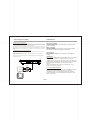
Connecting to a TV Set
Connections
About Built-in Rechargeable Battery
Precautions related to battery recharge
1. Once the battery is fully discharged, immediately recharge it (regardless of whether you plan
to use the battery or not) in order to maximize the battery life. When the power is low, the battery
icon will be shown on the upper left corner of the TFT for warning.
2. To charge the battery, please connect this player to AC mains via the AC adapter and the charge
indicator will turn on in red, and the indicator will turn into green when the battery is fully charged.
This will take about 2-2.5 hours if the player is in off mode or 4.5-6 hours if the player is in working
mode.
Using and maintaining your rechargeable batteries
1. Please make sure you always use only the AC adapter included with the player to recharge
your batteries.
o
2. Recharge efficiency will degrade when the environmental temperature drops below 50 F
o
o
o
(10 C) or exceed 95 F (35 C).
3. The lasting time of the fully charged battery when a headphone is connected to the player is
approximately 1.5 hours
Yellow
CVBS
VIDEO IN
AUDIO IN
Green
R
Red
L
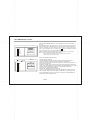
Phone Jack Function
Insert the earphone into the earphone jack, to listen the music
or movie privately.
Battery charging
When the unit battery is powered out, connect the AC adapter
onto the unit. the battery will charge automatically.
Volume adjust
Use VOLUME CONTROLL in the side of the unit to adjust the
volume.
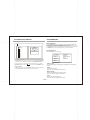
USB interface
This unit have a USB IN jack to play the MP3 music or and JPEG
files or other files. Press the <SOURCE> button to choose
USB IN mode. All the function is the same to play a disc.Note: the
USB IN port is compatible with flash memories, it is not warranted
the compatibility with MP3 players using owner software.
NOTE:
When using USB function. Please do not insert in the wrong
direction, or it will be corrupted.
3 In 1 Card Reader Function
This unit have a 3 in1 card jack. You can insert (MMC, SD ,MS)
three kinds of card with card port interface. P ress the
<SOURCE> button to choose CARD mode to play the MP3
music or MPEG4 movie and JPEG files. All the function is the
same to play a disc.
EN-05