1
Ground Balance
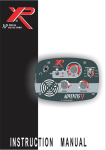
This knob is used to set the balance of the Nexus Standard SE to suit the
soil conditions on any given site.
Voltage Controlled Oscillator (VCO)
This knob turns on or off the VCO and it also sets the frequency pitch for
the target responses. Using the VCO will result in small loss of depth
penetration, but it will make the use of the detector easier. If the VCO is
turned on the Threshold level will have to be readjusted.
Threshold
This knob sets the level of the threshold tone. The Nexus Standard SE may
be operated in silent mode, with no audible background tone or with this
tone set to give a slight tone level. In order to readily discern the faintest
and smallest of signals, operation with a slight background tone is
recommended.
Sensitivity
This knob controls the level of sensitivity of the responses. The sensitivity
level setting will depend on the soil conditions but, in general, low
sensitivity setting is
recommended. On contaminated or highly mineralised sites, it may be
necessary to reduce the sensitivity to avoid excessive amount of signals.
Volume
This knob sets the volume of the tone and audio responses. This knob
should always be used for setting the volume. Any volume control on the
headphones should be set to MAXIMUM.
Discrimination Mode Toggle Switch
Located under the meter box and accessible from the hand-grip, this toggle
switch is used to change modes. When pushed forward, the detector
operates in Discrimination Mode.
OPERATION
No metal detector, however powerful, will operate at its best unless it is set
up properly for the conditions in which it is to be used. To obtain the best
results, maximum depth and sensitivity to desired targets, the Nexus
Standard SE must be properly tuned to the site.
Having assembled the Nexus Standard SE, inserted batteries and
5