1
CAR/TRUCK
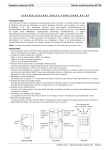
MEMO GPS UNIK II RALLY RAID VERSION 2014
GPS activation
Change of a waypoint
The bell : satellites non-reception indicator.
Appears during a few minutes at the power on.
If it still appears, check if the antenna and its cable are
connected and not damaged.
If a Wpt can’t be reached or if you don’t want to reach it,
press NXT on the INI screen (NAV for bikes).
W+ : to go to the next
waypoint
W- : to come back to the
previous waypoint
Give more importance the
waypoint’s name than to its
number.
On/Off
Put on the light by SET then LIGHT
Day code
4 digit code given during the briefing and displayed every
evening at the bivouac.
Load the wpt for the next leg.
To enter the code :
- push on the COD key from INI (NAV for bikes)
- press CD 1
- enter the code with +,-,
or
keys
- validate by ENT
Speed limit
Symbol V :
- GPS checks the max speed
- blinks and rings, and records if overspeed
Symbol ! (DZ):
- GPS checks the speed in
the village (30,50 or 90
km/h)
- blinks and rings if
overspeed.
It stops when the wpt FZ is
passed.
Releasing code WPM
Given by Iritrack calling.
Using it is penelized.
To turn masked wpts into
visible wpts and give access
to all navigation information
concerning these wpts
Navigation : Press the INI key
Screen when inside the unmasked radius or visible waypoint
(WPV) :
-
COG : Course followed by vehicle
CTW : Direct course to the Wpt
Odometer function ODO and OD+
The arrow : indicates the
direction to the target waypoint.
Reset PARTIAL to 0 with RST.
Adjust TOTAL by + and -.
Direct distance to waypoint in km
Information concerning WPM (masked waypoints) when outside
unmasked radius :
To reset PARTIAL to 0
Name of the next waypoint
Direct adjust of hundreds
meters of TOTAL
COG : Course followed
Automatic adjust at each Wpt, message « Adjust OK ».
A waypoint is reached when the vehicle is in the radius defined
for the wpt (200m or 90m). The GPS switches automatically to
the next waypoint.
!!! Information will be true only if there is no bell symbol on the top of the screen
Nov 2013
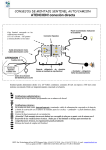
“Sentinel” FUNCTION OF GPS UNIK II USER MANUAL
Overtaking
You want to overtake : press for a long time (more than 2s)
on the push-button to send a signal to the vehicle ahead
(less than 200m).
Accident
If you breakdown or if you have a crash in a dangerous
place (after a turn or a dune): press both blue keys
simultaneously or red Alarm button, you will send a
signal to the competitors maximum 500m around
regarding the ground.
To stop it, press again both blue keys simultaneously or
red Alarm button
Somebody wants to overtake you : you hear
Beep beep beeep – Beep beep beeep
Get ready to let the vehicle pass a.s.a.p.
There is an accident near by : you hear
Beeeep – beeeep – beeeep
flash blinks and GPS shows :
To inform the vehicle which wants to overtake that you
have heard is signal and that you are going to let him
pass a.s.a.p.
Press briefly the push-button (less than 2s - which cuts
the sound in the cockpit)
If you don’t acknowledge receipt of the signal, an acknowledgement
of receipt is automatically sent at the end of 6s.
Buzzer volume
From main navigation screen, press SET key and then
SENTINEL key
3 positions : 1 / 2 /3
Flash
Optional
To stop the sound during (1 minute) in the cockpit
Press briefly the push-button (less than 2s)
« Speedox » function : sound indication in speed control area
From main navigation screen, press SET key and then SENTINEL key
3 positions : SECURITY / PERFORMANCE / OFF
SECURITY Mode
2 beeps per
second from the
speed limit – 5
km/h
Continuous
sound from the
speed limit
– 3 km/h
PERFORMANCE Mode
1 beep by minut
from the speed
limit – 4 km/h
Continuous
sound from the
speed limit
– 2 km/h
OFF Mode
No sound
signal
Nov 2013