1
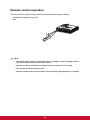
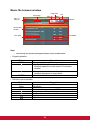
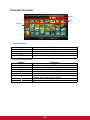
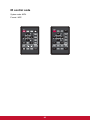
• When the projector is in photo file browser/photo file list mode:
Navigate in the chosen column, row and options.
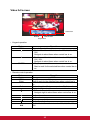
• When the projector is in photo full screen:
Select previous/next file.
5. ENTER
• When the OSD menu is on:
Confirm your selection of items.
Selects a menu option.
• When the projector is in SD Card main menu page:
Enter to file browser mode.
• When the projector is in music/video/photo file browser/music playback/photo
file list mode:
Start to work for the selected item.
• When the projector is in video full screen:
Play or pause a video.
• When the projector is in photo full screen:
Start/stop slideshow.
6.
Power
Turn the projector on or off.
9