1
Chapter 6
LabVIEW Style Guide
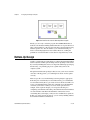
❑ Make sure that all the controls on the front panel are of the same style.
For example, do not use both classic and 3D controls on the front
panel.
Block Diagram Checklist
❑ Avoid creating extremely large block diagrams. Limit the scrolling
necessary to see the entire block diagram to one direction.
❑ Label controls, important functions, constants, Property Nodes, local
variables, global variables, and structures.
❑ Add comments. Use object labels instead of free labels where
applicable and scrollable string constants for long comments.
❑ Place labels below objects when possible and right-justify text if label
is placed to the left of an object.
❑ Use standard, consistent font conventions throughout.
❑ Use Size to Text for all text and add carriage returns if necessary.
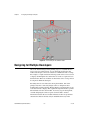
❑ Flow data from left to right. Wires enter from the left and exit to the
right.
❑ Align and distribute functions, terminals, and constants.
❑ Label long wires with small free labels with white backgrounds.
❑ Avoid placing block diagram objects, such as subVIs or structures,
on top of wires.
❑ Do not wire behind objects.
❑ Use path constants instead of string constants to specify the location of
files or directories.
❑ Make good use of reusable, testable subVIs.
❑ Use error in and error out clusters in all subVIs.
❑ Make sure the program can deal with error conditions and invalid
values.
❑ Show name of source code or include source code for any CINs.
© National Instruments Corporation
6-21
LabVIEW Development Guidelines