1
INTRODUCTION
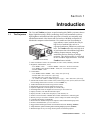
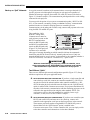
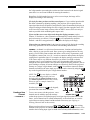
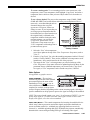
How The Projectors Work ' Vista and Roadster accept data/graphics and video input signals for projection on to
front or rear flat screens. High brightness light is generated by an internal Xenon arc
lamp, then modulated by three DMD (digital micromirror device) panels that provide
digitized red, green or blue color information. Light from the “on” pixels of each
panel is reflected, converged and then projected to the screen through a single front
lens, where all pixels are perfectly superimposed as a sharp full-color image.
1.2
Components
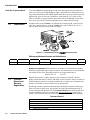
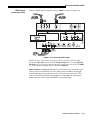
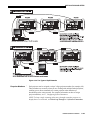
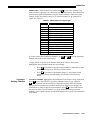
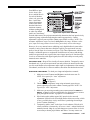
Included with Vista and Roadster is an infrared (IR) remote keypad, a power cord, a
9/64” hex socket ball driver, eyebolts (Roadster only) and a Roadster/Vista User’s
Manual. Make sure that you received everything.
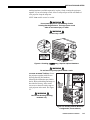
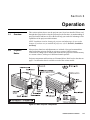
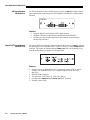
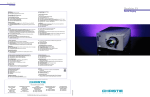
Figure 1.1. Components (SHOWN: Roadster WITH ADDED LENS)
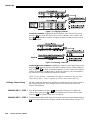
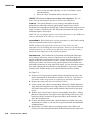
Differences Between Roadster and Vista Models
Roadster
Vista
Motorized Lens
Shutter
Audio
Handles & Slot Covers
Stacking Slots
U
U
discontinued
U
U
Eyebolts
U
optional
optional
U = Standard
U
not available
not available
optional
MODELS and AVAILABILITY: The
Roadster line and the Vista line both offer models
differing in light output and/or image resolution. All combinations are documented in
this manual, however the following models are no longer manufactured:
Roadster X4 / S4
1.3
Purchase
Record and
Warranty
Registration
Vista S5
Whether the projector is under warranty or the warranty has expired, Christie’s
highly trained and extensive factory and dealer service network is always available to
quickly diagnose and correct projector malfunctions. Complete service manuals and
updates are available to service technicians for all projectors.
Should you encounter a problem with the projector and require assistance, contact your
dealer or Christie. In many cases, any necessary servicing can be performed on site. If
you have purchased the projector, fill out the Purchase Record below and keep with your
records. In addition, make sure to complete the Warranty Registration at the Christie
website—this will ensure that you receive all future product communications promptly.
Purchase Record
Dealer:
Dealer Phone Number:
Projector Serial Number*:
Purchase Date:
Installation Date, if applicable:
* NOTE: The projector serial number is located on the projector's rear identification label
1-2
Roadster/Vista User’s Manual