1
ZAS Hbb
42
and at the appropriate position when LCN is ON.
Favorites lists A to E are not cleaned, and moves done in
all lists are not reset.
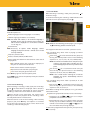
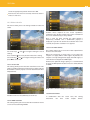
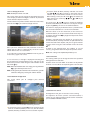
15.3 Video & Audio
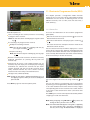
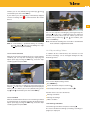
This menu allows you to set settings related to video and
audio.
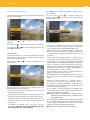
Possible values depend on the screen capabilities.
“Automatic” (the adapter adapts to the native resolution of
the screen automatically) is set by default.
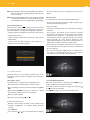
Once a value has been selected, the video output is
temporarily modified and a confirmation pop-up is
displayed. If you do not confirm the resolution after a few
seconds, the previous resolution is re-applied.
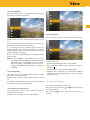
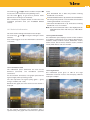
15.3.3 Scart video format
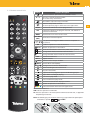
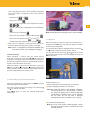
Use arrow keys
settings.
and
to navigate among the list of
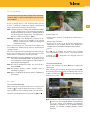
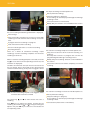
This setting allows you to select the video output format
for the Scart connection.
Use arrow keys and to navigate among the values and
press OK to select one.
When the connection is made using a Scart cable, the
adapter can supply RGB or CVBS signals. By default, the
adapter is already configured to supply the CVBS signal, as
some TVs do not support the RGB output.
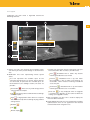
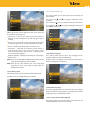
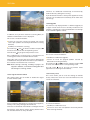
15.3.1 Screen ratio
However, for optimum image quality, it is recommended
to select the RGB option Possible values are: CVBS (default)
and RGB.
Press arrow key
to access possible values for a setting.
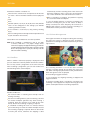
This setting allows you to select the ratio of the screen. This
setting, combined with the picture format setting and the
format of the stream played, is used to determine the final
output format.
Note: Scart resolution is always set to 720x576i.
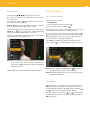
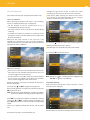
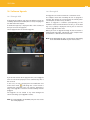
15.3.4 Picture format
Possible values are: 16/9 (default), 4/3 and 14/9.
15.3.2 HDMI resolution
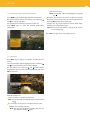
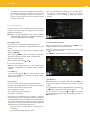
This setting allows you to select the video resolution on the
screen connected through HDMI.
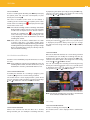
In combination with the screen ratio, this setting
determines
the
final
video
output
format.