1
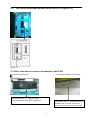
C “Check the temperature around the spring board”.
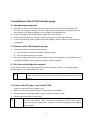
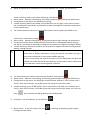
After finishing the IP300 power-on self-testing. Then, press and hold “
” for 3 seconds to get
into calibration (Adjustment) interface, meanwhile, the display screen “ADJ” icon is blinking. Input
the password “2010” and press “ENTER” key, and the IP300 display screen displays “1111”, and
then press “3”. At this time, the IP300 display screen displays “3333”, then press “ENTER” key to
get into “Check the temperature around the spring board” program. The area of volume limited in
the screen displays the temperature value around the spring board.
Users can press “BOLUS” key to exit the interface of the IP300 system parameters.
D “Calibrate the occlusion detector sensitivity”
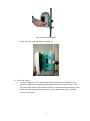
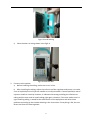
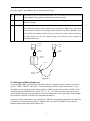
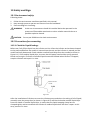
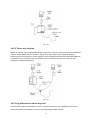
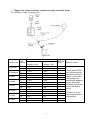
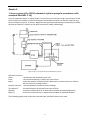
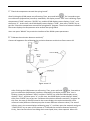
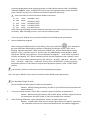
Connect all apparatus for calibrating the occlusion detector sensitivity as figure annex II.2
figure annex II.2
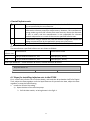
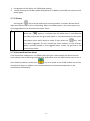
After finishing the IP300 power-on self-testing. Then, press and hold “
” for 3 seconds to
get into calibration (Adjustment) interface, meanwhile, the display screen “ADJ” icon is
blinking. Input the password “2010” and press “ENTER” key, and the IP300 display screen
displays “1111”, and then press “4”. At this time, the IP300 display screen displays “4444”,
then press “ENTER” key to get into “Calibrate the occlusion detector sensitivity” program. At
this time, the area of volume limited in the screen displays the occlusion detector initial
reference value (different infusion pump has its own different reference value). The area of
infusion rate in the screen displays calibrating step “1”, and then open the stopcock and press
“START/STOP” key to start up the process of “Calibrate the occlusion detector sensitivity”.
Firstly, users let the infusion set tubing drain some liquid, then, close stopcock. When the
59