1
Installing and Configuring BackTrack
You may also want to note here that there are more virtualization products than
VMware, and if you want to try others, you may; some of the popular, free ones are:
• VirtualBox – https://www.virtualbox.org/wiki/Downloads
• Xen – http://www.xen.org/products/downloads.html
• Hyper-V – http://www.microsoft.com/en-us/server-cloud/hyper-vserver/default.aspx
Hyper-V requires you to have either Windows Server 2008 or Windows Server 2012
installed. There are two reasons why we are using VMware Workstation in this book:
• It has fantastic documentation and support
• The image from BackTrack has the tools installed, and this makes for much
better user experience
As always, software is a matter of personal preference and taste, so try different
versions and see which one works best for you.
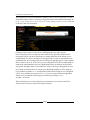
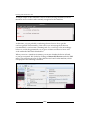
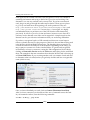
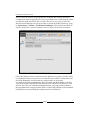
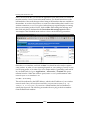
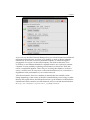
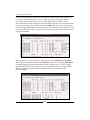
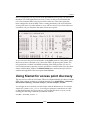
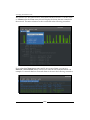
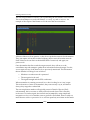
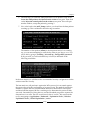
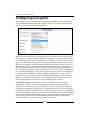
The procedure for starting the tool once you have downloaded the virtual machine
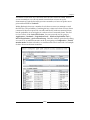
is pretty straightforward. Open the image in the virtual machine tool you are using
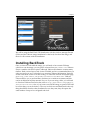
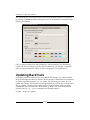
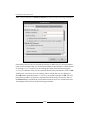
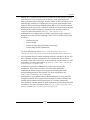
and check the settings. You should see a screen similar to the one shown in the next
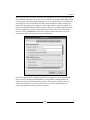
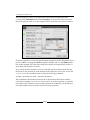
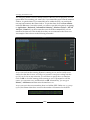
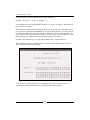
screenshot. You want to check that there is a network adapter present, and that the
RAM is set to a value that you can support on your host machine. As a reminder,
2 GB of RAM is recommended. An example is shown in the next image where the
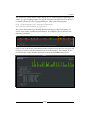
RAM is not sufficient and would need to be changed; you do this by clicking on
Edit virtual machine settings. Once you have configured this, click on Power on
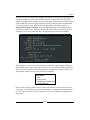
this virtual machine. If you are prompted before the VM boots up, leave the default
settings, as they are and let the machine boot.
[8]